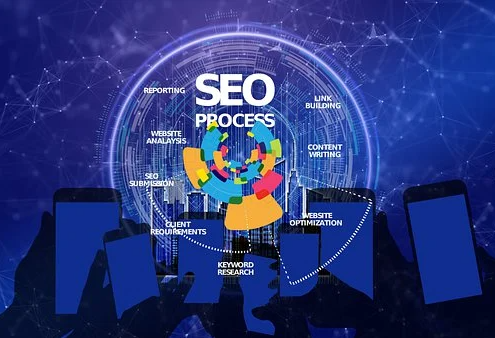
What are Dofollow Backlinks and How to get it in an Ethical way?

In general backlinks considered as the essential part of engine optimization (SEO), and they helps to bring visibility and ranking of your website. Dofollow backlinks, in particular, are highly valuable because they pass on “link juice” and help search engines recognize the authority and relevance of your site.

In this blog, we will explore what dofollow backlinks are, how they differ from nofollow backlinks. We will also provide practical tips and strategies on how to obtain high-quality dofollow backlinks to improve your website’s visibility and organic traffic.

What are Dofollow backlinks?

Dofollow backlinks are hyperlinks that allow search engine bots to follow and crawl them, passing link juice and authority from the referring website to the linked website. Among the various types of backlinks, dofollow backlinks are highly sought after due to their ability to pass on link equity and improve search engine rankings

What are Dofollow Backlinks

Importance of DOfollow Links

Dofollow backlinks are important for several reasons 

  1. Link Juice: When a website with high authority and relevance links to your website using a dofollow backlink, it passes on some of its authority and reputation to your website. This can positively impact your website’s ranking and visibility in SERPs.
  1. Organic Traffic: Dofollow backlinks can drive organic traffic to your website. Whenever users clicking on these backlinks, they are directed to your site. This will potentially increasing your website traffic.
  1. Indexing and Crawling: Dofollow backlinks help search engines discover and crawl your website. When a search engine bot follows a dofollow backlink, it can explore and index the linked webpages, ensuring your content appears in search engine results.

How to identify and obtain Dofollow backlinks?

Here are some effective strategies to help you identify and obtain high-quality dofollow backlinks:

  • Prioritize acquiring dofollow backlinks from websites that are authoritative and relevant to your industry or niche.
  • Websites with a higher domain authority and those that have content aligned with your website’s topic or keywords are more valuable for SEO purposes.
  • Conduct a thorough analysis of your competitors’ backlink profiles to identify potential opportunities.
  • Seek out guest blogging opportunities on authoritative websites within your industry. Contributing valuable content as a guest author can not only help you gain exposure but can also lead to high-quality dofollow backlinks.
  • Build relationships with influencers and bloggers: Networking and building relationships with influencers and bloggers in your industry can lead to valuable dofollow backlink opportunities.
  • Engage with them on social media platforms, share their content, and provide valuable insights or comments.
  • Producing high-quality, valuable, and engaging content is essential for attracting dofollow backlinks.How to identify and obtain Dofollow backlinks

Obtaining Dofollow backlinks: Ensuring ethical practices in obtaining Dofollow backlinks

While getting Dofollow backlinks is important aspect of your website’s SEO strategy, it is equally important to ensure that you acquire these backlinks through ethical practices. Unethical practices can not only damage your website’s reputation but also result in penalties from search engines. Here are some of the ethical practices to consider while looking for the DOfollow links.

Obtaining Dofollow backlink

  1. Avoid buying backlinks:

Purchasing backlinks may seem like a quick and easy way to improve your website’s ranking, but it is an unethical practice and violates search engine guidelines. Search engines are becoming increasingly adept at identifying paid links, and penalties for such activities can be severe. Focus on organic and natural methods to acquire backlinks instead. 

  1. Prioritize relevance and authority:

When seeking backlinks, prioritize relevance and authority over quantity. Try to achieve a few high-quality backlinks from reputable and authoritative websites in your same industry, rather than a large number of low-quality backlinks from irrelevant sources. Relevance ensures that the backlinks are from websites that are related to your niche, while authority indicates that the websites are trusted and have a strong online presence. 

  1. Build genuine relationships:

Instead of trying to manipulate or trick websites into linking back to you, focus on building genuine relationships with influencers, bloggers, and industry experts. Engage with them on social media, share their content, and provide meaningful contributions to their discussions. Building authentic relationships will increase the likelihood of them linking back to your website because they genuinely value your content.

  1. Create valuable and shareable content:

The best way to attract organic backlinks is by creating valuable and shareable content. Develop content that is informative, unique, and provides value to your target audience. When your content stands out, other websites are more likely to link back to it as a helpful resource for their readers. Remember to focus on quality over quantity when producing content.

  1. Guest blogging responsibly:

Guest blogging is a legitimate practice for acquiring backlinks, but it needs to be done responsibly and ethically. Choose authoritative websites that are relevant to your industry or niche and provide valuable content that adds value to their audience. Make sure your guest posts are not solely written for the purpose of obtaining backlinks, but rather to provide valuable information to the readers. 

  1. Monitor your backlink profile:

Regularly monitor your website’s backlink profile to detect a harmful or low-quality backlinks. There are several online tools available that can help you analyze your backlink profile and identify any suspicious or spammy links. If you come across any such links, it is important to disavow them using Google’s disavow tool or by contacting the website owners to remove the links.

Conclusion:

Dofollow backlinks plays a important role in improving your website’s visibility and authority in the digital landscape. In same way be sure to acquire them ethically by focusing on creating high-quality content, engaging in meaningful relationships, and providing value to your target audience and industry. With the help of these ethical strategies, you can establish a robust backlink profile that not only enhances your SEO efforts but also builds a reputable online presence for long-term success.

How To do Keyword Research Using Bing Webmaster Tool?

Keyword research plays a vital role for any successful online marketing strategy. By finding which keywords are most relevant and popular in your industry, you can optimize your website and content to rank higher in search engine results. While Google is often the go-to search engine, it’s important not to overlook the benefits of Bing. With its Bing Webmaster Tool, you can gain valuable insights into keyword intent, search volume, and competition. In this blog, we explain the step-by-step process of keyword research using the Bing Webmaster Tool, helping you take your online presence to the next level.

What is Bing Webmaster Tools?

Bing Webmaster Tools is a free service offered by Bing, the search engine owned and operated by Microsoft. This toolset is designed to help website owners and SEO professionals enhance their website’s visibility in Bing’s search results. Besides providing valuable information about your site’s performance, it also offers a range of SEO-related tools to optimize your website and attract more organic traffic.

Keyword Research Using Bing Webmaster

Bing has special features in the field of SEO and offering Free tools for the site performance. Ignoring Bing’s audience means missing out on potential visitors and customers. By utilizing Bing Webmaster Tools, you can access exclusive data about how your site performs on Bing’s search engine and gain valuable keyword insights specific to this platform.

Features of  Bing Webmaster Tool

The Bing Webmaster Tool is an invaluable resource provided by Microsoft, designed to help website owners and marketers improve their website’s performance in search results. Lets check out the some of the features of Bing Webmaster Tool.

  • The Bing Webmaster Tool provides comprehensive data and insights into how your website is performing in Bing search results. You can track your website’s indexing status, crawl errors, and sitemap submission status
  • Bing Webmaster Tool, helps you to access a variety of keyword research tool to discover relevant keywords for your website. These tools provide insights into search volumes, keyword suggestions, and trending searches.
  • The Site Explorer feature of the Bing Webmaster Tool allows you to explore and analyze the structure of your website. You can view the hierarchical structure of your website, identify the most linked-to pages, and analyze the internal linking structure
  • The Bing Webmaster Tool allows you to control how Bing crawls and indexes your website. You can set crawl rates and specify which parts of your website should be crawled more frequently.

Step-by-step guide for Keyword research using the Bing Webmaster Tool

Keyword research is important aspect for optimizing your website for search engines. By understanding the keywords and phrases that your target audience is using, you can create content that aligns with their search intent and improve your website’s visibility in search results. The Bing Webmaster Tool offers a variety of features and tools that can assist you in conducting effective keyword research. In this section, we will provide a step-by-step guide on how to use the Bing Webmaster Tool for keyword research.

Step 1: Access the Bing Webmaster Tool

To begin using the Bing Webmaster Tool, you first need to sign in or create an account. Once you have successfully logged in, you will be taken to the dashboard.Access the Bing Webmaster Tool

Step 2: Submit your website

If you haven’t already done so, you need to submit your website to the Bing Webmaster Tool. Enter a URL and give “Add” to add a new website to check the search performance and to access the keyword research tool. Follow the instructions to verify ownership of the website.Submit your website

Step 3: Access the keyword research tools

Once your website is verified and added to the Bing Webmaster Tool, navigate to the “SEO” section. Here, you will find a range of tools to assist you in keyword researchAccess the keyword research tools

Step 4: Utilize the Keyword Research tool

Click on the “Keyword Research” tab to access the keyword research tool. This tool provides insights into search volumes, keyword suggestions, and trending searches. Enter a relevant keyword or phrase related to your website’s content and click on the “Search” button.Utilize the Keyword Research tool

Step 5: Analyze the results

The keyword research tool will display a list of keyword suggestions, along with their search volumes and trend data. Take the time to analyze these results and identify keywords that are relevant to your website and align with your target audience’s search intent.Analyze the results

Step 6: Refine your keyword selection

Based on the insights provided by the Bing Webmaster Tool, refine your keyword selection. Choose keywords that have a sufficient search volume and are relevant to your website’s content. Consider the competitiveness of each keyword and aim for a balance between high search volume and lower competition.Refine your keyword selection

Step 7: Optimize your website’s content

Once you have selected your target keywords, it’s time to optimize your website’s content. Incorporate the keywords naturally into your page titles, headings, meta descriptions, and throughout the body of your content. Don’t stuff more keywords.

Step 8: Monitor and track your keyword performance

Regularly monitor and track the performance of your chosen keywords using the Bing Webmaster Tool. Evaluate how your website is ranking for these keywords and make necessary adjustments to your optimization strategies if needed.

Review the list of suggested keywords along with important metrics like search volume, competition, and expected click-through rates (CTR). This data will help you identify keywords with the most potential for your website.

Final Words :

Keyword research is an indispensable part of any successful SEO strategy, and Bing Webmaster Tools provides a powerful platform to conduct this research effectively. Utilize the insights offered by this free tool, you can unlock opportunities to improve your website’s visibility on Bing’s search engine and attract a broader audience to your online presence.

Remember that SEO is an ongoing process, and regularly analyzing the data provided by Bing Webmaster Tools will enable you to adapt your strategies and stay ahead in the competitive digital landscape. So, don’t hesitate to explore this valuable resource and watch your website soar to new heights!

Ways To Improve performance on Google Search

Ranking higher in Google’s search results will automatically increase your website’s visibility, traffic, and overall success. To help you to improve your search engine performance on Google, we have compiled proven strategies that can make a real difference. Specifically, appearing at the top of Google search results is essential for driving traffic and increasing conversion rates. To boost your search engine performance and improve your visibility on Google we have listed the top strategies that can bring difference in the real time. Check out the ways improve performance on Google search and increase your online presence.

Importance of search engine performance on Google

Investing in search engine optimization (SEO) to improve your search engine performance on Google can have a significant impact on your online visibility and success. By understanding Google’s algorithm and implementing proven strategies and techniques such as keyword research, content optimization, link building, and user experience improvements website owners can improve their search engine performance on Google. It is important to constantly monitor and adapt your SEO strategies to keep up with changes in Google’s ranking algorithm and stay competitive in your industryImportance of search engine performance on Google

1. Conducting keyword research

Keyword research helps to identify and target the specific terms and phrases that your target audience is searching for online. By optimizing your content and website around these targeted keywords, you increase your chances of showing up higher in Google search results, driving more traffic, and boosting your overall search engine performance.Conducting keyword research

To conduct effective keyword research, you can use a range of tools, including Google Keyword Planner, SEMrush, and Ahrefs, among others. These tools help you to identify the most relevant and high-volume search terms in your industry, as well as assess the competition level for each keyword.

Once you have identified your target keywords, you need to focus on optimizing your website content around these terms. This includes incorporating the keywords in your website metadata, URLs, headlines, and body content in a natural and engaging way. Sametime, it is important to note that keyword stuffing can harm your search engine performance and lead to penalization by Google. By conducting comprehensive keyword research and optimizing your website content and structure, you can significantly boost your search engine performance on Google.

2. Optimizing your website structure for search engines

Optimizing your website structure is a key component of improving your search engine performance on Google. One essential factor to consider when optimizing your website structure is the organization and categorization of your web pages. Search engines prioritize websites that have a clear and logical hierarchy, with well-labeled categories and subcategories.

The title tag and meta description provide a summary of what the page is about and appear in Google search results, so they should be compelling and attention-grabbing.Optimizing your website structure for search engines

Another essential factor to consider is the mobile responsiveness of your website. With the increasing use of mobile devices, Google now prioritizes mobile-friendly websites in search results. This means that your website should be optimized for viewing on mobile devices, with fast loading times and easy navigation. lil_midgetbaddie bottomnwv420

Improving the speed of your website is also crucial for search engine optimization. Google prioritizes websites that load quickly, so remove any unnecessary plugins, compress images to reduce their file size, and use a fast and reliable web host to improve your website’s loading time.

Optimizing your website structure also involves creating an XML sitemap that lists all the pages on your website. This makes it easier for Google’s crawlers to index your site and improves your chances of ranking higher in search results

3. Creating high-quality Content

Creating high-quality, relevant, and engaging content is the cornerstone of any successful SEO strategy. Google values informative and original content that addresses users’ needs. Focus on delivering value to your audience through well-written articles, blog posts, videos, and infographics. Make sure to optimize your content with appropriate keywords to increase its visibility in search results.

  • Focus on your audience – Understand your target audience and create content that resonates with them.
  • Keyword research – Conduct keyword research to understand what your audience is searching for and include those keywords in your content.
  • Use headlines and subheadings – Use clear and concise headlines and subheadings to make your content easy to read and scan.
  • Write for humans, not search engines – While it’s important to include keywords in your content, remember to write for humans first and foremost.
  • Write in-depth content – Creating in-depth and comprehensive content can help establish your website as a authority in your industry.

4. Improving website loading speed

Improving website loading speed is essential for a better user experience and improved search engine performance on Google. Here are 6 proven ways to boost your website loading speed:Improving website loading speed

  • Optimize images – Large images can significantly slow down your website. Compress and resize images to reduce their file size without compromising their quality.
  • Minimize HTTP requests – Each element on your webpage, including images, CSS files, and JavaScript files, requires an HTTP request to load. Minimize the number of requests by combining files and removing unnecessary elements.
  • Minify CSS and JavaScript – Minify your CSS and JavaScript files to reduce their file size by removing unnecessary whitespace, comments, and characters.
  • Use a Content Delivery Network (CDN) – A CDN can significantly reduce load times by caching your website’s content on servers located in different parts of the world.
  • Enable browser caching – Browser caching allows the browser to store resources downloaded from your website, reducing the number of requests in subsequent visits.

5.      Building high-quality backlinks

Building high-quality backlinks is an integral part of improving your search engine performance on Google. Backlinks are links from other websites that direct traffic back to your site. They are an indicator of your website’s credibility and relevance, and search engines use them to determine your ranking.Building high-quality backlinks

To build high-quality backlinks:

  • Create valuable and shareable content – Creating content that people want to read and share is crucial in generating backlinks naturally.
  • Guest blogging – Submitting guest posts on relevant websites in your niche with a link back to your website can significantly improve your backlink profile.
  • Broken link building – Finding broken links on other websites and offering a link to your content as a replacement is an effective way to generate high-quality backlinks.
  • Infographics – Infographics are shareable and visually appealing, making them an excellent way to generate backlinks.
  • Blogger outreach – Reaching out to bloggers and influencers in your niche and asking them to share your content can generate valuable backlinks.

Final Words:

Boosting your search engine performance on Google requires an. approach that combines keyword research, on-page optimization, engaging content creation, technical optimization, and strategic promotion. By implementing these proven techniques, you can enhance your website’s visibility, attract organic traffic, and improve your overall online presence. Keep in mind, SEO is an ongoing process, so stay up-to-date with the latest trends and continuously adapt these strategies to maintain a competitive edge in the ever-evolving digital world.

Competitor research for choosing a best seo content

Effective search engine optimization (SEO) requires in-depth research into your competitors’ online strategies. Competitor analysis provides valuable insights into their strengths and weaknesses, allowing you to identify opportunities for your own content. But conducting such research can be time-consuming and labor-intensive without the right tools. This is where Ahrefs comes in – a SEO tool that provides rich data on your competitors’ online activities. In this blog, we provide you a step-by-step guide to conducting thorough competitor research using Ahrefs, enabling you to create enhanced SEO content that stands out from the competition

Importance of conducting competitor research

Competitor research is important for developing strong SEO content that can rank higher in search engine results. By examining your competitors’ online activities, you can gain valuable insights into their strengths and weaknesses, identify their target audience, understand their content strategy, and find new opportunities for your own content

Competitor research can help you to:

  1. Identify your competition: By examining your competitors’ website and online activities, you can create a list of direct and indirect competitors. This can give you an idea of who you are up against and what strategies they are using to outrank you.
  2. Analyze their keywords: By using a tool like Ahrefs, you can track your competitor’s keyword usage and identify gaps and opportunities for your own content.
  3. Analyze their content: By analyzing the type of content your competitors are producing, you can understand what is working for them and what is not. You can then create better content that caters to your target audience.
  4. Improve your link-building strategy: By analyzing your competitors’ backlinks, you can learn where they are getting their links from, the quality of the links, and what kind of content they are using to get links. You can then develop a better link-building strategy to outrank them.
  5. Stay ahead of the competition: By continuously monitoring your competitors’ online activities, you can stay ahead of them by identifying new trends and opportunities. This will help you to improve your SEO content and keep your rankings high in search engine results.Importance of conducting competitor research

Your competitors are the great source for SEO performance. By analyzing your competitors profile you can easily choose a best SEO content for your website to drive more traffic.

By performing an in-depth SEO competitor research, you can get your competitors’ content strategies in detail.

Here are steps to understanding your competitors’ content strategies:

  1. Identify the type of content they are producing: Start by identifying the type of content your competitors are producing. Are they primarily producing blog posts, videos, or infographics? By understanding the type of content they are creating, you can start to identify the formats that resonate most with your target audience.
  2. Analyze their content quality: Once you have identified the type of content your competitors are producing, it’s important to analyze the quality of their content. Look at factors such as the readability, relevance, length, and engagement of their content. This will help you to understand what type of content your target audience is engaging with the most.
  3. Identify gaps in their content: After analyzing your competitors’ content, identify any gaps that exist in the type of content they are producing. Consider topics they may not have covered or formats they are not utilizing. This can help you to create content that is more tailored to your target audience’s interests.
  4. Analyze their content promotion: It’s important to also analyze how your competitors are promoting their content. Are they utilizing social media platforms, email marketing, or paid advertising? Understanding their promotional strategy can help you to develop a better content distribution plan for your own content.

Lets start with Arefs to analyze your competitors profile and to get the best SEO content.

Competitor Research using Ahrefs for choosing a best SEO content

To identify competitors using Ahrefs, you can start by entering your own website’s domain into the Ahrefs search bar. Analyze the data provided, such as referring domains, organic keywords, and organic traffic, to gain insights into your website’s performance.

Next, explore the top-ranking keywords driving traffic to your website and examine the websites that rank well for those keywords.

Look for similarities in products, services, target audience, and industry to determine if they are your direct competitors. Repeat this process with different keywords to discover additional competitors. Record identified competitors in a separate and delve deeper into their SEO strategies, backlink profiles, and content strategies to gain a better understanding of their online presence.

Go to Site Explorer > enter your domain > Organic search > Organic Competitors

Competitor Research using Ahrefs

Analyze the competitor Profile

Now export the top competing domain and export this in the separate G-sheet .

When analyzing a competing profile using Ahrefs, several important metrics can provide valuable insights.:Analyze the competitor Profile

  1. Domain Rating (DR): Domain Rating is Ahrefs’ proprietary metric that indicates the overall authority and strength of a domain’s backlink profile. It’s useful for comparing the relative strength of competing domains.
  2. Competitors Keywords: Examining the number of organic keywords a competitor ranks for can provide insights into their search visibility and content strategy. Look for keywords relevant to your industry or niche.
  3. Traffic: Analyzing a competitor’s organic traffic estimates can give you an idea of their overall search engine visibility and the potential traffic they are receiving from search engines.
  4. Target’s Keywords: Target’s Keywords” metric shows you the number of keywords for which that website is ranking in the top search engine results. It provides an estimate of the competitor’s search visibility and the breadth of their keyword targeting
  5. Top Pages: Identify a competitor’s top-performing pages in terms of organic traffic, backlinks, or social shares. Understanding the content that resonates with their audience can help you refine your own content strategy.

Analyze the backlink profile

Analyze the Backlinks

To analyze a backlink Go To “Site Explorer” or “Backlink Checker” tool.

Enter the domain “www.businessnewscanada.ca” into the search bar and select the appropriate country or region if prompted.

Wait for Ahrefs to gather and analyze the backlink data for the specified domain. Once the analysis is complete, you’ll be presented with a comprehensive overview of the domain’s backlink profile.Analyze the Backlinks

Explore the different sections and metrics provided by Ahrefs, including the number of backlinks, referring domains, domain rating, and anchor text distribution. Utilize the available filters and sorting options in Ahrefs to narrow down the data and focus on specific aspects of the backlink profile.

This will helps to find a better content for your domain to boost your SEO growth.

Final Words:

Conducting thorough competitor research is an essential part of optimizing your SEO content strategy. By using tools like ahrefs, you can analyze your competitors’ websites and create a strategy that sets you apart in the market. conducting competitor research is a continuous process that requires ongoing monitoring, assessment, and adjustment. By implementing the steps outlined in this guide, you can develop a comprehensive competitor research strategy that leads to enhanced SEO content and continued growth of your website.

Different Types of Featured Snippets and How to Optimize it?

With more than 71% of internet users using voice search to get the valuable information in the search engine.  it’s no surprise that featured snippets are becoming increasingly important. If you’re not familiar with featured snippets, they’re the boxes that appear at the top of the search results that appears when you type in a search query box. They’re designed to give you a quick answer to your question without you having to click through to a website.There are Four common types of featured snippet: Paragraph, List, Table and Video. In this blog post, we’re going to take a look at types of featured snippet and how you can optimize your content to appear in them.

What is a Featured Snippet and Why it is Important?

Featured snippets are boxes that appear at the top of the search results when a user types in a question. They are designed to provide a quick answer to the user’s query without them having to click through to a website.

Featured snippets are a great way for companies to be visible in the search results and appear at the top of the page, even if they’re not ranking number one for that particular query.

Featured snippets can appear as a text box, image, or video. They often include a headline, a summary or answer to the query, and a link to the website that provided the answer.

Below is the example for Featured snippet, that will appear after your submitting your search query “how to make money online”. This appears at the top most that is 0th position. What is a Featured Snippet

Featured snippets are a key element of SEO strategy, as they can help your website rank higher on SERPs. But what are featured snippets, and why are they so important?

Featured snippets are short, concise answers to searchers’ questions that appear at the top of SERPs. They are designed to give users the information they are looking for as quickly and easily as possible.

Featured snippets are important because they can help you attract more clicks and traffic to your website. They can also improve your brand visibility and awareness. And because featured snippets are usually pulled from the top-ranking results on SERPs, they can also help you improve your SEO.

If you want to make the most of featured snippets, you need to make sure your website is ranking high on SERPs. You can do this by optimizing your website content for featured snippets

Types of Featured Snippets

Featured snippets are a type of search result that appears at the top of the search results page. They are designed to give users quick and easy access to information that is relevant to their query. There are different types of featured snippets, each of which serves a different purpose. Here are the most common types of featured snippets:

  1. Paragraph Featured Snippet – This type of featured snippet answers questions that can be answered in a few sentences. The featured snippet box contains a few sentences from a web page, a link to the web page, and a URL preview.Paragraph Featured Snippet
  2. List Featured Snippet – This type of featured snippet is used when the answer to the query is best presented as a list. The featured snippet will include the answer in the form of a bulleted list, along with a link to the source page.List Featured Snippet


  1. Table Featured Snippet – This type of featured snippet provides the answer to a query in the form of a table. The featured snippet includes a table with information from a specific web page, as well as a link to the source page.

Table Featured Snippet

  1. Video Featured Snippet – This type of featured snippet provides the answer to a query in the form of a video. The featured snippet contains a thumbnail preview of the video, a link to the source page, and the video duration.Video Featured Snippet


Optimizing Your Site for Featured Snippets

Optimizing your site for featured snippets is an important task for any webmaster or digital marketer. Here are a few tips that can help you optimize your website for featured snippets.

1. Use Structured Data

If you want your content to be eligible for a featured snippet, then you need to use structured data. Structured data provides search engines with the information they need to understand the content of a web page. For example, using schema.org is a great way to ensure your content is eligible for featured snippets.

2. Optimize Your Content

When optimising for featured snippets, it is important to ensure your content is properly formatted and easy to read. Make sure to use headings, sub-headings, lists, and tables in your content. This way, you give the search engines the information they need to find the specific answer to the query.

3. Enhance Your Content Quality

In addition to formatting your content in the right way, you also need to make sure your content is of good quality. Provide the readers with valuable information, facts, and statistics. This will ensure you have a better chance of being featured in the snippet result.

Final Words:

Featured snippets are quickly becoming an important part of modern search engine optimization. As a webmaster or digital marketer, you need to understand the different types of featured snippets and how you can optimize your content for them.

It is important to use structured data, optimize your content using headings, sub-headings, and lists, and enhance the quality of your content. By using keywords in your content can help boost your chances of appearing in featured snippets.

By following these tips, you can increase your chances of appearing in the featured snippets and earn higher rankings in the search engine results pages. Good luck!

How to Choose the Right Focus Keywords for Your Website?

With the ever-changing SEO game, it’s more important than ever to choose the right focus keywords for your website. But with so many SEO options and so much of advice, it can be difficult to know where to start.

In this blog we will give you some tips on how to choose the right focus keywords for your website. Here we’ll also provide importance of using a right focus keyword and where it can be used in the SEO process. We sure that the end, you should have a good understanding of how to choose keywords that will help your website rank higher in search engine results pages (SERPs).

What are Focus Keywords?

Focus keywords are the primary keywords that you focus on to integrate into your website content. These words are usually related to what your website is about, and will be what search engine algorithms use to identify and rank your website.

Focus keywords should be as specific as possible, in order to be more targeted and rank better in SERPs. For example, rather than using the keyword “dog”, a better keyword would be “cute puppy breeds”.

Focus keywords should be used in the title and headings of your website, as well as in the descriptions and content. This helps search engines better understand the content of your website and relevance to searches.

Why are focus keywords important?

Focus keywords are important for two primary reasons. The first is that search engine algorithms use focus keywords to identify and rank your website, which can influence the visibility and traffic coming to your website.What are Focus Keywords

The second reason focus keywords are important is that they provide insight into the topics that your content should be focused on. This insight helps you to create content that is more targeted and relevant to the people reading it.

Focus keywords can also be used to research topics that people are searching for, providing insights into potential content ideas that can help keep your website up to date and relevant.

How to choose the right focus keywords for your website?

Choosing the right focus keywords for your website is crucial for search engine optimization (SEO) and attracting the right audience. Here are some steps to help you choose the right focus keywords:the right focus keywords

1.Understand your target audience

Begin by identifying your target audience and understanding their needs, preferences, and search behavior. Consider their demographics, interests, and the specific language they use to search for information related to your website’s topic.

2. Define your website’s goals

Determine the primary goals of your website. Are you aiming to sell products, provide information, or generate leads? Clarifying your goals will help you align your keyword selection with your website’s purpose.

3. Conduct keyword research

Use keyword research tools such as Google Keyword Planner, SEMrush, or Ahrefs to explore relevant keywords and phrases related to your website’s topic. Look for keywords with a good search volume and a reasonable level of competition.

4. Analyze keyword relevance

Review the list of potential keywords and evaluate their relevance to your website’s content. Consider the intent behind each keyword and whether it aligns with the information or services you provide.

5. Consider long-tail keywords

Long-tail keywords have lower search volumes and more specific that can be highly targeted. Including a mix of both broad and long-tail keywords can help you attract a more focused audience.

6. Assess competition:

Evaluate the level of competition for each keyword. Highly competitive keywords may be challenging to rank for, especially if your website is new or lacks strong authority. Consider targeting keywords with moderate competition that still offer a reasonable search volume.

7. Use keyword variations:

Instead of focusing solely on one keyword, consider using variations and synonyms throughout your content. This strategy helps you rank for related searches and provides a more natural and diverse keyword presence.

8. Create a keyword list

Start by creating a list of keywords related to your website. Brainstorm the keywords, phrases, phrases, topics and any other words or phrases that are related to your website or business.

9. Analyze the data

Analyze the data to find the focus keywords that have the highest search volume and the lowest competition.

10. Set Focus Keywords

Once you have identified the focus keywords, make sure to set up the focus keywords on your website.

Tips for choosing the right focus keywordsTips for choosing the right focus keywords

Now that you know how to choose the right focus keywords for your website, here are some tips to help you:

  1. Keep It Relevant – Make sure the focus keywords you choose are related to the topic of your website.
  2. Avoid overly competitive keywords – It is important to choose focus keywords that are not overly competitive. If the competition for the focus keyword is too high, then it will be hard for your website to rank.
  3. Narrow Your Focus – Narrow down your focus keywords by focusing on specific topics, products, or services. This will help to target the right audience and make it easier for your website to rank.
  4. Keep It Short – Focus keywords should be short and to the point. Longer, more complex focus keywords can be harder to rank for.
  5. Monitor Performance – Monitor the performance of the keywords you are targeting. This will allow you to adjust your focus keywords if necessary.

Using these tips, you can choose the right focus keywords that are relevant to your website and will help to improve your website’s visibility and ranking in search engine results.

Final Words:

Choosing the right focus keywords for your website is essential for improving visibility and ranking in search engine results. It is important to take the time to research and select relevant, non-competitive, and concise focus keywords that are related to the topic of your website.  By using these tips, you can ensure that your website is optimized for the right focus keywords and that your website and its content are easily discoverable in search engine results. This will help to attract more visitors to your website and maximize your online visibility.

SEO Checklist For New Websites: Make Sure You’re Optimized

Starting a new website can be a challenging one. The process is not much tough as you think, once you know where to start you can easily achieve it by launching it. Any one can own a website, but ranking a new brand website is a difficult task This is where search engine optimization (SEO) comes in. Optimizing a website helps to rank higher on a search result and drive more traffic. Website optimization involves optimizing a content, structure and code to make it easier for indexing and ranking.

In this blog, we’ve explained about SEO checklist for new websites to help you get started on the right foot.

SEO Checklist For New Websites: Make Sure You’re Optimized

Before you start optimizing your site for search engine visibility, you should have a basic understanding of the fundamentals of SEO and basic SEO principles. This is the first step in optimizing your site and getting the most out of your SEO efforts.

1. Optimize Your Title Tags

One of the most important things you can do to optimize your website for search engine results is to properly use your title tags. A title tag is a HTML element that specifies the title of a web page. It should briefly summarize the content of the page in about 50-60 characters.

The title tag is used by search engines to display a page’s title in the search engine results page (SERP). It should be unique from page to page, clearly describe what the page is about, and include relevant keywords that you want your page to be found for in the SERPs.

Here are some tips for optimizing your title tags:

  • Keep it short and sweet.
  • Place your most important keyword at the beginning.
  • Make it unique from page to page.
  • Avoid stuffing your title tag with keywords.
  • Use separators like hyphens and pipes to break up sections in the title.Optimize Your Title Tags

2. Optimize Your Meta Descriptions

Meta descriptions can also play a critical role in improving your website’s visibility in the search engine results pages. A meta description is a snippet of text that is intended to describe the content of a web page. It is usually displayed in the search engine results pages below the title in order to provide additional context to potential searchers to encourage them to click.

Your meta description should be no more than 160 characters, while still accurately and succinctly describing the content of the webpage. It should contain relevant keywords, as this helps search engine algorithms match your webpage with relevant search queries.

Here are some tips for optimizing your meta description for better SEO:

  • Write unique descriptions for each page.
  • Avoid repeating the same words in a meta description.
  • Make sure the sentence is grammatically correct and punctuation is used correctly.
  • Include relevant keywords that are not already used in page titles.
  • Make sure the description exactly tells about the content of the page.Optimize Your Meta Descriptions

3. Optimize Your Headings

Headings are critical for SEO as they create structure and hierarchy for your webpages. The main heading, or H1 tag, is the most important of them all, as it gives an overview of what the page is all about.

When you’re crafting your headings, keep in mind they will appear in SERPs alongside the title and meta description, and they should support each other. Your headings should accurately describe the content in each section and you should use relevant keywords.

Here are some tips for optimizing your headings for better SEO:

  • Must have one H1 tag for every page
  • Use relevant keywords in your headings
  • Make sure your headings provide useful context to viewers
  • Break up longer headings into multiple H2 tags
  • Use keywords that are different from those used in the page title and meta description
  • Use natural language instead of keywords
  • Avoid repeating keywords in headingsOptimize Your Headings

4. Optimize Your Images

Images are essential not just for enhancing the aesthetics of your website, but they can also be incredibly helpful in optimizing your website for search engines. The more optimized your images, the higher the chances that your website will appear in the search engine results.

Here are some tips on how to optimize images for SEO:

  • Always include an ALT tag for images and make sure it is relevant to the image
  • Resize images to prevent long page load times
  • Compress Large images to reduce their file size
  • Include descriptive captions for the images
  • Include keywords in the File name while saving.
  • Choose relevant file types such as png, jpg, and gif
  • Use infographics and illustrations to provide valuable contextOptimize Your Images

5. Optimize Your URLs

One of the biggest mistakes that you can make when optimizing your website for search engines is ignoring the URL structure. Search engine crawlers will always pay attention to the URLs because they provide clues to what you are discussing on the page.

So it is important to ensure that URLs are always optimized as well. Here are some tips on how to optimize URLs

  • Keep URLs as brief as possible
  • Include keywords if they don’t make the URL too long
  • Use hyphens instead of underscores to separate words
  • Use canonical tags to avoid duplicate content
  • Use 301 redirects for any outdated or changed URLs
  • Use HTTPS instead of HTTP

6. Optimize Your Site Structure

For any website to be optimized for search engines, it must also have a well-structured website structure. This means organizing the website into logical categories, subcategories, and pages that serve specific purposes.

Here are some tips on how to structure your website structure:

  • Create categories according to topics and subcategories for related topics
  • Add breadcrumbs to help users navigate easily
  • Add “related posts” links within the content to help visitors find relevant pages and posts
  • Keep website navigation simple and intuitive
  • Use internal linking and anchor texts for better indexing and search engine visibility
  • Update the website structure regularly to keep it up-to-date.

7. Optimize Your Internal Links

Optimizing your internal links can help search engines better understand the context of your website and its content. Internal links connect related pages together and play an important role in SEO.

Here are some tips for how to optimize your internal links:

  • Use descriptive keywords with anchor texts for relevant pages.
  • Link to other relevant content within the pages.
  • Create a hierarchical website structure with logical link paths.
  • Create a sitemap of your website and make sure the links are functioning properly.
  • Use a “Featured Posts” section to promote popular content of your website.

8. Optimize Your Page Load Speed

Optimizing the page load speed of your website is another important factor for SEO. Studies have shown that 40% of people abandon a website that takes more than three seconds to load. A slow loading website can hamper the user experience of your website and result in higher bounce rates.

The page load speed of a website is affected by the size of the page, the type of content it has, overall coding, hosting provider, and external files. Here are some tips to help you optimize your website’s page load speed:

  • Test and compare your page load speeds using tools like Google Page Speed Insights, GTmetrix, and Pingdom.
  • Reduce the size and number of images used on your website.
  • Use lazy loading techniques to load content only when it’s needed.
  • Reduce the size of CSS and JavaScript files.
  • Use a Content Delivery Network (CDN).
  • Monitor and optimize the performance of external files.

Final Words :

Implementing a strong SEO strategy for a new website is crucial for its success and visibility in search engine rankings. SEO (Search Engine Optimization) involves various techniques and practices aimed at improving a website’s organic search visibility, driving targeted traffic, and enhancing its overall online presence. By focusing on SEO, new websites can establish a solid foundation and increase their chances of attracting and engaging their target audience.

Off-Page SEO: The Ultimate Checklist To Help You Rank Higher

Search engine optimization is the one of the smart techniques to drive more traffic to your website. Mostly of the website owners focusing on ON-page optimization practices, they didn’t aware that Off-page SEO is also essential for page ranking. To help you get started with your off-page SEO efforts, we’ve created an ultimate off-ape SEO checklist. This will give you a detailed overview of all the things you need to do to rank higher in the search engines. Let’s get started!

What is off-page SEO?

Off-page SEO is the process of optimizing a website for higher search engine rankings through activities that take place outside of the website. This includes things like link building, social media engagement, directory and citation building, content marketing, influencer marketing, and guest blogging.

The purpose of off-page SEO is to increase the website’s visibility and authority. Higher visibility and better user experience helps to improve the website’s trustworthiness in the eyes of search engines. This trustworthiness helps to improve the website’s ranking in the SERPs.

Off-page SEO activities also help to drive more traffic to the website which in turn can help to increase website sales or visits. The ultimate goal is to build a large and engaged following of customers or readers.

Off-page SEO activities require consistent effort and dedication in order to achieve the desired results. A successful off-page SEO strategy should include a combination of activities like link building, social media promotion, content marketing, and influencer marketing.

What is off-page SEO

Why is off-page SEO important?

Off-page SEO is an important part of SEO as it plays a role in your website’s rankings. Off-page SEO plays a crucial role in increasing your website’s visibility, authority, and trustworthiness. This increases your website’s potential to rank higher in the SERPs.

The primary advantages of off-page SEO are higher search engine rankings, increased website traffic, and more engagement with customers. Higher rankings on the SERPs result in more website traffic and better user experience on the site. This helps to improve the website’s trustworthiness and reputation.

Engaging more customers and users also helps to build a larger and engaged following. This helps to promote brand loyalty and encourages customers to come back to the site, which also helps to increase website sales and visits.

Off-page SEO also helps to build relationships with industry influencers which can result in more brand awareness and help to reach a wider audience. By building relationships with influencers, you can also get more social media attention, which can result in higher search engine rankings.

Off-page SEO is important for driving website traffic and improving search engine rankings. It helps to build relationships with customers and influencers, improve website trustworthiness, and promote brand loyalty.

The ultimate checklist for off-page SEO

Off-page SEO is an essential practice when it comes to optimizing your website for the search engines. If you want your business to earn a top page in a search engine results, and to generate more leads, you should optimize your OFF-page performance.

checklist for off-page SEO

The following is a checklist to help ensure your off-page SEO efforts are effective in helping you rank higher:

1. Monitor website performance

Track your website performance in terms of rankings, traffic, and conversions. Keeping track of your website performance will help you measure the success of your off-page SEO efforts.

2. Monitor backlinks

Monitor the quality of your backlinks as this can have a major impact on your website’s search engine rankings. Monitor backlinks from reputable websites to ensure your website is receiving quality link juice. To track and analyze your backlink profile, use one among the free tools we have listed below

  • Ahrefs
  • Google search Console
  • Moz

By using this tool, you can easily track the information like

  • Number of backlinks in your site
  • How many domains are linking to your website and
  • Anchor text.

3. Generate backlinks

Generating quality backlinks from authoritative websites can help to increase your website’s rankings. You can use outreach efforts or guest blogging to generate backlinks.

4. Monitor Social Media Activity

Monitor and participate in social media activity to help build brand awareness, trust, and loyalty. Social media is a great place for engaging and building relationships with customers and influencers.

5. Monitor Mentions

Monitor and respond to all forms of online mentions, including blog comments and forum discussions. This helps to build relationships and trust with customers and potential customers.

6. Monitor Competitors

Monitor your competitors to understand their marketing initiatives. Tracking their performance helps in understanding their strategies and identifying opportunities for your business. By using Ahrefs tool, you can easily track your competitors profile and their back-links in a single click.

7. Monitor Content Performance

Tracking your content performance allows you to identify what works and what doesn’t, so you can make data-driven decisions to improve your content strategy. To monitor content performance, you can use a variety of tools and metrics, including website analytics (such as pageviews, bounce rate, and time on site), social media analytics (such as engagement rate, reach, and impressions), and email marketing metrics (such as open rate, click-through rate, and conversion rate).

Conclusion

It is clear that off-page SEO is an essential practice to help your website rank higher in the search results. Following the above steps, you will be able to optimize your website, generate quality backlinks, monitor your competitors and build relationships through social media and content, to help improve your website’s rankings and overall performance.

While off-page SEO is a necessary part of optimizing your website for the search engines, it is also important to remember that off-page SEO relies on quality content being published on your website. Without quality content, even the most comprehensive off-page SEO efforts may not yield the desired results.  It is therefore important to invest time and effort into both on-page and off-page SEO.

How To Optimize Your Google Web Stories For Better Engagement?

Google Web Stories are a new way to tell visually rich, immersive stories on the web. As a new format, they present an opportunity for businesses and publishers to reach a wider audience and stand out in the crowded field of online content. Google web stories appears across Google in three different surfaces as

  • Google Discover
  • Google Search
  • Google Images

While Web Stories are still in their early stages, there are already best practices emerging for creating and optimizing them for success. In this blog, we’ll take a look at what Web Stories are, how to create and optimize them, and how to measure their performance.

What are Google Web Stories?

Google Web Stories are bite-sized stories that use vivid visuals and videos to engage readers. Much like the web-based stories of Snapchat and Instagram, these stories aim to capture user attention. Web Stories from Google, however, offer unique benefits that set them apart from other formats.

Google Web Stories

Web Stories are designed for mobile users, giving readers a better user experience across devices. As with other Google products, Web Stories have SEO benefits, including showing up on Google Search and Discovery. Web Stories can be translated and shared across the web, further enhancing their visibility. Web Stories support features like embedded quizzes, audio, GIFs and more, helping content to be even more engaging.

Why create Google Web Stories?

Google Web Stories are an invaluable tool for business owners who want to engage a larger and more interactive audience. Web Stories offer deep analytics and creative features to help you optimize your content and track success.

Creating a Google Web Story also helps you increase traffic to your website through Google Discover and Search. As Web Stories are highly visual, they are more likely to stand out among other content and help you reach more readers.

With Web Stories, you can also re-engage audiences with existing content by turning existing blog posts, video content, or audio materials into stories. This helps optimize existing content and create multimedia stories. As Web Stories are translated into many languages, they can help you reach an even wider audience.

How to create Google Web Stories?

Creating Google Web Stories is an easy process, and it all begins with the Web Story Editor. Here are the steps to creating a Google Web Story:

  1. Start by logging in to your Google account and then clicking on create story.
  2. Enable web story and integrate it with your website
  3. To integrate with WordPress website you can install Web stories Plugin.Google web stories Plugin for WordPress
  4. Now you can see Stories in your WordPress Dashboardweb stories Dash Board
  5. Choose the template you want to work with: either Story, Visual Novel, or Magazine.Web stories Templates
  6. Upload your visuals, such as photos and videos, or find content from the Web Content tab.
  7. Add text, voice-overs, and even animations, if desired.
  8. Edit the story elements, such as style, layout, and length.
  9. Preview the story to make sure everything looks right.Google Web Stories Preview
  10. Finally, click Publish and you’re ready to share your Google Web Story.

Once the story is published, you can track activities, like views, interactive actions, and performance analytics, to understand how to further optimize your Web Story.

Best practices for creating Google Web Stories

Creating Google Web Stories is an effective way to advertise your business or organization. However, it’s important to note that not all Web Stories will be successful. To ensure you are creating the best Web Stories possible, here are some of the best practices you should follow:

  1. Start with a storyboard: Having a storyboard will help you plan out your Web Story, which will make the process of creating it faster and easier. It also makes it easier to identify any story elements that may need to be changed or removed altogether.
  2. Use visuals: The use of visuals will help bring your story to life. Photos and videos give readers an immersive experience that can capture their attention.
  3. Keep it short: A good rule of thumb is to aim for a maximum length of five minutes. Anything longer than that can become boring and lose viewers’ attention.
  4. Optimize for SEO: Using keywords throughout the text in your Web Story can help optimize SEO, which will help it rank higher in search results.
  5. Track success: Make sure you track your Google Web Story’s performance analytics to understand what is working and what can be improved. This will help you further optimize your Web Stories and improve their success.

 How to optimize Google Web Stories for success?

Once you’ve identified the best practices for creating Google Web Stories, optimizing them for success is the next step. Here are some ways to ensure your Web Story is optimized for maximum viewership and engagement

  1. Use catchy titles: Your title should be compelling, engage the reader’s interest, and make them want to learn more.
  2. Design compelling thumbnails: Use a high-quality image and include text to create an attractive and eye-catching thumbnail that stands out on the page.
  3. Break the story into chapters: Breaking your story into chapters makes it easier to keep track of your story elements and allows readers to easily navigate your Web Story.
  4. Share your Web Story on social media: Share your Web Story on social media to increase engagement, drive traffic, and reach new audiences.
  5. Create teaser content: Create teaser content (such as a trailer or an introduction video) to give readers a glimpse of your Web Story and peak their curiosity.
  6. Promote with influencers: Reach out to influencers who can help promote and share your Web Story with their audiences.

Monitoring your performance analytics and testing different strategies can help you further optimize your Google Web Stories and maximize your success.

How to measure the success of Google Web Stories?

Monitoring and measuring the success of your Google Web Stories is key to informing your future Google Web Story marketing decisions.

To track your performance, you should take note of various metrics such as the number of views, how engage readers are (e.g., Average Watch Time and Bounce Rate), how many people viewed the entire story, and shares and likes.

Google Analytics is an effective tool to measure the performance of your Web Stories. You can generate reports by each individual story or the series with in-depth metrics such as average watch time, average completion rate, click rate, bounce rate, etc.

Also, measuring how much organic traffic was driven to your website or how many leads or sales resulted from sharing your Web Story on social media can help you understand your return on investment (ROI) from your Web Story marketing campaigns.

Understanding your performance metrics can help you make informed decisions about your Web Story strategy and ensure your future Web Stories are optimized for maximum viewership and engagement.

Conclusion

Google Web Stories are a powerful way to tell your story and engage with your audience. With Google’s built-in SEO and performance tracking, you can optimize and analyze your web stories in real-time to determine their effectiveness.

Whether you want to showcase your company, tell people about a product or service, or create an engaging video series, Google Web Stories is a great way to create and distribute interactive content.

By using the tips and techniques in this article, you can create a Google Web Story that stands out and reaches the right audience. Try experimenting to see what works best for you, and don’t forget to measure how effective your stories are. With the right strategy, Google Web Stories can be a highly effective way to reach and engage your target audience.

Do’s and Don’ts of Internal Linking

Internal linking plays an important role for an any type of website. everything sydney sweeney It helps visitors to navigate around your website site more easily, as well as helping search engines understand what content you have available.Internal linking is the practice of adding links from one page on your website to another. This allows users to easily navigate between pages and find related content quickly and efficiently. Internal links also help search engines understand the structure of your site and how each page relates to other pages within it.

How Important is Internal Linking?

Internal linking is an important aspect of search engine optimization (SEO) and website usability. It helps to create a better user experience, improve SEO rankings, and increase page views. All website owners have this basic doubt, what exactly is internal linking? And why should you care about it?

When done correctly, internal linking can have a positive impact on SEO rankings by helping search engine crawlers discover new content more quickly and accurately indexing existing content for relevant keywords or phrases. When used strategically throughout your website’s copy, internal links can help keep visitors engaged with your site longer as they explore related topics or products that may be of interest to them.

How Important is Internal Linking

Effective internal links can lead to increased page views as visitors are encouraged to click through multiple pages in order to learn more about a particular topic or product offering. This not only increases engagement but also provides valuable insights into which topics are resonating most with readers so you can tailor future content accordingly.

Reasons for why internal linking is important

  • Improves website navigation

Internal linking helps users navigate through your website by providing them with relevant links to other pages on your site. This makes it easier for users to find the information they need and can improve the overall user experience.

  • Helps search engines understand your website

Internal linking helps the search engines crawling bots to better understand the structure of your website. By linking to relevant pages on your site, you can help search engines identify the most important pages and improve their visibility in search results.

Reasons for why internal linking is important

  • Distributes page authority

Internal linking can help to increase the page authority of the website. By linking from high-authority pages to other pages on your site, you can pass on some of that authority and help improve the ranking of those pages.

  • Increases pageviews

Internal linking can increase the number of page views on your website by encouraging users to visit other pages on your site. This can also help reduce bounce rates and increase the amount of time users spend on your site.

  • Improves content discoverability

Internal linking can help improve the discoverability of your content by linking to related pages on your site. This makes it easier for users to find additional information on a particular topic and can help improve engagement and conversions.

We hope you all now understand what are internal links and its importance, now lets check Do’s and Don’ts of Internal Linking.

The Do’s:

Let’s start with the do’s:

1. Link relevant pages together

Internal links should be used to connect related pages on your website so that users can find information quickly and easily. For example, if you have a blog post about SEO tips, link to other posts or resources on your site that provide additional information on the topic.

2.Link Old posts to new posts

Usually while publishing a new article, people target to give internal links to the old posts from the new posts but never consider about giving an internal link to the new post from the old posts. So, once your new post is published, go back to your blog post and add link to the newer post to get a flow of authority.

3. Keep track of broken links

Broken links create a bad user experience and can hurt your SEO efforts, so make sure you regularly check for any broken internal links and fix them promptly if necessary.

internal linking

4. Use descriptive anchor text for links

Anchor text should be relevant to the page being linked to in order for users and search engines alike to understand where they are going when clicking on a link.

5. Make use of breadcrumbs

Breadcrumbs provide an easy visual aid which allows users to see exactly where they are within your website structure at any given time.

The Don’ts:

1. Avoid using generic

Avoid using the terms such as “click here” or “read more” These phrases offer no context about what the user is actually clicking through too, making them less useful than descriptive anchor texts.

2. Don’t overlink from one page

Too many links from one page can create confusion for both users and search engine crawlers who may not know which link leads where! Keep things simple by only including necessary links per page.

3. Link to irrelevant pages

Avoid linking to pages that are not relevant to the content on the current page.

4. Link from low-quality pages

Linking from low-quality pages can negatively impact the authority and ranking of the linked-to pages.

5.Too many breadcrumbs

Using too many breadcrumbs can make the page look cluttered and detract from the user experience.

Final Words

Internal linking plays an important role in improving the overall usability of your website while also providing valuable information about its contents for search engine crawlers. By following these do’s and don’ts outlined above, you can ensure that all of your internal links are set up properly so that everyone benefits!