How to Get on Google News? – Elevate Your Online Presence

Lilly Canon footjob

In today’s digital landscape, securing a spot on Google News can skyrocket your website’s visibility. But how do you get there? In this concise guide, we’ll outline the essential steps to land your website on Google News. From optimizing content to building credibility, we’ll cover it all. Let’s delve into this quick guide and unlock the potential of Google News for enhancing your online presence and driving traffic to your site.

What is Google News?

how to get on google news

Google News is a platform provided by Google that aggregates news articles from various sources and presents them to users in an organized and personalized format. It aims to deliver timely and relevant news stories that cover a wide range of topics, including breaking news, sports, entertainment, technology, and more.

Google News utilizes complex algorithms to curate and prioritize news articles based on factors such as user preferences, location, and engagement. It provides users with the ability to access a diverse range of news sources, allowing them to stay informed on the latest developments in the world.

Why is it Important to Get into Google News?

Being featured on Google News is crucial for various reasons.

  • Increased Visibility: Reach a broader audience and gain exposure to millions of users who access Google News daily.
  • Enhanced Credibility: Establish your brand as credible and authoritative by being listed alongside reputable news sources.
  • Traffic Generation: Drive significant traffic to your website as users turn to Google News for up-to-date information on trending topics.
  • Improved SEO Performance: Boost your website’s search engine rankings and organic visibility through Google News inclusion.
  • Monetization Opportunities: Create opportunities for monetization, including higher ad revenue and sponsorship deals, with increased traffic and visibility.
  • Competitive Advantage: Stay ahead of competitors in your industry by staying relevant and maintaining a presence on Google News.

How to Get on Google News?

There are two main paths to appearing on Google News: using Google News Publisher Center or through organic indexing. Here’s a step-by-step guide for each:

1. Google News Publisher Center

Google News Publisher Center

Step 1: Set Up an Account:

  • Visit the Google News Publisher Center website.
  • Create a free account using your Google credentials.

Step 2: Verify Your Website:

  • Connect your website to Google Search Console and verify ownership. This step confirms the legitimacy of your website as a publisher.

Step 3: Create a Publication:

  • Provide essential information about your publication, including its name, logo, language, and geographical coverage.

Step 4: Submit Your Content:

  • Choose your preferred submission method: RSS feed, website URLs, or video links.
  • Ensure that your content complies with Google’s News content policies, which can be found here.

Step 5: Optimize Your Content:

  • Craft clear, informative, and concise headlines that accurately represent your articles.
  • Use high-quality images and relevant multimedia elements to enhance the visual appeal of your content.
  • Include relevant keywords in your content to improve its visibility and searchability.
  • Format your articles using Google’s Structured Data Markup Helper for News Articles, ensuring proper tagging and metadata.

2. Organic Indexing

Organic Indexing

Step 1: Publish High-Quality, Original Content:

  • Focus on creating factual, informative, and well-researched articles that are relevant to current events or ongoing discussions.
  • Ensure that your content is original and not plagiarized from other sources.

Step 2: Update Regularly:

  • Maintain a consistent publishing schedule to demonstrate continued relevance and activity to both users and search engines.
  • Aim for freshness by addressing timely topics and providing updates as situations evolve.

Step 3: Follow Technical Guidelines:

  • Make your website mobile-friendly to ensure optimal user experience across different devices.
  • Optimize your website’s loading speed and fix any technical issues that may hinder crawling and indexing by search engines.
  • Implement structured data markup for news articles using schema.org guidelines to provide search engines with structured information about your content.

Step 4: Build Backlinks:

  • Secure high-quality backlinks from reputable websites in your niche to signal expertise and trustworthiness to Google News algorithms.
  • Utilize social media platforms to promote your content and encourage organic sharing, indirectly boosting backlinks to your website.

Additional Considerations

Monitor your website’s performance using tools like Google Analytics to track traffic, user engagement, and other relevant metrics.

Stay updated on Google’s algorithms and guidelines to ensure that your website remains compliant and eligible for inclusion in Google News.

Engage with your audience through comments, social media interactions, and email newsletters to foster a sense of community and encourage repeat visits to your website.

Conclusion

Securing a place on Google News is a significant milestone for any website, offering unparalleled exposure and credibility in the digital realm. By following the strategies outlined in this guide, you’ve equipped yourself with the knowledge and tools needed to navigate the intricate process of getting featured on this influential platform. Remember to consistently produce high-quality content, adhere to Google’s guidelines, and stay persistent in your efforts. With dedication and strategic planning, you can unlock the doors to increased visibility, audience engagement, and success in the dynamic world of online news.

The DubaiNews.app – A Web Based News Platform for All The Things Dubai, UAE

In the ever-evolving digital landscape, staying updated with the latest news and insights has become imperative for individuals and businesses alike. Recognizing this need, Fernando Raymond and Dinesh Kumar VM from ClickDo Digital Agency in Dubai have launched an innovative web platform, Dubai News app (www.dubainews.app), by registering the domain name and hosting via the SeekaHost.app. This new platform is dedicated to providing the latest stories, travel tips, business insights, entertainment news, financial advice, and more, all centred around the dynamic city of Dubai.

The DubaiNews.app – A Web Based News Platform for All The Things Dubai, UAE

dubai news app

Dubai News app emerges as a comprehensive source for locals, expatriates, and tourists interested in the happenings of Dubai. It distinguishes itself by offering a curated selection of news and articles that cater to a wide array of interests. Whether you’re looking for the latest business trends affecting the Middle East, tips for your next travel adventure in Dubai, insights into the entertainment scene, or financial advice tailored to the region’s economic landscape, Dubai News app ensures you’re well-informed.

DubaiNews.app Web platform

The platform is designed with user experience in mind, providing easy navigation and a clean interface to ensure readers can easily find and digest the information they seek. With content updated regularly, users are guaranteed to receive the most current news and insights.

DubaiNews.app Web platform

Looking towards the future, Fernando Raymond and Dinesh Kumar VM are not stopping here. They have announced plans to extend the accessibility and convenience of Dubai News by transitioning the web-based platform into a mobile app in the coming months. This strategic move will enable users to have instant access to news and insights about Dubai at their fingertips, anytime and anywhere. The mobile app is expected to feature push notifications to alert users to breaking news and new content, making it an indispensable tool for anyone looking to stay connected to Dubai’s dynamic landscape.

The launch of Dubai News app and its planned expansion into a mobile application underscore ClickDo Digital Agency’s commitment to providing high-quality, accessible, and timely information to a global audience interested in Dubai. As the platform grows, it aims to become the go-to source for everything Dubai, further establishing itself as a trusted and invaluable resource for news and information.

In a world where information is power, Dubai News app by Fernando Raymond and Dinesh Kumar VM is set to empower its users with knowledge and insights that matter. Stay tuned for the mobile app launch and get ready to experience Dubai news like never before.

What is White Label SEO and How Does it Work?

Introduction

White Label SEO is an increasingly popular marketing strategy in the digital world that allows businesses to offer high-quality search engine optimization (SEO) services under their brand name. In simple terms, it is an arrangement where one company provides SEO services to another company, which then sells those services as their own.

But how does White Label SEO work? In this discussion, we will delve into the workings of this strategy, exploring its benefits, and understanding the process behind it.

Throughout our conversation, we’ll provide you with a comprehensive overview of how White Label SEO functions, from the initial setup to the final delivery of services. So, let’s dive in and unravel the intricacies of White Label SEO together.

What is White Label SEO?

What is White Label SEO and How Does it Work?

White Label SEO is a business arrangement where one company provides SEO services to another company, which then resells those services under its brand name. In other words, it’s a form of outsourcing SEO work where a specialized SEO provider takes care of all the technical aspects of search engine optimization, while the reseller company delivers the services to their clients as their own.

With White Label SEO, the reseller company can offer comprehensive SEO solutions without investing in building its in-house SEO team. They partner with a reputable SEO provider who has the expertise and resources to execute effective SEO strategies. This allows the reseller company to focus on their core business while still being able to offer high-quality SEO services to its clients.

The concept of White Label SEO is similar to private labelling in other industries. Just like a business can offer SEO services under its brand name, even though the actual work is carried out by a third-party SEO provider.

How Does White Label SEO Work?

The approach will be identical when you deal with an SEO agency; it’s like having your staff. You’ll then give it to the firm when a client requests a certain SEO service, so they can get to work on it.

The steps in the procedure are as follows:

  1. Intake: The organization will guarantee a smooth transfer. You’ll provide them with information on the campaign, including timetables and SEO reports. You will also discuss the SEO packages you intend to sell at this point.
  2. Orientation: Project managers will now determine which bundle, item, or service best satisfies the demands of your clients.
  3. Matching Profit Margin: You can now choose the pricing that fits inside your profit margin after choosing the goods and services. In this manner, you can adjust your markup to your client’s spending power.
  4. Planning: The campaign for your client is now scheduled, and your project managers will lay out its timeline. A new campaign can initially run for at least one month.
  5. Campaign Instructions: The SEO agency will compile your clients’ overall campaign goals and start working on the campaign.

Why Do You Need White Label SEO?

There are several reasons why businesses choose to utilize White Label SEO services. Let’s explore some of the key reasons:

  • To Expand Service Offerings: By partnering with a White Label SEO provider, businesses can offer a wider range of services to their clients without having to invest in building an in-house SEO team. This allows them to cater to the growing demand for digital marketing solutions, enhance their service portfolio, and stay competitive in the market.
  • To Expertise and Resources: SEO is a specialized field that requires constant monitoring, research, and technical know-how. White Label SEO providers are experts in the field, equipped with the necessary knowledge, tools, and resources to implement effective SEO strategies.
  • Cost-Effectiveness: Utilizing White Label SEO services eliminates these costs and allows businesses to pay only for the specific services they need, making it a cost-effective option.
  • To Focus on Core Competencies: By outsourcing SEO work to a White Label SEO provider, they can concentrate on their core business activities and allocate their resources more efficiently.
  • Scalability and Flexibility: White Label SEO offers scalability and flexibility, allowing businesses to meet increasing demand without straining their internal resources. They can easily scale up or down based on client requirements, ensuring efficient service delivery.
  • Enhanced Client Satisfaction: Partnering with a reputable White Label SEO provider means businesses can deliver high-quality SEO services to their clients. This leads to increased client satisfaction, as they receive the expertise and the results they expect.

What do You get with White Label SEO Services?

 white label seo

A successful SEO campaign involves several different aspects. Here are the essential services that should be provided while getting white-label SEO. Services may vary based on the business you work with.

Website Audit

During a website audit, SEO experts will analyze factors such as page speed, mobile-friendliness, and overall site structure. They will also assess whether your website is properly optimized with relevant keywords and meta tags. This comprehensive evaluation allows them to pinpoint any issues or weaknesses that may be hindering your site’s performance in search engine rankings.

On-Page SEO

On-Page SEO is an essential aspect of any successful digital marketing strategy. It involves optimizing various elements on your website to improve its visibility and ranking in search engine results.

One important component of On-Page SEO is keyword optimization. This involves conducting thorough research to identify relevant keywords that are commonly used by users when searching for products or services related to your business. By strategically placing these keywords in your website’s content, meta tags, headings, and URLs, you can enhance their relevance and increase the chances of it appearing higher in search results.

Off-Page SEO

Off-Page SEO plays a crucial role in improving your website’s visibility and authority on the internet. It involves activities that happen outside of your website, such as link building, social media marketing, and online reputation management.

Local SEO

Local SEO is a crucial aspect of any successful online marketing strategy. It focuses on optimizing your website to attract more local customers and increase your visibility in local search results. With White Label SEO services, you can expect comprehensive support for your local SEO efforts.

Content Creation

Content Creation is a crucial aspect of any successful SEO strategy. It involves creating engaging and high-quality content that not only attracts the attention of your target audience but also helps improve your website’s visibility in search engine results.

When you opt for White Label SEO services, you can expect to have access to a team of talented and experienced content creators who are skilled at crafting compelling articles, blog posts, infographics, videos, and other types of content.

Keyword Research and Optimization

Keyword Research and Optimization is a crucial aspect of any successful SEO strategy. It involves identifying the right keywords that will drive targeted traffic to your website and then optimizing your content around those keywords.

Understanding your target market and their search intent is the first step in conducting effective keyword research. By researching and analyzing relevant keywords, you can gain insights into what people are searching for about your business or industry.

Web Design

Web Design

With White Babel SEO services, you can expect a team of skilled designers who understand the importance of user experience (UX) and responsive design. They will ensure that your website is visually appealing, easy to navigate, and optimized for mobile devices.

A professional web design will enhance your brand image and make a lasting impression on visitors. It will also improve the overall functionality of your site by optimizing page load speeds, implementing intuitive navigation menus, and incorporating engaging visual elements.

Classic SEO VS. White Label SEO

Classic SEO refers to the traditional approach of businesses or individuals directly offering SEO services to clients under their brand name. In this model, the SEO provider is responsible for all aspects of the SEO process, including strategy development, implementation, monitoring, and reporting.

They have an in-house team that handles the entire SEO workflow, from keyword research and content optimization to link building and performance tracking. The Ultimate benefit of Classic SEO is that you keep all the profits that you make.

On the Other hand, White Label SEO involves outsourcing SEO services to a specialized provider who performs the SEO tasks on behalf of a reseller company. The reseller then delivers the SEO services as their own, under their brand name. The White Label SEO provider handles all the technical aspects of SEO, including keyword research, website optimization, link building, and reporting.

White Label SEO has the key advantages that it is cost-effective and has limited control over the technical implementation of SEO strategies

Conclusion

In conclusion, White Label SEO is an effective marketing strategy that allows businesses to expand their service offerings by outsourcing SEO services from specialized companies. This arrangement empowers businesses to provide comprehensive, high-quality SEO solutions to their clients under their brand name.

White Label SEO offers numerous benefits, including time and cost savings, access to expert knowledge and resources, increased revenue streams, and enhanced client satisfaction. By leveraging the expertise of a White Label SEO provider, businesses can focus on their core competencies while still offering top-notch SEO services to their clients.

A Complete Guide to B2B SEO

Introduction

Welcome to the world of B2B SEO, where the power of search engine optimization meets the complex landscape of business-to-business marketing. In today’s digital age, having a solid SEO strategy specifically tailored for B2B businesses is crucial for success. B2B SEO involves optimizing your website and content to improve visibility in search engine results and attract high-quality leads within the B2B sector.

By understanding the unique needs and pain points of your target audience, conducting thorough keyword research, and creating valuable content that establishes your brand as an authority, you can boost your online presence and drive meaningful business growth. Get ready to dive into the intricate world of B2B SEO and unlock its potential to elevate your B2B marketing efforts to new heights.

What is B2B SEO?

A Complete Guide to B2B SEO

B2B SEO, or Business-to-Business Search Engine Optimization, refers to the practice of optimizing a company’s website and online presence to improve its visibility and search engine rankings to attract and engage potential B2B clients or customers.

B2B SEO involves implementing strategies and techniques specifically tailored to the unique needs and characteristics of the B2B market, targeting keywords and topics relevant to the industry, and creating high-quality content that addresses the challenges and solutions sought by B2B buyers and decision-makers.

B2B SEO consists of a few different components. Each one contributes to your overall approach in some way. You still have the flexibility to optimize your site if you fall short in one area. sydney sweeney glen powell

  • Technical SEO
  • Content SEO
  • On-Page SEO
  • Off-Page SEO

Why is SEO Important for SEO?

  • First of all, SEO levels the playing ground for companies of all sizes. Larger companies with larger marketing budgets have an advantage over smaller companies in traditional marketing. However, a small company with a well-optimized website can outrank a more established rival that has disregarded the SEO of its website.
  • Second, SEO may keep companies one step ahead of their rivals. In the current digital era, likely, your rivals are also spending money on SEO. You may stay ahead of your competitors and draw in more potential clients by continually optimizing your website infrastructure and staying on top of SEO trends and tactics.
  • Any B2B company’s digital marketing strategy must include SEO. It not only aids companies in becoming more visible and bringing in more visitors to their website, but it also significantly contributes to the development of their brand and reputation in the marketplace.

In addition, SEO is important for B2B because it helps increase visibility, attract targeted traffic, build brand authority, and provide a cost-effective and long-term approach to marketing. By investing in SEO, B2B companies can position themselves as industry leaders, maximize their online presence, and drive meaningful business growth.

B2B SEO VS. B2C SEO

B2B SEO VS. B2C SEO

B2B SEO (Business-to-Business SEO) and B2C SEO (Business-to-Consumer SEO) have some similarities, but also key differences due to the distinct nature of their target audiences and purchasing behaviours.

Here are some key points of comparison:

  • Target Audience: B2B SEO focuses on reaching and engaging other businesses, targeting decision-makers and professionals within specific industries. B2C SEO, on the other hand, aims to attract individual consumers who make purchasing decisions for personal use.
  • Purchase Cycle: B2B purchases typically involve a longer and more complex sales cycle compared to B2C. B2B buyers often conduct extensive research and consultation before making a purchase decision. In contrast, B2C purchases are often more impulsive and driven by emotional or immediate needs, requiring SEO strategies that emphasize speed, convenience, and appealing visuals.
  • Content Strategy: B2B SEO necessitates creating informative, educational, and data-driven content that demonstrates expertise and addresses the pain points of business buyers. B2C SEO, on the other hand, often focuses on entertaining and visually appealing content, such as product reviews, lifestyle articles, and interactive media to capture the attention and emotions of individual consumers.
  • Keyword Selection: B2B and B2C SEO differ in their keyword selection. B2B SEO tends to prioritize industry-specific jargon, technical terms, and long-tail keywords that align with the needs and language of business buyers. B2C SEO, however, may focus more on popular consumer keywords, trending topics, and terms related to personal interests and preferences.
  • Conversion Goals: B2B SEO primarily aims to generate qualified leads and conversions within a business context. This may involve optimizing landing pages for lead generation forms, capturing contact information, and nurturing leads through targeted email campaigns. B2C SEO often focuses on direct sales, driving users to product pages and optimizing the user experience to encourage immediate purchases.

How to Create an Effective B2B SEO Strategy?

Create Buyer Persona

An abstract representation of your ideal customer is called a buyer persona, and it is built on qualitative and quantitative information from market/competitor research and actual customer profiles. Additionally, developing thorough buyer personas is essential for B2B SEO.

You can more effectively target them and answer their worries the more you are aware of your audience’s needs.

Conduct Keyword Research

Conduct thorough keyword research to identify industry-specific keywords, phrases, and search queries that your target audience uses when searching for products or services. Focus on long-tail keywords that have moderate to high search volume and low competition.

Optimize the Website and Pages

Do some technical and on-page SEO work. Your website may already have built-in SEO improvements depending on how it is created, or you may require help from developers to make improvements. WordPress-powered websites have access to a large selection of SEO plug-ins. It could be more difficult to alter the intricacies required to optimize your content on websites created using pre-made themes.

Focus on the Page title tag, meta description, URL structure, the content’s header tags and image alt text.

Add links in your content that connect to other relevant internal pages to enhance your page authority. And the ultimate thing is that you need to repeat the usage of your keywords in your content through various positions that include header tags.

Create and Promote the Relevant Content

 b2b seo

Develop high-quality, educational, and valuable content that addresses the pain points and challenges of your B2B audience. This can include blog posts, case studies, whitepapers, industry reports, and videos. Leverage your expertise to position your brand as a thought leader in your industry.

Having excellent backlinks can only increase the authority of your website. Social media posts and website backlinks are both part of off-page SEO. However, this part of B2B SEO is more challenging because it’s out of your control. Cold emailing a business and asking them to link to your blog post could be seen as impolite and not a smart use of the time of your SEO team.

Conclusion

In conclusion, B2B SEO is an essential component of a successful B2B marketing strategy. It enables businesses to optimize their online presence, attract the right audience, and generate valuable leads.

By leveraging targeted SEO techniques and understanding the intricacies of the B2B sector, companies can position themselves as industry leaders and gain a competitive edge. It is crucial to conduct thorough keyword research, create high-quality content, and optimize websites to improve visibility in search engine results.

Continuous monitoring, analysis, and adaptation are key to staying ahead in the ever-evolving world of B2B SEO. By investing in B2B SEO, businesses can increase website traffic, establish credibility, and foster long-term relationships with potential clients and partners. Embrace the power of B2B SEO, adapt to industry changes, and leverage its strategies to achieve your marketing goals and drive success for your business in the B2B marketplace.

Get your Business Profile online with Google for small Business

Google for Small Business is a comprehensive suite of tools and resources designed to help small businesses establish a strong online presence and reach their target audience effectively. With Google’s vast array of products and services, small business owners can utilize the power of the internet to grow their brand, attract customers, and drive sales. Let’s take a closer look at some of the key offerings within Google for Small Businesses and Get started today with our step-by-step guide to get your business online.

How to get your Business Online with Google?

Now bring an impression on Google by creating a distinctive Business Profile at no cost and convert potential customers who discover you through Google Search and Maps into loyal patrons. Customize your profile effortlessly by adding captivating photos, enticing offers, engaging posts, and much more.

To bring your business online, here we provide you with an essential step to do with Google.

How to get your Business Online with Google

Step 1: Get a Web address for your Business profile with Google Domain:

Enhance your online presence and establish a strong brand identity with a web address for your Business Profile through Google Domains. With Google Domains, you can acquire a professional and personalized domain name that perfectly aligns with your business. To get a web address for your Business Profile using Google Domains, follow these steps. sophia rain leaks

  • Visit the Google Domains website (google) and sign in with your Google account.Get a Web address for your Business profile with Google Domain
  • Use the search bar on the Google Domains homepage to check the availability of your desired domain name. Enter the name you want to use for your Business Profile’s web address and click the search icon.Google Domains homepage
  • Google Domains will display the search results, indicating whether the domain name is available or not. If your domain name is available, then you can proceed with it. If it’s not available, consider trying different variations or extensions.check Google domain name
  • Once you find an available domain name that suits your business, click on it to add it to your cart.

find an available domain name that suits your business

  • Review your cart and ensure that the selected domain name is correct. You can also choose the domain registration period (usually in yearly increments).

Review your cart and ensure that the selected domain name is correct

  • Fill in the required information for the registration, including your contact details, billing information, and any additional services you may want to add (such as privacy protection).

Step 2: Get your Business email address

To obtain a professional business email address with Google Workspace, follow these steps:Get your Business email address

Sign up for Google Workspace: Visit the Google Workspace website (formerly known as G Suite) and choose the plan that suits your business needs. There are different pricing tiers available, each offering various features and storage options.

Provide domain information: During the sign-up process, you will be prompted to enter your existing domain or purchase a new one through Google Domains. If you already have a domain, you’ll need to verify ownership by adding a verification record to your domain settings.Set up your email address

Set up your email address: Once your domain ownership is verified, you can create your professional email address. You can choose to create email addresses for different roles or employees within your organization, such as info@yourdomain.com or john@yourdomain.com. 

Step 3. Build a Professional business website with Google

Build a professional website for your business effortlessly using the easy website builder provided by Google Workspace. With Google Workspace, you have access to intuitive tools and templates that enable you to create a stunning and functional website, even if you have little to no web design experience.

Creating a website for your business using Google Workspace involves a series of steps. Here’s a detailed guide to help you get started:

  1. Choose a website builder: Google Workspace offers various website builders, including Google Sites, Google Domains, and Google My Business. Depending on your specific needs, select the platform that best suits your business requirements.
  2. Sign up for Google Workspace: If you haven’t already, sign up for a Google Workspace account. This will provide you with access to the tools and services necessary to create your website.Build a Professional business website with Google
  3. Plan your website: Before diving into building your website, it’s essential to plan its structure, content, and design. Determine the pages you need (e.g., Home, About Us, Services, Contact), define your target audience, and gather the necessary content (text, images, videos) to populate your website.
  4. Choose a domain name: If you haven’t registered a domain name yet, you can do so through Google Domains. Select a domain name that reflects your business or brand, ensuring it’s memorable, easy to spell, and aligns with your business identity.Choose a domain name
  5. Set up Google Sites: If you opt to use Google Sites as your website builder, access it from your Google Workspace account. Choose a template that suits your business or start from scratch with a blank template. Customize the site by framing the layout, colors, and fonts to match your branding.
  6. Build your website: Start building your website by adding pages, sections, and content. Use the drag-and-drop interface to arrange elements and components as desired. Insert text, images, videos, and other media to make your website visually appealing and informative.

Step 4. Show your Business Profile on Google

Claim your online presence on Google with a complimentary Business Profile that allows you to curate essential information like operating hours, contact details, and more. By claiming your free Business Profile, your business or services can be prominently featured on Google Search and Maps, making it easier for local customers to find you.Show your Business Profile on Google

By actively managing and responding to reviews, you can build trust, attract new customers, and retain existing ones.

Final Words:

Google for Small Business offers a comprehensive suite of tools and resources that empower small businesses to establish a strong online presence and connect with their target audience effectively. From creating a professional online profile with Google My Business to reaching potential customers through targeted advertising with Google Ads, Google’s offerings provide the necessary tools for small businesses to thrive in the digital world.

What is a Good Page Authority? & Difference Between Domain Authority and Page Authority

Page Authority and Domain Authority are two critical metrics used to measure a website’s ranking potential. Moz, a leading SEO software provider, develops these metrics. This article will discuss what constitutes a good Page Authority score and the differences between Page Authority and Domain Authority. This information will help you understand how these metrics impact your website’s SEO performance. But first, let’s look at page and domain authority.

What is Page Authority?

What is Page Authority?

Page authority is a metric used to assess and predict how well a given page will perform in search results. This means that in order for any article, product web page, or about page to be seen more favourably by all search engines, consideration must be given to its Page Authority.

There are strategies to ensure you raise your page’s authority even though Page and Domain Authorities are more comprehensive representations of the overall success of the pages and sites they’re measuring. The easiest strategy to raise the PA of any particular area of your website is to raise the link profile of the page in question by adding more backlinks and getting more external sources to link to it.

What is Domain Authority?

Like Page Authority, Domain Authority predicts how a specific domain will do regarding overall search engine rankings. Domain Authority must be considered when making website-wide adjustments because it indicates the effectiveness of the website as a whole. The majority of webmasters only assess the effectiveness of the domain as a whole. Although managing domain authority is crucial, it is still only one aspect of the bigger picture.

Although there are several techniques to increase Domain Authority, they all centre on obtaining the most significant connections from websites already ranked higher than yours. Your DA will significantly increase if you establish solid online networks.

What is a Good Page Authority?

What is a Good Page Authority?

A good Page Authority score is subjective and can vary depending on the industry and competition. However, generally speaking, a Page Authority score of 50 or above is considered good. A score of 60 or above is considered excellent and indicates that the webpage has a high potential to rank well in search engine results pages (SERPs).

It’s important to note that Page Authority is just one of many factors that search engines use to determine the ranking of a webpage. Other factors include content quality, relevance, backlinks, and user experience. Therefore, even if a webpage has a high Page Authority score, it may not necessarily rank well in SERPs if it lacks in other important areas.

What is the Best Way to Increase Page Authority?

Page Authority is essential to every business and its website, so increasing Page Authority is also important for the business. Here are some tips to increase Page Authority:

  • Create high-quality content that is relevant to your target audience and includes correct keywords. This will help attract more organic traffic to your webpage.
  • Build high-quality backlinks from high-authority websites in your industry. Backlinks are one of the most important factors in determining Page Authority.
  • Optimize your webpage’s title tags and meta descriptions with relevant keywords. This will help search engines understand the content of your webpage and improve your visibility in SERPs.
  • Improve the user experience of your webpage by ensuring that it loads quickly, is mobile-friendly, and is easy to navigate. This will help reduce bounce rates and improve engagement metrics, which can positively impact Page Authority.
  • Promote your webpage on social media and other relevant platforms to increase visibility and attract more traffic.

Following these tips can improve your Page Authority and increase your chances of ranking well in SERPs.

Difference Between Domain Authority and Page Authority

Difference Between Domain Authority and Page Authority

Domain Authority (DA) and Page Authority (PA) are metrics used in search engine optimization (SEO) to assess the overall authority and ranking potential of a website or a specific page within a website. While they are related, they have some key differences between the two:

Scope

Domain Authority measures the overall authority of an entire domain or website, considering all the pages and content on that domain. It considers factors such as the number and quality of backlinks, overall site popularity, and other SEO-related signals. On the other hand, Page Authority focuses specifically on the authority of an individual page within a domain. It evaluates the same factors but within the context of that particular page.

Calculation

Both Domain Authority and Page Authority are proprietary metrics developed by Moz, a popular SEO software company. However, the specific algorithms used to calculate them are different. The algorithms consider various factors, including link profiles, trustworthiness, and relevance, but Moz does not disclose the exact details.

Rank prediction

Domain Authority is often used to predict the ranking potential of an entire domain or website compared to others in search engine results. A higher Domain Authority suggests a greater likelihood of ranking well across the domain. On the other hand, Page Authority is focused on predicting the ranking potential of a specific page within the domain. It helps to determine the competitiveness and strength of that page in relation to other pages.

Granularity

Domain Authority provides a broader view of the website as a whole, which can be useful for assessing a domain’s overall strength and reputation. Page Authority, however, offers a more granular analysis by specifically evaluating individual pages. This is beneficial for understanding the performance and optimization potential of different pages within a website.

Updates

Updates

Domain Authority and Page Authority are both periodically updated by Moz. However, updates to Domain Authority are less frequent and occur on a larger scale, affecting the entire domain. Page Authority updates may be more frequent, as they can reflect changes to individual pages within the domain.

Conclusion

Domain Authority and Page Authority are valuable metrics that provide insights into the authority and potential ranking of websites and individual web pages. Understanding the key differences between DA and PA is crucial for developing an effective SEO strategy. By leveraging these metrics and implementing appropriate optimization techniques, website owners can enhance their online

Top 5 CRM Strategies to Improve the Business

Organizations strive to build and maintain strong customer relationships in today’s competitive business landscape. Customer Relationship Management (CRM) has emerged as a crucial concept and strategy for achieving this goal. This article aims to provide a comprehensive overview of CRM and top CRM strategies to improve the business.

What is CRM?

What is CRM?

Customer Relationship Management (CRM) is a business approach that focuses on managing and nurturing interactions with customers throughout their lifecycle. It involves utilizing technology, processes, and strategies to acquire, retain, and grow customer relationships, ultimately driving customer satisfaction and loyalty.

At its core, CRM involves collecting and organizing customer data to gain insights into their preferences, behaviours, and needs. This information lets businesses personalize interactions, deliver tailored experiences, and provide timely and relevant communication.

Key Components of CRM

Customer Data Management

CRM systems serve as a central repository for customer data, encompassing contact details, purchase history, communication preferences, and more. By consolidating data from various touchpoints, businesses can have a holistic view of their customers and make informed decisions.

Sales Force Automation

CRM tools often include features for sales force automation, streamlining the sales process from lead generation to closing deals. These functionalities may consist of lead tracking, opportunity management, pipeline analysis, and sales forecasting.

Marketing Automation

CRM systems also facilitate marketing automation, enabling targeted campaigns and personalized communication. Businesses can segment their audience by leveraging customer data, creating customized marketing materials, automating email campaigns, and tracking campaign performance.

Customer Service and Support

CRM can enhance customer service and support processes by providing agents with a unified view of customer interactions, enabling efficient issue resolution and personalized support. In addition, it may include features like case management, ticketing systems, and knowledge bases.

Why Business Needs CRM Strategy?

Why Business Needs CRM Strategy?

A Customer Relationship Management (CRM) strategy is essential for businesses for several reasons:

Customer Retention

A CRM strategy helps businesses focus on building and maintaining solid relationships with their customers. By understanding customer needs, preferences, and behaviour, companies can provide personalized experiences, anticipate customer requirements, and address any issues promptly. This leads to higher customer satisfaction and increased customer loyalty, ultimately improving customer retention rates.

Data-Driven Insights

A CRM strategy allows businesses to gather and analyze customer data, providing valuable insights into customer behaviour, preferences, and trends. This data allows businesses to make informed decisions, identify market opportunities, and tailor their products or services to meet customer demands. Data-driven insights also help companies identify improvement areas and optimize their processes, leading to increased efficiency and effectiveness.

Improved Communication and Collaboration

CRM systems facilitate better communication and collaboration within an organization. They provide a centralized platform where teams can access and update customer information, track interactions, and share important details. This ensures that everyone in the organization has a complete and up-to-date view of customer interactions, enabling seamless collaboration, improved customer service, and avoiding duplications or miscommunications.

Scalability and Growth

Managing customer relationships becomes more challenging as a business grows. A CRM strategy helps companies to scale by providing a structured framework for managing customer interactions and maintaining consistent customer experiences. It allows businesses to handle a growing customer base effectively, automate routine tasks, and allocate resources efficiently, supporting sustainable growth.

Top 5 CRM Strategies to Improve the Business

Top 5 CRM Strategies to Improve the Business

A CRM strategy outlines the approach and goals for effectively managing customer relationships. It involves aligning business objectives with customer needs and implementing procedures to achieve them. Here are the top 5 CRM strategies to improve the business.

Implementing a Centralized Customer Database

One of the foundational aspects of a successful CRM strategy is to establish a centralized customer database. This database should contain comprehensive customer information, including purchase history, communication preferences, and interactions across various touchpoints. Having a unified view of customer data allows businesses to personalize interactions, deliver tailored marketing campaigns, and provide exceptional customer service.

Embracing Automation

Automation plays a crucial role in optimizing CRM processes and enhancing efficiency. By automating routine tasks such as data entry, lead nurturing, and follow-up communications, businesses can free up valuable time for their sales and customer support teams. Automation also enables personalized messaging and timely customer engagement, resulting in increased customer satisfaction and improved conversion rates.

Utilizing Customer Segmentation

Segmenting customers based on specific characteristics, behaviours, or preferences allows businesses to create targeted marketing campaigns. By tailoring messages and offers to specific customer segments, companies can deliver more relevant and personalized experiences. Effective segmentation helps optimize marketing budgets, boost customer engagement, and increase conversion rates, ultimately driving higher revenue and customer loyalty.

Implementing Omni-channel Communication

Today’s customers expect seamless communication across various channels, including email, social media, phone calls, and live chat. An omnichannel CRM strategy ensures consistent messaging and customer experience across all touchpoints. Integrating multiple communication channels and consolidating customer interactions into a unified platform enables businesses to provide timely and personalized support, strengthen customer relationships, and build brand loyalty.

Leveraging Analytics and Reporting

Leveraging Analytics and Reporting

Data-driven decision-making is essential for improving business performance. CRM platforms offer robust analytics and reporting capabilities that provide insights into customer behaviour, sales trends, and marketing effectiveness. By leveraging these insights, businesses can identify opportunities for growth, optimize sales and marketing strategies, and make informed business decisions. Regularly reviewing CRM analytics helps identify bottlenecks, streamline processes, and drive continuous improvement.

Conclusion

Implementing a comprehensive CRM strategy can significantly enhance a company’s business performance. By centralizing customer data, embracing automation, utilizing customer segmentation, implementing omnichannel communication, and leveraging analytics and reporting, businesses can streamline operations, optimize customer interactions, and foster long-term customer relationships. With a well-executed CRM strategy, companies can unlock their full potential and achieve sustainable growth in today’s competitive marketplace.

How to Select a Niche Keyword for the Business?

Are you looking to boost your pay-per-click (PPC) advertising strategy or search engine optimization (SEO) effort? If so, you should start utilizing niche keywords, which will assist you in attracting targeted customers and motivated leads to your company. But how to select a niche keyword for the business?

In this blog, we will tell you everything you need to know about selecting the right niche for your business and enterprise. But first, let’s have a quick look at what exactly is niche keyword.

What is Niche Keyword?

What is Niche Keyword?

A niche keyword is a specific keyword or key phrase that is highly relevant to a particular niche or specialized topic. It is a more focused and targeted keyword compared to broader, generic keywords. Niche keywords are used in search engine optimization (SEO) to optimize website content and attract a specific audience interested in that particular niche.

Niche keywords are important because they allow you to tap into a specific audience that is more likely to be interested in your content or products. By strategically using niche keywords in your website’s content, meta tags, headings, and URLs, you can increase your chances of attracting relevant organic traffic and reaching the right people actively seeking out information related to your niche.

Why Does Niche Keyword Research is Important for Business?

Niche keyword research is crucial for businesses for several reasons:

Targeted Audience

Niche keywords help businesses reach a specific audience interested in their products or services. By identifying and targeting relevant niche keywords, businesses can attract highly qualified and motivated website visitors who are more likely to convert into customers.

Reduced Competition

Niche keywords usually have lower search volumes than broader ones, so there is often less competition. By focusing on niche keywords, businesses can have a better chance of ranking higher in search engine results and gaining visibility, primarily if they operate in a competitive market.

Improved SEO

Improved SEO

Incorporating niche keywords into website content, meta tags, headings, and URLs helps optimize the site for search engines. By strategically using relevant niche keywords, businesses can increase their chances of ranking well in search engine results pages (SERPs) and driving organic traffic to their website.

Higher Conversion Rates

Targeting niche keywords allows businesses to attract visitors who are specifically looking for what they offer. These visitors are more likely to have a higher intent to purchase or engage with the business, resulting in higher conversion rates compared to generic keywords that may attract a broader audience with varying interests.

Cost-Effective Advertising

When running paid advertising campaigns, targeting niche keywords can be more cost-effective. Niche keywords usually have lower bidding competition and cost per click (CPC) compared to broader keywords. This means businesses can potentially achieve a higher return on investment (ROI) by focusing their ad spend on targeted niche keywords.

How to Select a Niche Keyword for the Business?

How to Select a Niche Keyword for the Business?

In the ever-evolving landscape of online marketing, selecting the right niche keywords for your business is crucial to driving organic traffic and reaching your target audience effectively. Niche keywords are specific and highly relevant search terms that align with your business’s products, services, or industry. By incorporating niche keywords into your content and website optimization strategies, you can increase your visibility in search engine results and attract qualified leads. Let’s see how to select the right niche keyword for your business.

Understand Your Target Audience

The first step in selecting a niche keyword is deeply understanding your target audience. Consider their demographics, preferences, and pain points. What are they searching for when they seek products or services like yours? Knowing your audience lets you identify the keywords they will likely use during their online searches.

Conduct Keyword Research

Keyword research is the foundation of effective SEO (Search Engine Optimization) strategy. Begin by brainstorming a list of potential niche keywords related to your business. Then, use keyword research tools such as Google Keyword Planner or Ahrefs to identify keyword search volume, competition, and related terms. Look for keywords that have a reasonable search volume but aren’t overly competitive, as this will increase your chances of ranking higher in search results.

Consider Long-Tail Keywords

Long-tail keywords are longer and more specific phrases that often have lower search volume but higher conversion rates. These keywords are valuable for targeting a niche audience and capturing users who are further along in their buying journey. For example, instead of targeting the broad keyword “laptops,” consider using a long-tail keyword like “best gaming laptops for under $1000.” Long-tail keywords can help you stand out from the competition and attract highly relevant traffic.

Analyze Competitor Keywords

Analyze your competitors’ websites and content to gain insights into the niche keywords they are targeting. This can be easily done using research tools like SEMrush or Ahrefs. Identify the keywords driving organic traffic to their websites and evaluate their relevance to your business. While it’s essential to understand your competitors’ strategies, strive to differentiate yourself by selecting unique niche keywords that align with your brand.

Focus on User Intent

Understanding user intent is vital when selecting niche keywords. User intent is the reason behind a user’s search query. Are they looking for information, making a purchase, or seeking a specific service? You can provide relevant content and optimize your website by aligning your chosen keywords with the user’s intent. Consider incorporating keywords with specific intent, such as “buy,” “review,” or “how-to,” to attract users who are ready to take action.

Monitor and Refine

Monitor and Refine

Keyword selection is an ongoing process. Monitor your website’s performance using analytics tools like Google Analytics and track the keywords that are driving traffic and conversions. Refine your keyword strategy based on this data, identifying high-performing and eliminating low-performing keywords. Stay updated with industry trends and changes in search algorithms to adjust your keyword selection continually.

Conclusion

Selecting the right niche keywords for your business is crucial for driving targeted organic traffic and reaching your desired audience. By understanding your target audience, conducting thorough keyword research, analyzing competitor keywords, focusing on user intent, and continuously monitoring and refining your keyword strategy, you can optimize your online presence and boost your business’s visibility in search engine results. Embrace the power of niche keywords and enjoy the benefits of increased organic traffic and improved conversion rates.

What is the Google Knowledge Panel? & How to Claim it?

Have you ever immediately Googled a famous person’s name to learn more about them? If this is the case, you will likely see a panel with information about the personality as well as further resources and links in the results. That panel is the Google Knowledge panel. In this blog, we will sincerely tell you about Google Knowledge Panel and how to claim one for your business.

What is Google Knowledge Panel?

With the hustle and bustle of daily life, consumers don’t always have time to dig into your company’s history and general reputation. Instead, most people who use Google Search are seeking a fast snapshot of information about their search topic.

To increase brand awareness, businesses must ensure vital brand information is easily accessible and consumable on the web. This is where the Google Knowledge Panel comes in.

When a user searches for that topic, Google Knowledge Panels are informational panels about a well-known person, location, or business that appear on Google search engine results pages (SERPs). On mobile devices, they appear above or in the middle of the search results, whereas, on desktop computers, they appear on the right side of the search results.

google knowledge panel

They provide a concise overview of facts on your search topic and a link to that entity’s Wikipedia page if one exists. Knowledge panels are rich results that Google has split to stand out and help people find answers more quickly. As search engines like Google and Bing extend the number of issues that trigger a high-quality result, knowledge panels are becoming increasingly essential.

Why is Google Knowledge Panel Important?

Knowledge panels can be incredibly beneficial to your company. They assist your company in being identified and standing out from the competitors. It’s one of the first things your target audience will notice when searching for a product, business or person.

With a top-right placement, you will dominate the search results. The attention is drawn to the information since it is boxed off. This is highly advantageous in terms of generating relevant leads interested in your company.

It also gives your audience fast access to your company’s information. If they like what they see in the SERPs, they can contact your company. The Google knowledge panel helps generate leads and convert them into sales.

Components of Google Knowledge Panel

When you observe a local company knowledge panel, you will see that it contains several components. The following are some of the elements you can anticipate seeing on this panel.

Photos and videos: They are displayed at the top of the list. The photographs and videos comprise information posted by your company and pictures taken by your customers. On your end, make sure to include plenty of high-quality content to provide your viewers with a thorough understanding of your company.

Photos and videos

Maps: When your listing shows in the knowledge panel, it is accompanied by a Google Map. A pin on that map indicates the location of your company. Check that your pin is pointing to the correct address for your business.

Business name: This is your company’s formal name. It would be best if you double-checked that your company’s name is properly formatted in accordance with Google’s guidelines. Use no nicknames or acronyms to replace your company’s entire name.

Website Button: The webpage button is one of the most crucial aspects of the Google knowledge panel. It directs readers to your company’s website and encourages them to learn more about it. Check that the link from your page takes them to the proper spot on your website.

Reviews: They significantly impact whether someone chooses your company or the competition. Encourage prior customers to post reviews about their experience if you want to see the most impact from your business being displayed in the Google knowledge panel.

While these are not the only features in the Google knowledge panel, they are some of the most important characteristics of your listing. Make sure your listing is up-to-date and correct.

How to Claim Google Knowledge Panel for Your Business?

The fundamental question about knowledge panels is how to get one. First, understand that there are two types of Google Knowledge Panels,

  • Local panels
  • Brand panels

The distinction is usually determined by a person’s physical location and if the search topic is a local, national, or global entity. Another significant distinction is that Google selects who receives a branded or personal panel. Still, local businesses must satisfy certain criteria and make their own efforts to be considered for a local panel.

Because a person or a multinational corporation cannot construct a knowledge panel on their own, the best you can do is position your brand or company in such a way that Google will consider you for a panel. These procedures include building a Wikipedia page for your entity and categorising your website sections with Schema Markup.

Local Panels

Local Panels

Google may give well-known local businesses a local knowledge panel to display relevant information when someone searches for them in their area. The panel will only appear within the geographical area of the businesses.

Start by creating a Google Business Profile account if you are a local business and want Google to display a local panel for you. After that, you’ll be able to claim your account by proving that you own that firm. After you’ve been validated, you’ll be able to add or change any relevant information about your company to keep your knowledge panel up to date and correct.

If you search for your entity and find an unclaimed knowledge panel, check for a “Claim this knowledge panel” button at the bottom of the panel. You can use it to verify that it is your entity, and you add or edit the panel’s information.

Remember that just because you’ve verified your Google account doesn’t mean you’ll get a knowledge panel. Google will ultimately decide who gets a panel and who does not.

Brand Panels

Brand Panels

You are not eligible to apply for a branded or personal knowledge panel. Google chooses who deserves this honour. Google will construct a panel for the SERPs if your organisation or brand has enough authority and impact. Knowledge panels are most likely to be seen on Wikipedia articles for well-known brands and personalities. Not all brand knowledge panels require a Wikipedia article, although it makes things much easier.

Final Thoughts

Google Knowledge Panels can be a valuable asset to your company’s reputation. If you own a local business, you should do all in your power to obtain a local panel. If you already have a branded/personal panel, make sure you keep the information displayed clean by practising proper online business reputation management.

Real Estate WordPress Themes – Top 10 WordPress Themes

Whether you’re a new real estate professional or a homeowner trying to sell a few homes, you’ll need a website to get your business off to a good start. According to research, 90% cent of the total real estate agencies have websites, and 44% of house purchasers explore online properties for sale. Creating a website may appear complicated, but real estate WordPress themes simplify setting up a site and personalizing it to your needs.

For example, with the correct WordPress theme, you may construct a gorgeous real estate website highlighting all the properties you want to sell. In this post, I’ve compiled a selection of the finest top 10 WordPress real estate themes.

Top 10 WordPress themes for Real Estate Websites

1. Qi Theme

Qi Theme

Website: https://qodeinteractive.com/qi-theme/

Qi Theme is an excellent solution for a real estate website that values high-quality design but wants functionalities to stay on track. The theme was developed with style choices and functionality that cater to companies and artists alike, and real estate websites may use both.

On the commercial side, Qi Theme contributes to the seamless operation of your website. The theme allows you to exhibit properties in spectacular ways.

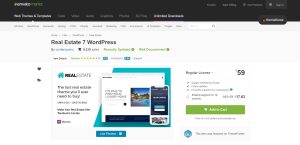
2. WP Pro Real Estate 7

WP Pro Real Estate 7

Website: https://themeforest.net/item/wp-pro-real-estate-7-responsive-real-estate-wordpress-theme/12473778

Real Estate 7 aspires to be more than simply another WordPress CMS theme. Instead, it aspires to be your “end-to-end real estate business solution.” To do this, it includes web-building facilities and contact management tools comparable to a CRM. You may monitor sales activity and discounts and determine where your site’s visitors are coming from.

There aren’t many issues with this theme. A few reviews mention one-time concerns, but they are all addressed by the theme’s support staff. Thus you’ll have peace of mind knowing that if something goes wrong, you have a dedicated support option.

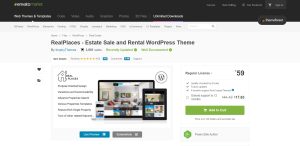
3. Real Places

Real places

Website: https://themeforest.net/item/real-places-responsive-wordpress-real-estate-theme/12579089

Real Places is a premium theme created exclusively for real estate brokers and businesses. It has several unique elements suitable for real estate businesses, and each page layout has several possibilities.

What’s great about this real estate theme is that it prioritizes user experience on your website.

Slider Revolution makes creating stunning slides that highlight your most outstanding offerings simple. You may also use the WPML plugin to translate your page into any language. Your international clientele will undoubtedly love the multilingual settings.

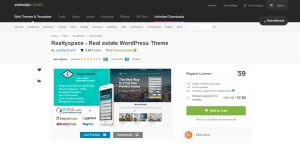
4. RealtySpace

realtyspace

Website: https://themeforest.net/item/realtyspace-real-estate-wordpress-theme/15965811

Realtyspace is a flexible and user-friendly WordPress real estate theme. It is a solution for real estate agents and agencies, real estate holdings, enterprises, and businesses that interact with real estate in various ways. The theme combines the WordPress Customizer with the WPBakery page builder to allow you to create the layout of your dreams without touching a line of code.

Realtyspace is the best solution for organizing multimedia galleries, dynamic AJAX categories, lightbox features, search tools, gorgeous scrolling, and much more!

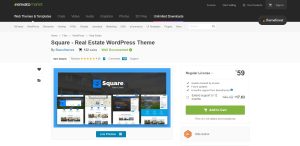
5. Square

Square

Website: https://themeforest.net/item/square-real-estate-wordpress-theme/19933783

Square is a fantastic WordPress real estate theme for everyone. Starting on the right foot ensures Square’s material is in stock. Even with little coding and design skills, you will still succeed effortlessly. You may choose between two home page styles, all of which are very customisable.

While you may use Square out of the box, you can also completely customise it to meet your business requirements.

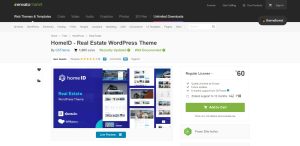
6. HomeID

HomeID

Website: https://themeforest.net/item/homeid-real-estate-wordpress-theme/30203159

HomeID is a high-quality real estate WordPress theme with beautiful home designs and applicable internal sections. It also provides you with many features you may mix and match. To make things even more fun, the WPBakery page builder allows you to conduct tweaks and upgrades at your leisure.

To mention a few features, HomeID includes a mortgage calculator, Google Maps, sophisticated search, single-building layouts, and 360-degree virtual tours.

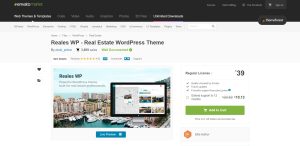
7. Reales WP

Reales WP

Website: https://themeforest.net/item/reales-wp-real-estate-wordpress-theme/10330568

Reales is a cutting-edge real estate WordPress theme with a clear, modern, and user-friendly design. If you use this theme, your site will suit all devices, including tablets and smartphones. Reales WP includes numerous intriguing features such as the sophisticated autocomplete search function, and editing, an advanced properties filter, and front-end property submission.

Reales has used Google Places to create a user-friendly interface and a more efficient search experience.

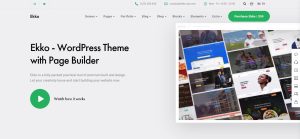
8. Ekko

ekko

Website: https://www.ekko-wp.com/

Ekko is a real estate WordPress theme with trendy, creative, and intelligent demo content to help you get your company website up and running quickly. The back-to-top button, blog footer reveal, store pages, 100s of preset elements, and a premium icon collection are further highlights.

If you’re ready to push properties and expand your potential, start on the web safely with Ekko.

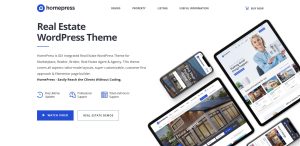
9. HomePress

homepress

Website: https://stylemixthemes.com/homepress/

Are you seeking a fantastic, user-friendly, professional, and complex real estate WordPress theme? Then, here is HomePress, a terrific tool for spreading the message in elegance.

The bundle contains a selection of 17+ demos, all of which are innovative and unique. Because of the Elementor drag-and-drop page builder, you don’t need prior knowledge. Autocomplete search, 360-degree virtual presentation, mortgage calculator, radius search, and 13 custom-made widgets are also available.

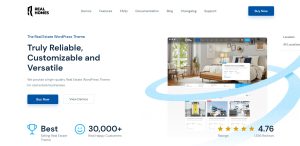
10. Real Homes

real homes

Website: https://realhomes.io/

Real Houses incorporates a Google Maps feature with unique property identifiers. As a result, customers may glimpse their future house from above.

This theme is built with Bootstrap and features an entirely responsive UI. As a result, your content will appear fantastic regardless of the device used by the user.

Slider Revolution makes creating stunning slides that highlight your most fantastic offerings simple. You may also use the WPML plugin to translate your page into any language. Your international clientele will undoubtedly love the multilingual settings.

As you can see, several excellent themes exist for creating a real estate website. Each has its distinct characteristics and its own set of advantages and disadvantages. Use the info above to learn more about the different themes and choose one that best meets your company’s needs and goals. Thank you for taking the time to spend on this article.