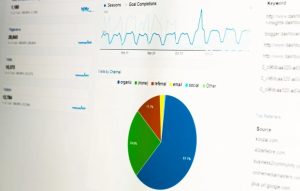
How to Get on Google News? – Elevate Your Online Presence

Lilly Canon footjob

In today’s digital landscape, securing a spot on Google News can skyrocket your website’s visibility. But how do you get there? In this concise guide, we’ll outline the essential steps to land your website on Google News. From optimizing content to building credibility, we’ll cover it all. Let’s delve into this quick guide and unlock the potential of Google News for enhancing your online presence and driving traffic to your site.

What is Google News?

how to get on google news

Google News is a platform provided by Google that aggregates news articles from various sources and presents them to users in an organized and personalized format. It aims to deliver timely and relevant news stories that cover a wide range of topics, including breaking news, sports, entertainment, technology, and more.

Google News utilizes complex algorithms to curate and prioritize news articles based on factors such as user preferences, location, and engagement. It provides users with the ability to access a diverse range of news sources, allowing them to stay informed on the latest developments in the world.

Why is it Important to Get into Google News?

Being featured on Google News is crucial for various reasons.

  • Increased Visibility: Reach a broader audience and gain exposure to millions of users who access Google News daily.
  • Enhanced Credibility: Establish your brand as credible and authoritative by being listed alongside reputable news sources.
  • Traffic Generation: Drive significant traffic to your website as users turn to Google News for up-to-date information on trending topics.
  • Improved SEO Performance: Boost your website’s search engine rankings and organic visibility through Google News inclusion.
  • Monetization Opportunities: Create opportunities for monetization, including higher ad revenue and sponsorship deals, with increased traffic and visibility.
  • Competitive Advantage: Stay ahead of competitors in your industry by staying relevant and maintaining a presence on Google News.

How to Get on Google News?

There are two main paths to appearing on Google News: using Google News Publisher Center or through organic indexing. Here’s a step-by-step guide for each:

1. Google News Publisher Center

Google News Publisher Center

Step 1: Set Up an Account:

  • Visit the Google News Publisher Center website.
  • Create a free account using your Google credentials.

Step 2: Verify Your Website:

  • Connect your website to Google Search Console and verify ownership. This step confirms the legitimacy of your website as a publisher.

Step 3: Create a Publication:

  • Provide essential information about your publication, including its name, logo, language, and geographical coverage.

Step 4: Submit Your Content:

  • Choose your preferred submission method: RSS feed, website URLs, or video links.
  • Ensure that your content complies with Google’s News content policies, which can be found here.

Step 5: Optimize Your Content:

  • Craft clear, informative, and concise headlines that accurately represent your articles.
  • Use high-quality images and relevant multimedia elements to enhance the visual appeal of your content.
  • Include relevant keywords in your content to improve its visibility and searchability.
  • Format your articles using Google’s Structured Data Markup Helper for News Articles, ensuring proper tagging and metadata.

2. Organic Indexing

Organic Indexing

Step 1: Publish High-Quality, Original Content:

  • Focus on creating factual, informative, and well-researched articles that are relevant to current events or ongoing discussions.
  • Ensure that your content is original and not plagiarized from other sources.

Step 2: Update Regularly:

  • Maintain a consistent publishing schedule to demonstrate continued relevance and activity to both users and search engines.
  • Aim for freshness by addressing timely topics and providing updates as situations evolve.

Step 3: Follow Technical Guidelines:

  • Make your website mobile-friendly to ensure optimal user experience across different devices.
  • Optimize your website’s loading speed and fix any technical issues that may hinder crawling and indexing by search engines.
  • Implement structured data markup for news articles using schema.org guidelines to provide search engines with structured information about your content.

Step 4: Build Backlinks:

  • Secure high-quality backlinks from reputable websites in your niche to signal expertise and trustworthiness to Google News algorithms.
  • Utilize social media platforms to promote your content and encourage organic sharing, indirectly boosting backlinks to your website.

Additional Considerations

Monitor your website’s performance using tools like Google Analytics to track traffic, user engagement, and other relevant metrics.

Stay updated on Google’s algorithms and guidelines to ensure that your website remains compliant and eligible for inclusion in Google News.

Engage with your audience through comments, social media interactions, and email newsletters to foster a sense of community and encourage repeat visits to your website.

Conclusion

Securing a place on Google News is a significant milestone for any website, offering unparalleled exposure and credibility in the digital realm. By following the strategies outlined in this guide, you’ve equipped yourself with the knowledge and tools needed to navigate the intricate process of getting featured on this influential platform. Remember to consistently produce high-quality content, adhere to Google’s guidelines, and stay persistent in your efforts. With dedication and strategic planning, you can unlock the doors to increased visibility, audience engagement, and success in the dynamic world of online news.


An Overview of Google Search Generative Experience

Are you ready to dive into the innovative world of Google Search Generative Experience? Get ready to witness a groundbreaking evolution in search technology that will leave you captivated and intrigued. In this blog post, we’ll take you on an exhilarating journey through the fascinating features and endless possibilities offered by this cutting-edge tool. Whether you’re a tech enthusiast or simply curious about the future of online searching, buckle up as we unveil an overview of Google Search Generative Experience like never before!

What is Google Search Generative Experience (SGE)?

An Overview of Google Search Generative Experience

The Google Search Generative Experience (SGE) is a cutting-edge feature that harnesses the power of generative AI to elevate the user search experience. While currently in its experimental phase, the potential it carries could redefine the way we navigate the vast online landscape for information.

How does SGE operate? Imagine a search tool that goes beyond the basics. SGE applies an expansive language model not just to interpret search queries but to understand the context and intent behind the queries. The result is a tailored response designed to fulfil the unique needs of each user, ranging from concise summaries to inventive text formats.

It’s not just about speed, accuracy and efficiency, although it excels in those areas. SGE introduces a new level of personalization previously unseen in search functionalities.

What is the Purpose of SGE?

At its core, the purpose of Google Search Generative Experience (SGE) is to redefine and enhance the way users engage with information online. SGE’s primary goal is to provide users with a comprehensive and expedited overview of a particular topic or query using AI-powered snapshots. These snapshots act as dynamic, information-rich summaries designed to help individuals swiftly grasp the key aspects of a subject.

The intention behind SGE’s AI-powered snapshots is to offer users a quick and insightful entry point into their search queries. Rather than sifting through an array of search results, users can now access a consolidated snapshot that highlights essential factors, considerations, and relevant information related to their inquiry.

How to Use Google SGE?

google search generative experience

Google Search Generative Experience (SGE) is still in an experimental phase, so it is not yet available to all users. However, if you are interested in trying it out, you can sign up for the waitlist by following these steps:

  • Open the Google Chrome web browser.
  • Go to the Google Search Labs page.
  • Scroll down to the “Search Generative Experience” card.
  • Click on the “Join waitlist” button.
  • Sign in to your Google account if you are not already signed in.
  • Click on the “I agree” button to agree to the terms of service.

Once you have signed up for the waitlist, you will need to wait until you are granted access to SGE. Once you have access, you can use SGE by performing a Google search and then clicking on the “Labs” icon in the top right corner of the search results page. This will open a menu where you can enable SGE. Once SGE is enabled, you will be able to see AI-generated responses to your search queries.

The Difference Between SEO and SGE

In the vast landscape of digital discovery, understanding the variation between Search Engine Optimization (SEO) and the innovative Search Generative Experience (SGE) is essential. SEO can be likened to a reliable foundation – a set of practices aimed at optimizing content to secure top ranking in traditional search results. On the other hand, SGE represents the evolution of this foundation, introducing a new paradigm in the way users interact with search technology.

SEO, the tried-and-true methodology, revolves around the strategic optimization of content to enhance its visibility and prominence in search engine rankings. This involves various techniques like keyword research, content optimization, and others to ensure that a website or page stands out at the top of the SERP pages to give the solution for users’ search queries.

In contrast, SGE takes the search experience to new heights. It goes beyond the static, one-size-fits-all approach of traditional SEO by dynamically tailoring search results based on individual users’ needs and contexts. SGE employs advanced generative AI to understand the nuances of a user’s query, delivering personalized and nuanced snapshots that offer more than just information – they provide a curated experience.

The Impact of SGE on Web Traffic and SEO

The Impact of SGE on Web Traffic and SEO

SGE is currently in its early phases of testing, so it’s hard to say for sure how SEO will be affected. According to Google, Search Ads will function exactly as they did previously, with relevant Ads showing up in a different section of the user interface.

There’s a chance that SGE’s information curation during the search process will make sponsored links and “organic” (i.e., human-generated) search results less interactive. It seems that SGE will prioritise content according to its authoritativeness and relevance. However, it’s still unclear how SGE will determine which websites are the most reliable and pertinent.

All signs point to the fact that findability will be more influenced than ever by domain authority and excellent content in the next years. It’s, therefore, time for online marketers to start updating their SEO tactics.

Conclusion

In conclusion, the Google Search Generative Experience is a revolutionary tool that utilizes machine learning and artificial intelligence to provide users with a more personalized and efficient search experience. With its ability to understand context and user intent, it has transformed the way we search for information online. As technology continues to advance, we can only expect this tool to become even more advanced and integrated into our daily lives. So next time you use Google Search, remember the power of its generative experience working behind the scenes to give us exactly what we need at our fingertips.

A Complete Guide on SaaS SEO

Welcome to “A Complete Guide on SaaS SEO” – your one-stop resource for mastering Search Engine Optimization strategies specifically tailored for Software as a Service (SaaS) businesses. In this comprehensive guide, we will take you on a journey through the intricate world of SaaS SEO, equipping you with the knowledge and techniques needed to boost your online visibility, attract more qualified leads, and ultimately grow your SaaS business.

What is SaaS SEO?

A Complete Guide on SaaS SEO

SaaS SEO is the process of optimizing your SaaS website and content to rank higher in search engine results pages (SERPs). This can help you attract more organic traffic to your website, generate more leads, and grow your business.

It’s crucial to remember that SaaS companies frequently choose performance marketing (PPC, social advertising, affiliate marketing, etc.) to scale up new client acquisition. Many people are soon realising, nevertheless, that doing so has rising costs and that depending only on sponsored acquisition may be counterproductive.

When paid advertising is turned off or diminished, the flow of traffic stops. Because of this, having a strong SaaS SEO strategy is essential. SEO can encourage organic growth that is continuous and exponential. Many SaaS businesses are increasing their channel investments to diversify their traffic sources and keep their acquisition costs under control.

Why SaaS SEO Is Different?

SaaS SEO stands apart from traditional SEO due to the distinct nature of Software as a Service business. SaaS companies operate in a niche market, targeting specific industries or customer segments, which necessitates a highly focused approach to keyword research and targeting.

 The complex pricing structures of SaaS products demand careful consideration in terms of on-page optimization and content strategy. Additionally, feature-driven marketing plays a vital role in highlighting the unique value proposition of each SaaS product. Moreover, SaaS SEO must also address the ongoing customer acquisition and retention efforts that are critical for long-term success.

Lastly, the frequent updates and enhancements inherent to SaaS products require continuous optimization and communication to ensure users are well-informed. Thus, SaaS SEO requires a specialized approach that takes into account these unique factors to effectively drive organic traffic, engage the target audience, and support the growth of SaaS businesses.

Importance of SaaS SEO

SaaS SEO is important for several reasons:

  1. It can help you attract more organic traffic to your website: Organic traffic is traffic that comes to your website from search engines, and it is one of the most valuable types of traffic. Organic visitors are more likely to be interested in what you have to offer, and they are more likely to convert into customers.
  2. It can help you generate more leads: When people are searching for SaaS products or services, they are often in the process of buying something. By ranking high in SERPs for relevant keywords, you can position yourself in front of potential customers and generate more leads for your business.
  3. It can help you grow your business: SaaS SEO is a sustainable way to grow your business over the long term. It takes time and effort to implement a successful SaaS SEO strategy, but the rewards can be significant.

How to Do SEO for SaaS Business?

saas seo

To do SEO for a SaaS business, you need to follow these steps:

  • Set Your Goals and KPIs: The most crucial component of any SEO plan, SaaS or not, is setting goals and KPIs. You are operating in the dark and lack complete visibility into whether the trajectory of your progress is the one you intended. Even while it’s simple to create a general objective like “increase signups as much as possible,” we all know that these methods are useless. Everyone involved has something to work towards and from when there is a goal. It enables you to determine what must be done to get there.
  • Understand Your Target Audience: Who are you trying to reach with your SaaS product or service? What are their needs and pain points? Once you understand your target audience, you can start to identify the keywords they are likely to use when searching for a solution like yours.
  • Do Keyword Research: Once you have a good understanding of your target audience, you can start to do keyword research. This involves identifying the keywords that your target audience is using to search for SaaS products or services like yours. You can use a variety of tools to do keyword research, such as Google Keyword Planner, SEMrush, and Ahrefs.
  • Optimize your Website for Your Target Keywords: The content you write should be clear, educational, and related to the audience you are trying to reach. It should also be optimised for the keywords you want to target. This means making sure that your website’s title tags, meta descriptions, header tags, and content are all optimized for your target keywords.
  • Build Backlinks to Your Website: Backlinks are external websites linking to your website. Backlinks are an indication to search engines that your website is reputable and authoritative. Put your energy towards acquiring backlinks from authoritative websites.
  • Create High-quality Content: The material you write should be clear, educational, and related to the audience you are trying to reach. It should also be optimised for the keywords you want to target.
  • Track Your Results: It’s necessary to monitor your SEO results so you can determine what is and isn’t working. There are several SEO tools that can help you track your rankings, traffic, and quality backlinks.

Conclusion

In conclusion, SaaS SEO is a critical aspect of your marketing strategy that can significantly impact the success of your software business. By understanding and implementing effective SEO techniques specific to the SaaS industry, you can increase your online visibility, attract targeted traffic, and ultimately drive more conversions and revenue.

By implementing the strategies outlined in this guide and continuously adapting to the evolving SEO landscape, you can position your SaaS business for growth, attract qualified leads, and achieve sustainable success in an increasingly competitive market.

How to Write a Listicle for SEO? – Easy Steps

In the ever-evolving digital landscape, content creators are constantly exploring new ways to captivate readers while ensuring their content ranks high on search engine result pages (SERPs). One popular format that successfully combines both goals is the listicle. A listicle, a portmanteau of “list” and “article,” presents information in a concise and easily digestible manner, making it perfect for readers seeking quick, actionable insights.

This comprehensive guide aims to equip you with the knowledge and techniques to craft an enticing and SEO-friendly listicle.

So, let’s embark on this journey together and discover the art of writing an exceptional listicle that effortlessly incorporates SEO principles without compromising on quality or reader engagement.

What is Listicle?

How to Write a Listicle for SEO? - Easy Steps

A listicle is a type of content format that presents information in the form of a list. The word “listicle” itself is a combination of “list” and “article.” Listicles are popular in digital content, particularly online journalism, as they provide a concise and easily digestible way to convey information. They often feature a catchy headline and consist of a numbered or bulleted list, with each item on the list containing a brief description or explanation.

Listicles are known for their ability to capture readers’ attention and engagement, as they offer a clear structure and promise quick, easily scannable information. This format is especially effective in the age of information overload, where readers seek content that is both informative and time-efficient.

Why are Listicles popular?

Listicles are well-liked because they successfully capture the reader’s interest. People can simply find what they want because they know what to expect from the listicle title.

Most listicles have very detailed titles that make it simple to scan the content. Additionally, readers can track their progress as they go through the list if they are interested in reading the complete piece.

Lists are also compact; they explain the idea in a few phrases that are pertinent to the individual item. List postings can also simplify and provide step-by-step explanations for complex subjects.

Types of Listicles

Listicles come in various forms, catering to different goals and target audiences. Here are some common types of listicles:

  • The “How-To” Listicle: This type of listicle provides step-by-step instructions on how to accomplish a specific task or achieve a particular goal. It breaks down complex processes into easily understandable and actionable steps.
  • The “Tips and Tricks” Listicle: These listicles offer practical tips or advice on a specific topic, providing valuable insights and actionable strategies that readers can apply in their lives or work.
  • The “Best of” Listicle: This type of listicle curates a selection of the best products, services, places, or experiences within a certain category. It serves as a guide for readers seeking recommendations or comparisons.
  • The “Dos and Don’ts” Listicle: These listicles outline what should and should not be done in a particular situation or context, offering guidance to readers on what actions to take or avoid.
  • The “Facts and Statistics” Listicle: This type of listicle presents a collection of interesting or surprising facts and statistics related to a specific topic, offering readers a quick overview of key information.
  • The “Pros and Cons” Listicle: These listicles weigh the advantages and disadvantages of a certain subject or decision, helping readers make informed choices by presenting a balanced view.

These are just a few examples of the many types of listicles you can create. The key is to choose a format that aligns with your content goals and engages your target audience effectively.

How to Write a Listicle?

How to Write a Listicle

  • Choose a Topic: The first step is to choose a topic that is relevant to your audience and that you are passionate about. You can choose a topic that you are an expert in, or you can choose a topic that you are interested in learning more about.
  • Do Your Research: Once you have chosen a topic, it is important to do your research. This will help you to gather the information that you need to write a comprehensive and informative listicle.
  • Create an outline: An outline will help you to organize your thoughts and ensure that your listicle flows smoothly. The outline should include the title, the introduction, the list of items, and the conclusion.
  • Write the Introduction: The introduction should grab the reader’s attention and give them a brief overview of what the listicle is about.
  • Write the List Items. The list of items should be clear, concise, and informative. Each list item should be a complete sentence or phrase.
  • Write the Conclusion. The conclusion should summarize the main points of the listicle and leave the reader with something to think about.
  • Proofread your work: Before you publish your listicle, be sure to proofread it carefully for any errors in grammar or spelling.

How Can Listicles Lead to Better Traffic?

 how to write a listicle

Listicles can lead to better traffic in several ways and they are,

  • They are easy to scan and read: People have short attention spans, so they are more likely to read a listicle than a long, dense article. The numbered or bulleted format makes it easy to scan the list and find the information that is most relevant to them.
  • They are shareable: People are more likely to share content that is easy to understand and digest. Listicles are perfect for this because they are short and to the point.
  • They are SEO-friendly: Listicles can help you to improve your search engine ranking. This is because they tend to have high click-through rates and social shares, which are two factors that Google uses to rank websites.
  • They can be used to promote your products or services: Listicles can be a great way to introduce your products or services to new customers. For example, you could write a listicle about the “10 best ways to use your product” or “7 reasons why you need our service.”
  • They can help you to build your brand: Listicles can help you to establish yourself as an expert in your field. When you write informative and helpful listicles, people will start to see you as a go-to source for information.

Conclusion

By now, you have gained a deep understanding of how to write a listicle that is both engaging and optimized for SEO. Throughout this guide, we’ve explored the importance of conducting keyword research to identify high-impact keywords, crafting attention-grabbing headlines, structuring your content effectively, adding visual elements to enhance reader experience, and utilizing subheadings to improve readability.

Remember, a successful listicle not only ranks high in search engine results but also captivates your audience and keeps them coming back for more. By implementing the strategies discussed in this guide, you can strike the perfect balance between SEO optimization and reader engagement, ultimately driving more traffic to your website and increasing your online visibility.

Best of luck on your journey toward becoming a master of listicle creation and SEO optimization!

How To Utilize Twitter SEO to Increase Website Ranking?

Welcome to the world of Twitter SEO! In this digital age, optimizing your Twitter profile for search engines has become an essential practice for individuals, businesses, and influencers alike. Twitter is not just a platform for socializing and networking; it’s also a powerful tool for driving organic traffic to your website or increasing brand visibility.

In this guide, we will explore the key techniques and best practices for optimizing your Twitter profile and tweets for maximum visibility.

Whether you’re a business aiming to enhance your brand’s online presence or an individual looking to expand your online reach, this guide will provide you with the knowledge and tools you need to succeed in the competitive world of Twitter SEO.

So, get ready to dive into the exciting world of Twitter SEO and unleash the power of search engine optimization to elevate your Twitter game! Let’s get started.

What is Twitter SEO?

How To Utilize Twitter SEO to Increase Website Ranking?

The process of optimizing your profile and tweets for Twitter is known as Twitter SEO. This can be done by using relevant keywords in your tweets, bio, and profile picture, as well as by engaging with other users and promoting your tweets.

You are likely aware of the fact that you may enhance your website for particular keywords to raise its ranking on search engine results pages (SERPs). However, Twitter SEO increases the visibility and reach of your tweets both on and off the platform.

That is true, Twitter SEO helps your brand’s tweets appear in Google search results in addition to improving your search rankings on the site itself.

Why Twitter SEO is Important?

Twitter SEO is important for several reasons, including:

  • Increased Visibility and Reach: When your tweets rank higher in search results, they are more likely to be seen by people who are searching for information on the topics you’re tweeting about.
  • Better Brand Reputation: When your tweets are seen by more people, it can help to improve your brand reputation.
  • Increased Engagement: When your tweets are seen by more people, it is more likely that they will engage with them, such as by retweeting, liking, or commenting. This can help you to increase engagement with your brand, which can lead to more followers and customers.
  • Improved Lead Generation: When people engage with your tweets, they are more likely to become leads.
  • Enhanced Social Media Marketing: Twitter SEO can be a valuable tool for social media marketing. By optimizing your tweets, you can make them more visible and reach more people.

Overall, Twitter SEO is an essential tool for businesses and organizations that want to increase their visibility, reach, and engagement on Twitter. By following the tips above, you can improve your Twitter SEO and get more out of this powerful social media platform. ailadonovannn ari kytsya nude

Twitter SEO Ranking Factors

twitter seo

Twitter SEO ranking factors are the elements that Twitter considers when deciding how to rank tweets in search results. These factors include:

  • Relevancy: Twitter’s algorithm will try to show tweets that are relevant to the search query. This means using relevant keywords in your tweets, bio, and profile picture.
  • Hashtag usage: Hashtags are a great way to get your tweets seen by more people. When you use relevant hashtags, your tweets will be more likely to show up in search results for those hashtags.
  • Engagement metrics: Twitter also considers user engagement metrics, such as likes, retweets, and replies, when ranking tweets. This means that more engaging tweets are more likely to rank higher.
  • Authority and reputation: Twitter also considers the authority and reputation of the Twitter account when ranking tweets. This means that tweets from accounts with a high number of followers and a good reputation are more likely to rank higher.
  • Google SEO ranking factors: Twitter also considers some of the same factors that Google uses to rank websites, such as the quality of your content and the number of backlinks you have.

How To Utilize Twitter SEO to Increase Website Ranking?

Use Relevant Keywords in your Tweets

When you’re writing a tweet, think about the keywords that people are likely to use when they’re searching for information on the topic you’re tweeting about. Include these keywords in your tweet text, as well as in your hashtags.

Use Your Bio to Introduce Yourself, Your Brand, and a Relevant Profile Picture

Your bio is a great place to include keywords that are relevant to your industry or niche. You can also use your bio to link to your website or blog.

Your profile picture is one of the first things people will see when they come across your Twitter profile, so make sure it’s relevant to your brand and includes keywords that people are likely to search for.

Use Hashtags Effectively

Use Hashtags Effectively

Using hashtags effectively is a key strategy in maximizing your reach and engagement on social media platforms like Twitter. Hashtags act as keywords or topics that categorize your posts and make them discoverable by a wider audience. To use hashtags effectively, it’s important to research popular and relevant hashtags that align with your quality content and target audience. You can leverage tools like hashtag generators or explore trending topics to find the most suitable hashtags.

Engage with Other Users

One of the best ways to improve your Twitter SEO is to engage with other users. This means following other users, retweeting their tweets, and commenting on their posts. When you engage with other users, you’re more likely to be seen by their followers, which can help you to increase your reach and visibility.

Promote your Tweets

Once you’ve tweeted something, don’t just sit back and wait for people to find it. Promote your tweets by sharing them on other social media platforms, or by submitting them to relevant directories and websites.

Use Twitter Analytics

Twitter analytics can help you track the performance of your tweets and see what’s working and what’s not. This information can help you to improve your Twitter SEO strategy.

Conclusion

In conclusion, mastering Twitter SEO can transform your Twitter presence into a powerful tool for gaining visibility, driving traffic, and building your online brand. By implementing the strategies discussed in this guide and staying consistent in your efforts, you are well on your way to achieving Twitter success. So go out there, optimize your profile, create outstanding content, engage with your audience, and make the most of the incredible opportunities that Twitter offers! Good luck!

A Complete Guide to B2B SEO

Introduction

Welcome to the world of B2B SEO, where the power of search engine optimization meets the complex landscape of business-to-business marketing. In today’s digital age, having a solid SEO strategy specifically tailored for B2B businesses is crucial for success. B2B SEO involves optimizing your website and content to improve visibility in search engine results and attract high-quality leads within the B2B sector.

By understanding the unique needs and pain points of your target audience, conducting thorough keyword research, and creating valuable content that establishes your brand as an authority, you can boost your online presence and drive meaningful business growth. Get ready to dive into the intricate world of B2B SEO and unlock its potential to elevate your B2B marketing efforts to new heights.

What is B2B SEO?

A Complete Guide to B2B SEO

B2B SEO, or Business-to-Business Search Engine Optimization, refers to the practice of optimizing a company’s website and online presence to improve its visibility and search engine rankings to attract and engage potential B2B clients or customers.

B2B SEO involves implementing strategies and techniques specifically tailored to the unique needs and characteristics of the B2B market, targeting keywords and topics relevant to the industry, and creating high-quality content that addresses the challenges and solutions sought by B2B buyers and decision-makers.

B2B SEO consists of a few different components. Each one contributes to your overall approach in some way. You still have the flexibility to optimize your site if you fall short in one area. sydney sweeney glen powell

  • Technical SEO
  • Content SEO
  • On-Page SEO
  • Off-Page SEO

Why is SEO Important for SEO?

  • First of all, SEO levels the playing ground for companies of all sizes. Larger companies with larger marketing budgets have an advantage over smaller companies in traditional marketing. However, a small company with a well-optimized website can outrank a more established rival that has disregarded the SEO of its website.
  • Second, SEO may keep companies one step ahead of their rivals. In the current digital era, likely, your rivals are also spending money on SEO. You may stay ahead of your competitors and draw in more potential clients by continually optimizing your website infrastructure and staying on top of SEO trends and tactics.
  • Any B2B company’s digital marketing strategy must include SEO. It not only aids companies in becoming more visible and bringing in more visitors to their website, but it also significantly contributes to the development of their brand and reputation in the marketplace.

In addition, SEO is important for B2B because it helps increase visibility, attract targeted traffic, build brand authority, and provide a cost-effective and long-term approach to marketing. By investing in SEO, B2B companies can position themselves as industry leaders, maximize their online presence, and drive meaningful business growth.

B2B SEO VS. B2C SEO

B2B SEO VS. B2C SEO

B2B SEO (Business-to-Business SEO) and B2C SEO (Business-to-Consumer SEO) have some similarities, but also key differences due to the distinct nature of their target audiences and purchasing behaviours.

Here are some key points of comparison:

  • Target Audience: B2B SEO focuses on reaching and engaging other businesses, targeting decision-makers and professionals within specific industries. B2C SEO, on the other hand, aims to attract individual consumers who make purchasing decisions for personal use.
  • Purchase Cycle: B2B purchases typically involve a longer and more complex sales cycle compared to B2C. B2B buyers often conduct extensive research and consultation before making a purchase decision. In contrast, B2C purchases are often more impulsive and driven by emotional or immediate needs, requiring SEO strategies that emphasize speed, convenience, and appealing visuals.
  • Content Strategy: B2B SEO necessitates creating informative, educational, and data-driven content that demonstrates expertise and addresses the pain points of business buyers. B2C SEO, on the other hand, often focuses on entertaining and visually appealing content, such as product reviews, lifestyle articles, and interactive media to capture the attention and emotions of individual consumers.
  • Keyword Selection: B2B and B2C SEO differ in their keyword selection. B2B SEO tends to prioritize industry-specific jargon, technical terms, and long-tail keywords that align with the needs and language of business buyers. B2C SEO, however, may focus more on popular consumer keywords, trending topics, and terms related to personal interests and preferences.
  • Conversion Goals: B2B SEO primarily aims to generate qualified leads and conversions within a business context. This may involve optimizing landing pages for lead generation forms, capturing contact information, and nurturing leads through targeted email campaigns. B2C SEO often focuses on direct sales, driving users to product pages and optimizing the user experience to encourage immediate purchases.

How to Create an Effective B2B SEO Strategy?

Create Buyer Persona

An abstract representation of your ideal customer is called a buyer persona, and it is built on qualitative and quantitative information from market/competitor research and actual customer profiles. Additionally, developing thorough buyer personas is essential for B2B SEO.

You can more effectively target them and answer their worries the more you are aware of your audience’s needs.

Conduct Keyword Research

Conduct thorough keyword research to identify industry-specific keywords, phrases, and search queries that your target audience uses when searching for products or services. Focus on long-tail keywords that have moderate to high search volume and low competition.

Optimize the Website and Pages

Do some technical and on-page SEO work. Your website may already have built-in SEO improvements depending on how it is created, or you may require help from developers to make improvements. WordPress-powered websites have access to a large selection of SEO plug-ins. It could be more difficult to alter the intricacies required to optimize your content on websites created using pre-made themes.

Focus on the Page title tag, meta description, URL structure, the content’s header tags and image alt text.

Add links in your content that connect to other relevant internal pages to enhance your page authority. And the ultimate thing is that you need to repeat the usage of your keywords in your content through various positions that include header tags.

Create and Promote the Relevant Content

 b2b seo

Develop high-quality, educational, and valuable content that addresses the pain points and challenges of your B2B audience. This can include blog posts, case studies, whitepapers, industry reports, and videos. Leverage your expertise to position your brand as a thought leader in your industry.

Having excellent backlinks can only increase the authority of your website. Social media posts and website backlinks are both part of off-page SEO. However, this part of B2B SEO is more challenging because it’s out of your control. Cold emailing a business and asking them to link to your blog post could be seen as impolite and not a smart use of the time of your SEO team.

Conclusion

In conclusion, B2B SEO is an essential component of a successful B2B marketing strategy. It enables businesses to optimize their online presence, attract the right audience, and generate valuable leads.

By leveraging targeted SEO techniques and understanding the intricacies of the B2B sector, companies can position themselves as industry leaders and gain a competitive edge. It is crucial to conduct thorough keyword research, create high-quality content, and optimize websites to improve visibility in search engine results.

Continuous monitoring, analysis, and adaptation are key to staying ahead in the ever-evolving world of B2B SEO. By investing in B2B SEO, businesses can increase website traffic, establish credibility, and foster long-term relationships with potential clients and partners. Embrace the power of B2B SEO, adapt to industry changes, and leverage its strategies to achieve your marketing goals and drive success for your business in the B2B marketplace.

Things to consider before starting a Podcast

Podcasts have become increasingly popular in recent days, with millions of people tuning in to their favorite shows on a regular basis. If you have been thinking about starting your own podcast, there are several essential considerations that you need to keep in mind before getting started. From equipment and recording software to content planning and marketing strategies, this blog will guide you through the key factors that you need to consider before embarking on your podcasting journey.

What to consider before Starting a Podcast?

Whether you are a seasoned content creator or a complete beginner, these considerations will help set you up for podcasting success

  1. Understanding the purpose of your Podcast
  2. Identifying your target audience
  3. Researching your niche and competition
  4. Planning your content and format
  5. Investing in quality equipment and technical setup

1. Understanding the purpose of your Podcast

Understanding the purpose of your Podcast

Understanding the purpose of your podcast is a crucial step before starting your podcasting journey. Clarifying your purpose will not only help you stay focused and motivated, but it will also attract the right audience and guide your content creation process. Determine who your podcast is for. Consider their demographics, interests, and needs. Understanding your target audience will help you tailor your content to their preferences and make it more engaging. Decide on a specific topic or theme for your podcast. Having a niche will differentiate your podcast from others and attract listeners who are interested in that particular subject. Think about the long-term sustainability of your podcast. Will your chosen topic have a lasting appeal? Will you be able to consistently produce new episodes? Ensure that your purpose aligns with your long-term commitment to keep your podcast relevant and successful.

2. Identifying your target audience

Identifying your target audience is an important step in starting your own podcast. Your target audience is the group of people who will be most interested in and benefit from your content. It is important to have a clear understanding of who your target audience is in order to tailor your podcast to their preferences and needs and to attract and engage the right listeners.Identifying your target audience

Here are some essential considerations for identifying your target audience:

  1. Demographics: Start by considering the demographic characteristics of your potential audience. These may include age, gender, location, education level, occupation, and interests. Understanding the demographics of your target audience will help you create content that resonates with them.
  2. Interests and Needs: Think about the interests, hobbies, and needs of your potential audience. What topics or themes are they passionate about? What challenges do they face that your podcast can help address? By understanding the interests and needs of your target audience, you can create content that is relevant and valuable to them.
  3. Research: Conduct research to gather more information about your target audience. This can include surveys, interviews, and analyzing data from similar podcasts or relevant online communities.
  4. Competition Analysis: Look at other podcasts or content creators in your niche and observe who their audience is. Identify any gaps or opportunities that you can leverage to attract a specific segment of the audience that might be underserved.

3. Researching your niche and competition

Researching your niche and competition is an essential step before starting your own podcast. By conducting thorough research, you can gain valuable insights into the existing market and identify opportunities to differentiate your podcast and attract a specific segment of the audience. Here are some key considerations for researching your niche and competition:Researching your niche and competition

  • Start by clearly defining the niche or topic that your podcast will focus on. Narrowing down your niche will help you target a specific audience and stand out from the competition. Consider your own interests, expertise, and the demand for the topic within the podcast market.
  • Look for podcasts that cover similar topics or cater to a similar audience as your planned podcast. Take note of their format, style, episode length, and content scope. By understanding what already exists in your niche, you can identify gaps or areas where you can offer something unique or different.
  • Take the time to listen to a few episodes of your competitors’ podcasts. This will give you a firsthand experience of their content, presentation style, and overall quality. By listening to your competitors, you can learn from their strengths and weaknesses to improve your own podcast.
  • Prior to launching your podcast, consider conducting a survey or seeking feedback from potential listeners. Ask them about their podcast consumption habits, what they enjoy in a podcast, and what they feel is missing in current podcasts related to your niche. This feedback can guide your content creation and help you fill any gaps in the market.

4. Planning your content and format

Planning your content and format is crucial in starting your podcast. It involves carefully considering the type of content you want to create and the format that best suits your niche and audience. Identify the main theme or topic that your podcast will revolve around. This could be a specific niche, industry, hobby, or area of expertise. Having a well-defined focus will make it easier to create compelling content and attract a dedicated audience.Planning your content and format

Decide on the structure and format of your episodes. Will they be interviews, solo episodes, panel discussions, or a combination of different formats? Consider what will best serve your content and engage your target audience.

Adding segments or recurring features to your episodes can help create a sense of familiarity and structure for your listeners. Examples include a Q&A segment, guest spotlights, listener submissions, or recommendations.

If you plan on having guests on your podcast, consider who you would like to invite and how their expertise or perspectives can contribute to your content. Reach out to potential guests in advance and schedule recordings to ensure a smooth production process.

5. Investing in quality equipment and technical setup

Investing in quality equipment and setting up a solid technical infrastructure is a crucial aspect of starting your own podcast. While content and format are important, ensuring that your podcast sounds professional and is easy to listen to is equally essential. Here are some considerations for investing in quality equipment and setting up a reliable technical setup:Investing in quality equipment and technical setup

  1. Microphones: Invest in high-quality microphones that capture clear and crisp audio. Consider whether you need a USB microphone or an XLR microphone that requires an audio interface. Do thorough research and read reviews to find the best microphone for your budget and recording environment.
  1. Headphones: Using headphones while recording and editing your podcast allows you to monitor the audio quality and catch any potential issues. Look for comfortable headphones that provide accurate sound reproduction.
  1. Audio interface: If you opt for XLR microphones, you will need an audio interface to connect them to your computer. Choose an interface that has sufficient inputs for your needs and provides good audio quality.
  1. Pop filter: A pop filter helps to reduce plosive sounds, such as “p” and “b” sounds, that can distort the audio. It is a simple yet effective tool that improves the overall sound quality of your recordings.
  1. Acoustic treatment: Consider investing in acoustic treatment to create a controlled recording environment. This can involve using sound-absorbing panels, bass traps, and diffusers to minimize echo, reverberation, and background noise. A well-treated recording space can significantly enhance the overall audio quality of your podcast.
  1. Digital audio workstation (DAW) software: Choose a reliable DAW software to edit and mix your podcast episodes. There are various options available, both free and paid. Look for user-friendly interfaces and features that meet your editing needs. 
  1. Hosting platform: Select a reputable podcast hosting platform that offers reliable storage, distribution, and analytics services. Consider factors such as storage limits, audience reach, ease of use, and pricing when choosing a hosting platform.
  1. Media hosting: To ensure smooth streaming and downloading of your podcast episodes, consider using a dedicated media hosting service. This will offload the bandwidth requirements from your website or hosting platform, preventing slow loading times or website crashes.
  1. Website and RSS feed setup: Create a user-friendly website where listeners can access your podcast episodes, show notes, and additional resources. Set up an RSS feed for your podcast to submit it to directories like Apple Podcasts, Spotify, and Google Podcasts.
  1. Backup and storage: Implement a reliable backup and storage system to protect your podcast episodes and other valuable data. This can include external hard drives, cloud storage platforms, or a combination of both.

Final Thoughts :

Starting a podcast is an exciting endeavor, but taking the time to consider these essential factors will set you up for success. With a clear vision, strategic planning, and a commitment to delivering valuable content, you’ll be well on your way to creating a podcast that captivates and inspires your listeners.

Don’t hesitate to reach out to SeekaHost for all your podcast production needs. Whether you’re a beginner or an experienced podcaster, their team of experts is ready to assist you every step of the way. Visit their website at https://www.seekahost.co.uk/podcast-production/ to learn more about their services and get in touch with them

Good luck on your podcasting journey!

What is PPC Checklist?  & How to Do It?

PPC (Pay-Per-Click) advertising has become integral to digital marketing strategies for businesses across various industries. It enables companies to reach their target audience and generate valuable leads through search engines and online platforms. However, running a successful PPC campaign takes careful strategy, execution, and ongoing optimisation. Following a PPC checklist is essential to ensure that your PPC efforts are effective and efficient. In this article, we will explore what a PPC checklist is and provide you with a step-by-step guide on how to implement it.

What is the PPC Checklist?

What is the PPC Checklist?

The PPC (Pay-Per-Click) Checklist is a comprehensive list of items and tasks that digital marketers and advertisers use to manage and optimize their PPC campaigns effectively. This checklist helps them cover all the essential elements and best practices to achieve successful results from their PPC advertising efforts. While specific checklists may vary depending on individual preferences and campaign objectives.

Why Should You Setup a PPC Checklist?

Setting up a PPC (Pay-Per-Click) checklist is crucial for ensuring the success and efficiency of your PPC campaigns. Firstly, a checklist helps you stay organized and ensures that you don’t miss any critical steps or overlook important details. It acts as a roadmap, guiding you through the entire PPC process, from campaign creation to optimization and analysis.

By following a checklist, you can ensure that you cover all the necessary tasks, such as keyword research, ad creation, bid management, landing page optimization, and tracking setup. This systematic approach reduces the chances of errors or omissions, leading to more effective campaigns and better results.

Secondly, a PPC checklist serves as a reference and documentation tool. It lets you track your campaigns, including the strategies, settings, and optimizations implemented. By documenting your actions and observations, you can identify patterns, learn from past experiences, and make data-driven decisions.

Moreover, a checklist helps facilitate collaboration among team members, ensuring that everyone is on the same page and following a standardized process. It also simplifies the onboarding process for new team members, as they can refer to the checklist to understand the workflow and best practices. Overall, a PPC checklist promotes consistency, accountability, and continuous improvement in your PPC advertising endeavours.

Ho to Do PPC Checklist?

Ho to Do PPC Checklist?

PPC (Pay-Per-Click) advertising is a powerful digital marketing strategy that can drive targeted traffic to your website and generate valuable leads or sales. To ensure the effectiveness of your PPC campaigns, it’s crucial to have a well-structured PPC checklist in place. Here, we will guide you through the process of creating and implementing a comprehensive PPC checklist to optimize your campaigns and achieve your desired goals.

Define Your Campaign Goals

Before diving into the specifics, clearly define your campaign objectives. Are you aiming to increase website traffic, generate leads, boost sales, or enhance brand awareness? Setting specific and measurable goals will provide a clear direction for your PPC efforts.

Conduct Keyword Research

Conduct Keyword Research

Detailed keyword research is the cornerstone of an effective PPC campaign. Identify relevant keywords and search terms that align with your target audience’s search behaviour. Utilize keyword research tools like Google Keyword Planner, SEMrush, or Moz to discover high-volume, low-competition keywords.

Create a Structured Campaign Structure

Organize your PPC campaigns into well-structured ad groups and campaigns. Group keywords with similar themes or intent together to improve ad relevance and quality scores. This structure will make it easier to manage and optimize your campaigns effectively.

Develop Compelling Ad Copy

Craft persuasive ad copy that grabs the attention of your target audience. Use engaging headlines, clear and concise messaging, and strong call-to-action (CTA) phrases. Tailor your ad copy to match the search intent of your keywords and highlight unique selling propositions.

Implement Ad Extensions

Take advantage of ad extensions to enhance the visibility and performance of your ads. Add extensions like site links, calls, locations, or review extensions to provide additional information and increase click-through rates.

Set Up Conversion Tracking

Ensure proper conversion tracking is in place to measure the effectiveness of your campaigns. Use tools like Google Ads conversion tracking or third-party analytics platforms to track conversions, such as form submissions, purchases, or newsletter sign-ups. This data will help you evaluate campaign performance and optimize accordingly.

Monitor and Analyze Campaign Performance

Monitor and Analyze Campaign Performance

Regularly monitor your PPC campaigns’ performance using analytics tools and the data provided by the advertising platform. Track key metrics like CTR, conversion rate, the average cost per click (CPC), and return on ad spend (ROAS). Determine trends, regions for development, and potential chances for optimisation.

Optimize and Refine Your Campaigns

Based on the insights gathered from performance analysis, optimize your campaigns. Make adjustments to bidding strategies, refine keyword targeting, experiment with different ad variations, and test landing pages. Continuously optimize your campaigns to maximize results and improve ROI.

Regular Reporting and Communication

Regularly report to stakeholders or clients to inform them about campaign progress. Summarize key metrics, highlight achievements, and outline future strategies. Maintain open communication with team members, PPC specialists, and other relevant stakeholders to align efforts and address any concerns.

What is the Difference Between PPC and SEO?

What is the Difference Between PPC and SEO?

PPC (Pay-Per-Click) and SEO (Search Engine Optimization) are two distinct approaches to driving traffic to a website, and they differ in several key aspects.

PPC

PPC involves paid advertising on search engines or other platforms. Advertisers bid on specific keywords or phrases; the ads are displayed when users search for those keywords. Advertisers are charged only when users click on their ads, hence the name “pay-per-click.” PPC offers immediate visibility on search engine results pages (SERPs) since ads are displayed prominently at the top or bottom of the page.

It allows advertisers to have more control over targeting specific audiences, ad messaging, and budget allocation. However, PPC can be costly, and the traffic generated stops once the ad budget runs out.

SEO

Conversely, SEO focuses on optimizing a website to improve its organic (non-paid) visibility on search engine results pages. It involves various techniques and strategies, including optimizing website content, meta tags, site architecture, and acquiring high-quality backlinks. SEO aims to improve the website’s ranking in search engine algorithms, making it more likely to appear in relevant search queries.

Unlike PPC, SEO traffic is free, and once a website achieves higher rankings, it can attract consistent traffic over time. However, SEO is a long-term strategy that requires ongoing efforts and can take time to see significant results.

Conclusion

Following a well-defined PPC checklist ensures that your campaigns are strategically planned, efficiently managed, and consistently optimized for maximum performance. Regularly review and update your checklist as industry trends and advertising platforms evolve. With a structured approach, continuous testing, and data-driven optimization, your PPC campaigns can achieve the desired results and drive business growth.

What is a Good Page Authority? & Difference Between Domain Authority and Page Authority

Page Authority and Domain Authority are two critical metrics used to measure a website’s ranking potential. Moz, a leading SEO software provider, develops these metrics. This article will discuss what constitutes a good Page Authority score and the differences between Page Authority and Domain Authority. This information will help you understand how these metrics impact your website’s SEO performance. But first, let’s look at page and domain authority.

What is Page Authority?

What is Page Authority?

Page authority is a metric used to assess and predict how well a given page will perform in search results. This means that in order for any article, product web page, or about page to be seen more favourably by all search engines, consideration must be given to its Page Authority.

There are strategies to ensure you raise your page’s authority even though Page and Domain Authorities are more comprehensive representations of the overall success of the pages and sites they’re measuring. The easiest strategy to raise the PA of any particular area of your website is to raise the link profile of the page in question by adding more backlinks and getting more external sources to link to it.

What is Domain Authority?

Like Page Authority, Domain Authority predicts how a specific domain will do regarding overall search engine rankings. Domain Authority must be considered when making website-wide adjustments because it indicates the effectiveness of the website as a whole. The majority of webmasters only assess the effectiveness of the domain as a whole. Although managing domain authority is crucial, it is still only one aspect of the bigger picture.

Although there are several techniques to increase Domain Authority, they all centre on obtaining the most significant connections from websites already ranked higher than yours. Your DA will significantly increase if you establish solid online networks.

What is a Good Page Authority?

What is a Good Page Authority?

A good Page Authority score is subjective and can vary depending on the industry and competition. However, generally speaking, a Page Authority score of 50 or above is considered good. A score of 60 or above is considered excellent and indicates that the webpage has a high potential to rank well in search engine results pages (SERPs).

It’s important to note that Page Authority is just one of many factors that search engines use to determine the ranking of a webpage. Other factors include content quality, relevance, backlinks, and user experience. Therefore, even if a webpage has a high Page Authority score, it may not necessarily rank well in SERPs if it lacks in other important areas.

What is the Best Way to Increase Page Authority?

Page Authority is essential to every business and its website, so increasing Page Authority is also important for the business. Here are some tips to increase Page Authority:

  • Create high-quality content that is relevant to your target audience and includes correct keywords. This will help attract more organic traffic to your webpage.
  • Build high-quality backlinks from high-authority websites in your industry. Backlinks are one of the most important factors in determining Page Authority.
  • Optimize your webpage’s title tags and meta descriptions with relevant keywords. This will help search engines understand the content of your webpage and improve your visibility in SERPs.
  • Improve the user experience of your webpage by ensuring that it loads quickly, is mobile-friendly, and is easy to navigate. This will help reduce bounce rates and improve engagement metrics, which can positively impact Page Authority.
  • Promote your webpage on social media and other relevant platforms to increase visibility and attract more traffic.

Following these tips can improve your Page Authority and increase your chances of ranking well in SERPs.

Difference Between Domain Authority and Page Authority

Difference Between Domain Authority and Page Authority

Domain Authority (DA) and Page Authority (PA) are metrics used in search engine optimization (SEO) to assess the overall authority and ranking potential of a website or a specific page within a website. While they are related, they have some key differences between the two:

Scope

Domain Authority measures the overall authority of an entire domain or website, considering all the pages and content on that domain. It considers factors such as the number and quality of backlinks, overall site popularity, and other SEO-related signals. On the other hand, Page Authority focuses specifically on the authority of an individual page within a domain. It evaluates the same factors but within the context of that particular page.

Calculation

Both Domain Authority and Page Authority are proprietary metrics developed by Moz, a popular SEO software company. However, the specific algorithms used to calculate them are different. The algorithms consider various factors, including link profiles, trustworthiness, and relevance, but Moz does not disclose the exact details.

Rank prediction

Domain Authority is often used to predict the ranking potential of an entire domain or website compared to others in search engine results. A higher Domain Authority suggests a greater likelihood of ranking well across the domain. On the other hand, Page Authority is focused on predicting the ranking potential of a specific page within the domain. It helps to determine the competitiveness and strength of that page in relation to other pages.

Granularity

Domain Authority provides a broader view of the website as a whole, which can be useful for assessing a domain’s overall strength and reputation. Page Authority, however, offers a more granular analysis by specifically evaluating individual pages. This is beneficial for understanding the performance and optimization potential of different pages within a website.

Updates

Updates

Domain Authority and Page Authority are both periodically updated by Moz. However, updates to Domain Authority are less frequent and occur on a larger scale, affecting the entire domain. Page Authority updates may be more frequent, as they can reflect changes to individual pages within the domain.

Conclusion

Domain Authority and Page Authority are valuable metrics that provide insights into the authority and potential ranking of websites and individual web pages. Understanding the key differences between DA and PA is crucial for developing an effective SEO strategy. By leveraging these metrics and implementing appropriate optimization techniques, website owners can enhance their online

How to stay safer online with Google?

Google has become an integral part of our lives, and we rely on it for almost everything from searching for information to storing personal data. Nowadays, there have been numerous instances of data breaches, online hacks, and identity thefts, which makes online safety a pressing concern.

In this blog, we discuss essential tips for ensuring online safety with Google. By following these simple yet effective strategies, you can secure your data and enjoy a safe online experience. Read on to learn how you can protect yourself from malicious attacks and keep your online presence secure.

Stay Safe While Using Google

Google is undoubtedly the most used search engine worldwide, and while it is incredibly useful, it can put your online safety at risk if not used carefully.

Here are some important tips for staying safe while using Google:

1.      Create Strong and Unique Passwords:

Using strong and unique passwords is the first line of defense for your Google accounts. Avoid common passwords and consider incorporating a mix of uppercase and lowercase letters, numbers, and special characters. It’s recommended to use a password manager to generate and securely store complex passwords for your Google accounts. Always use unique and strong password with a that is difficult for others to guess. Avoid the use of easily guessable words, such as your name or birthdate, and use a combination of uppercase and lowercase letters, numbers, and symbols.

2.      Use Two-Factor Authentication:

By enabling Two-Factor Authentication, you can add an extra layer of security to your Google account. This means that even if someone has your password, they won’t be able to access your account unless they have your phone as well.Manage Your Google Activity

Two-Factor Authentication always adds an extra protection and high security to your Google accounts.

enabling 2FA

 By enabling 2FA, you will be required to provide an additional verification method, such as a code sent to your mobile device, in addition to your password.

enhance the security

 By doing this enhance the security of your accounts and prevents unauthorized access.

3.       Manage Your Google Activity:

Regularly review and manage your Google activity, such as search history and location data. This allows you to see if someone else has accessed your account or data.

Go to https://myactivity.google.com/myactivityManage Your Google Activity

 Sign in to your Google account.

 Go to the “My Activity” page (myactivity.google.com).

Click on the three-dot menu in the top right corner and select “Activity controls.”

Under “Web & App Activity,” toggle the switch to pause the collection of your search and browsing activity.

Web & App Activity

You can also delete any existing location history by clicking on “Manage activity” and selecting the “Delete Location History” option

Delete Location History

4.      Enable Safe Browsing:

Enable Google’s Safe Browsing feature, which warns you about potentially dangerous websites and downloads.  Google Safe Browsing is a feature that provides an additional layer of protection while browsing the internet. By enabling this feature in your browser settings, you will receive warnings about potentially unsafe websites or downloads. This helps you avoid malicious websites and potential security threats.Enable Safe Browsing

5.  Be Careful with Links:

Avoid clicking on suspicious links, and always check the URL before entering any personal information. Scammers can create websites that look similar to Google or other legitimate websites, so be extra vigilant. Be cautious when interacting with email attachments and links. Verify the authenticity of the sender before opening attachments or clicking on links. Avoid downloading files from unknown sources, as they may contain malware or viruses.

6. Keep Your Software Updated

Update your operating system and software regularly. Regularly update your web browser, operating system, and any Google-related applications on your devices. Software updates often include crucial security patches that protect against known vulnerabilities. Enabling automatic updates ensures you are consistently benefiting from the latest security enhancements.

7.  Use Google’s Security Checkup

Google provides several security features to enhance the safety of your accounts. Make use of tools like Security Checkup and Privacy Checkup to review and strengthen your security settings. These features help you identify potential security risks and provide recommendations for improvement.Use Google's Security Checkup

How to Keep your password secure?

Password security is a critical component of online safety. Keeping your password strong and secure is crucial to protect yourself from digital security threats. Here are ten essential tips for ensuring your password security when using Google:

  1. Use a strong and unique password: A strong password should be at least eight characters long and include a mix of uppercase and lowercase letters, numbers, and symbols. Avoid using easy-to-guess passwords such as your birthdate or name.
  1. Use a password manager: Consider using a password manager to create and store strong, unique passwords for every website you use. This way, you don’t have to remember all of your various passwords.
  1. Avoid using public Wi-Fi: Public Wi-Fi networks are not secure and can expose your login information to hackers. Avoid logging into your Google account when using public Wi-Fi.
  1. Use different passwords for different accounts: Avoid using the same password for multiple accounts. If a hacker gains access to one of your accounts, they may be able to access other accounts using the same password.
  1. Change your passwords regularly: Regularly change your password to enhance your security. As a rule of thumb, change your passwords at least once every six months.
  1. Use a password generator: Password generators can help you create strong, unique passwords that are difficult for hackers to guess.
  1. Don’t share your password: Avoid sharing your password with anyone, even friends and family. If you need to share access to your account, use a separate temporary password.
  1. Keep your password private: Don’t write down your password or save it in an easily accessible location. Keep it safe and secure using a password manager.

Final Words:

While Google’s services offer convenience and functionality, it’s crucial to prioritize your online safety. By following these ten tips, you can enhance your security and protect your personal information while using Google’s platforms. Remember to create strong passwords, enable two-factor authentication, exercise caution with email attachments and links, keep your software updated, review privacy settings, be cautious with third-party apps, utilize Google’s security features, regularly review account activity, educate yourself about phishing scams, and enable Google Safe Browsing. Stay safe and enjoy your online experience with Google!