What is Breadcrumb Navigation? – A Complete Guide

Welcome to the world of SEO, where every detail matters in driving traffic and improving user experience on your website. One such crucial aspect that often gets overlooked is breadcrumb navigation. If you’re scratching your head wondering what exactly it means and how it can make a significant impact on your site’s visibility, then sit tight!

In this blog post, we will unravel the mysteries behind breadcrumb navigation in SEO and explore its undeniable potential for boosting search rankings and enhancing user engagement. So, fasten your seatbelts as we embark on this exciting journey into the realm of breadcrumbs!

What is Breadcrumb Navigation?

What is Breadcrumb Navigation? - A Complete Guide

Breadcrumb navigation in SEO refers to a website’s navigational aid that shows the user’s current location within the hierarchical structure of a website. They are typically located near the navigation bar or at the top of a webpage.

They assist users in staying on a website and locating the information they need, much the way internal links do.

In web development, breadcrumb navigation helps users understand their location on a website and provides easy navigation back to higher-level pages.

A typical breadcrumb trail appears near the top of a webpage and displays a series of links in the following format:

Home > Category > Subcategory > Page

Breadcrumbs clearly shows exactly what categories the user clicked on to land on a particular page on the website. If the user needs to go back, they can quickly access the previous page by the use of breadcrumbs.

Benefits of Using Breadcrumb Navigation

The primary benefits of breadcrumb navigation in SEO and user experience include:

  • Improved user experience: Breadcrumbs help users understand their current position within a website’s structure, making it easier for them to navigate back to previous pages or higher-level categories.
  • Enhanced website navigation: Users can quickly move to parent pages or other related sections of the website without relying solely on the browser’s back button.
  • Search engine understanding: Search engines can use breadcrumb navigation to comprehend the website’s structure and hierarchy better, which may positively impact the site’s indexing and ranking.
  • Keyword-rich anchor text: Breadcrumb links often include relevant keywords that reflect the website’s quality content, providing additional context to search engines and potentially influencing organic search rankings.
  • Reduced bounce rates: By facilitating easier navigation and helping users find related content, breadcrumbs can reduce bounce rates, leading to more engaged visitors.

Various Types of Breadcrumb Navigation

Various Types of Breadcrumb Navigation

There are three common types of breadcrumbs used in website navigation:

Hierarchy-Based Breadcrumbs

This is the most common type of breadcrumb navigation. It shows the user’s current location within the website’s hierarchical structure. The breadcrumb trail typically starts from the homepage and shows the path to the current page, moving from the top-level category to subcategories, and finally to the specific page. It helps users understand where they are in the website’s structure and allows them to navigate back to higher-level pages easily.

Example:

Home > Category > Subcategory > Page

Attribute-based Breadcrumbs

Attribute breadcrumbs are used on e-commerce websites or sites with filter options. Instead of displaying the page’s location in the website’s hierarchy, attribute breadcrumbs show the filters or attributes applied to reach the current page. This type of breadcrumb helps users understand the filtering choices they made to arrive at a specific product or page.

Example:

Home > Products > Type > Brand > Color

History-based Breadcrumbs

Path-based breadcrumbs show the user’s recent navigation path regardless of the hierarchical structure. It displays the sequence of pages the user visited to reach the current page. This type of breadcrumb provides a more detailed view of the user’s navigation history and can be useful when users backtrack through their recent steps.

Example:

Home > Previous Page > Current Page

It’s important to choose the appropriate type of breadcrumbs based on the website’s structure and content. In some cases, a combination of breadcrumb types may be used to provide a more comprehensive navigation experience for users. Breadcrumbs not only navigation aid but also enhance the user experience and can positively impact SEO by providing search engines with valuable contextual information about the website’s structure.

Best Practices

breadcrumb navigation

Breadcrumb navigation is an essential element of website design and can greatly improve the user experience. Here are some best practices to consider when implementing breadcrumb navigation:

  • Keep it Simple and Clear: Breadcrumbs should be easy to understand and follow. Use common terms and keep the structure simple to avoid confusion. Each breadcrumb should represent a specific location within the site hierarchy.
  • Use a Horizontal Layout: Horizontal breadcrumbs are more intuitive and easier to comprehend than vertical ones. Place them at the top of your page, preferably just below the header, for better visibility.
  • Limit the Number of Breadcrumbs: Avoid overwhelming users with too many breadcrumbs. Including only the most relevant levels of the site, hierarchy will prevent clutter and confusion.
  • Utilize Proper Formatting and Styling: Make sure your breadcrumbs stand out visually from other text elements on your website. Use a distinct font, color, or style to differentiate them. It’s also a good practice to add separators (like “>” or “/”) between each breadcrumb for clarity.
  • Enable Clickable Links: Allow users to click on each breadcrumb to navigate back to the corresponding page. This feature enhances usability, making it easier for visitors to find their way back to previous levels.
  • Use Breadcrumbs on Every Page: Consider adding breadcrumb navigation to every page on your website, except for the homepage. This consistency allows users to easily trace their steps and keeps them oriented within your site’s structure.
  • Test and Optimize: Monitor user behaviour and conduct A/B testing to evaluate the effectiveness of your breadcrumb navigation. Continuously optimize and refine the design based on user feedback and analytics.

Conclusion

Breadcrumb navigation is one of the most commonly used web design techniques and it’s easy to see why. Breadcrumbs help users navigate your website easily by providing a history of their visits, which can be great for retaining customers and helping people find their way around quickly. In this guide, we’ll cover everything you need to know about breadcrumbs including how to create them, where to place them on your page, and how users can use them to navigate your site.


What is Cumulative Layout Shift (CLS) and How to Optimize CLS?

The ever-evolving landscape of SEO has witnessed the rise of new metrics that go beyond traditional SEO factors such as keywords and backlinks. Google’s Core Web Vitals, a set of user-centric measurements, play a pivotal role in assessing the overall user experience offered by websites. Among these metrics, CLS has emerged as a significant ranking factor, directly influencing your website’s visibility in search engine results.

In this article, we will dive deep into the significance of CLS and explore practical strategies for improving this vital metric within your website. Whether you’re an SEO specialist, a web developer, or a business owner seeking to enhance your website’s visibility, understanding CLS and its impact is crucial in today’s competitive digital landscape.

What is CLS (Cumulative Layout Shift)?

What is Cumulative Layout Shift (CLS) and How to Optimize CLS?

CLS stands for Cumulative Layout Shift, and it is a user-centric metric that measures the visual stability of web pages as they load. In the context of SEO (Search Engine Optimization), CLS plays a crucial role in determining a website’s search engine rankings.

CLS takes into account the unexpected shifting of visual elements on a webpage during the loading process. Elements such as images, ads, or other resources that load slowly or cause delays can result in a poor user experience if they cause the content layout to shift suddenly. This can lead to frustration and annoyance for users, negatively impacting their overall satisfaction with the website.

In terms of SEO, a low CLS score is desirable, indicating that the content on a webpage remains visually stable during loading. Websites with low CLS scores are more likely to be ranked higher in search engine results, as they offer a better user experience.

Importance of CLS

CLS is an important metric in the field of SEO (Search Engine Optimization). It is a user-centric performance metric that measures visual stability on web pages. In simple terms, CLS gauges how much the content on a web page shifts around as it loads, affecting the user experience. A good CLS score means that the page loads smoothly without unexpected layout shifts, while a poor score indicates a jumpy and disruptive experience for users.

Here are some reasons why CLS is important for SEO:

  • User Experience (UX): Search engines, especially Google, prioritize user experience when ranking web pages. Websites that provide a smooth and pleasant browsing experience are more likely to rank higher in search results.
  • SEO Rankings: As mentioned earlier, search engines consider user experience as a ranking factor. Google has been increasingly incorporating Core Web Vitals (of which CLS is one) into its ranking algorithms. Websites with better CLS scores are likely to be rewarded with higher rankings, leading to increased organic traffic.
  • Mobile Friendliness: Mobile devices account for a significant portion of web traffic. On mobile devices, CLS can have a more significant impact due to varying network conditions and smaller screens. Websites with good CLS scores are more likely to perform well on mobile devices, enhancing their overall mobile-friendliness.
  • Reduced Bounce Rates: A positive user experience, driven in part by a low CLS, can reduce bounce rates. When users encounter a page that is visually stable and loads quickly, they are more likely to stay and explore the content, reducing the chances of them bouncing back to the search results.
  • User Engagement: Improved user experience often leads to increased user engagement metrics, such as longer time spent on the site, more pages viewed per session, and lower exit rates. These signals can further positively influence your SEO efforts.
  • Mobile-First Indexing: Google has shifted to a mobile-first indexing approach, where the mobile version of your website is primarily used for ranking and indexing. Since CLS is especially important on mobile devices, it directly impacts how your site performs in mobile-first indexing.

How CLS Score is Measured?

How CLS Score is Measured

Cumulative Layout Shift (CLS) is measured using a metric that calculates the sum total of all individual layout shifts that occur within a web page during its load time. Each layout shift is assigned a score based on the distance the element moves and its impact on the viewport. The CLS score is the sum of these individual scores, reflecting the overall amount of unexpected shifting that users experience.

Google’s PageSpeed Insights and Lighthouse are commonly used tools to measure CLS, providing a numerical value that indicates the extent of layout shifts on a scale from 0 to 1. A lower CLS score signifies a more stable and user-friendly website, while higher scores indicate the need for improvement to minimize unexpected layout movements.

A Good CLS Score?

A good Cumulative Layout Shift (CLS) score is typically considered to be less than 0.1. This score indicates minimal visual instability and a smooth user experience during the loading and rendering of a webpage.

A lower CLS score indicates that the layout of the page remains stable, with no or minimal shifts in content, reducing user frustration and providing a positive browsing experience. Google considers a CLS score of 0.1 or lower as a threshold for a good user experience and encourages website owners to strive for that benchmark.

However, it’s important to note that as with other performance metrics, the lower the CLS score, the better. Striving for a CLS score as close to zero as possible ensures an optimal user experience, improves search engine rankings, and helps retain visitors to your website.

How to Optimize CLS?

Optimizing Cumulative Layout Shift (CLS) involves implementing various strategies to minimize unexpected layout shifts during webpage loading.

  • First, avoid inserting content dynamically or making changes to element sizes after the initial page load, as these actions can cause shifts. Setting explicit dimensions for images, videos, and other media elements helps maintain stability.
  • Preloading and reconnecting assets, such as images, fonts, and CSS files, ensures they are ready before they are needed. Lazy loading can be employed for media elements to defer their loading until they enter the viewport.
  • Optimal use of web fonts, including font/display swaps and fallback fonts, reduces layout shifts caused by font loading. Reserving space for ads with fixed aspect ratios prevents sudden shifts when ads appear.
  •  Minimizing the usage of third-party scripts or lazy loading them can also mitigate layout shifts.
  • Finally, regularly testing and monitoring CLS scores using tools like Google PageSpeed Insights or Lighthouse enables ongoing optimization for a smoother user experience.

How Cumulative Layout Shift Score Impact on SEO?

how to optimize cls

The Cumulative Layout Shift (CLS) score has a significant impact on the SEO performance of a website. CLS, which measures the visual stability of a webpage, plays a crucial role in enhancing user experience and engaging visitors.

A low CLS score indicates a smoother browsing experience, reducing frustration and increasing user satisfaction. This positive user experience leads to longer sessions, lower bounce rates, and higher engagement metrics, all of which are considered important ranking factors by search engines.

Additionally, with Google’s focus on Core Web Vitals, including CLS, websites with better CLS scores are more likely to rank higher in search engine results pages.

By optimizing CLS, website owners can improve their search engine visibility, attract more organic traffic, and gain an edge over their competitors in the highly competitive world of SEO.

Conclusion

In this blog, we have explored the crucial role of Cumulative Layout Shift (CLS) in driving SEO success. We’ve learned that CLS is a vital metric within Google’s Core Web Vitals, measuring the visual stability of web pages as they load. A high CLS score can lead to a poor user experience and lower search engine rankings, while a low score can provide a seamless and engaging user experience.

Remember, a well-optimized website is not only beneficial for search engines but also for your users. By prioritizing user experience through minimizing layout shifts, you are creating a more pleasant and engaging environment for your visitors. This will result in longer session durations, lower bounce rates, and higher user satisfaction – all factors that search engines value highly.

What Is Responsive Design In Ux Design?

Responsive design is an important aspect of user experience (UX) design. When people access websites and applications on a wide range of devices, it is essential to deliver a consistent and optimized experience across all screen sizes. Responsive design allows websites and applications to adapt seamlessly to different devices, ensuring that users have a smooth and enjoyable experience. In this blog, we will provide you with a deep understanding of responsive design in UX, including its importance, key principles, and best practices.

The Three Pillars of Responsive Design

To understand the secrets behind responsive design’s enchantment, let’s check its three essential pillars:

Flexibility: Like a contortionist gracefully bending their body, responsive design allows websites to flex and adapt. Design elements, such as images, text, and navigation, intelligently resize and reorganise themselves to fit any screen. This flexibility ensures that users enjoy a seamless experience, whether they are on a mammoth desktop monitor or a tiny smartphone.

Fluid Grids: Picture a responsive design as a fluid painting, where elements flow effortlessly from one corner to another. Fluid grids are the building blocks of this artistry. They are based on relative units like percentages rather than fixed pixels, allowing content to resize proportionally and maintain harmony across diverse devices.

Media Queries: Like an astute magician sensing the audience’s preferences, media queries detect the characteristics of the user’s device, such as screen width and orientation. With this knowledge, the design can adapt its appearance, like a shapeshifter taking on a new form.

The Three Pillars of Responsive Design

The importance of responsive design in UX design

Responsive design is trading across the digital world web design platform. Here are some key benefits of incorporating responsive design in UX design:

User Experience

With responsive design, users can have a consistent and optimized experience across all devices. Whether they are accessing a website or application on a desktop computer, tablet, or smartphone, the content will automatically adapt to fit the screen size. This ensures that users can easily navigate and consume content without any hindrance, resulting in a seamless user experience.

Increased Mobile Traffic

In recent years, there has been a significant increase in mobile traffic. More and more people are using their smartphones to browse the internet and access various applications. By implementing responsive design, businesses can tap into the growing mobile audience and provide an engaging user experience regardless of the device being used.

The importance of responsive design in UX design

Improved SEO Performance

Search engines prioritize the responsive web designs in raking.  Responsive design plays a crucial role in enhancing a website’s search engine optimization (SEO) performance. Having a mobile-friendly website can improve your search rankings and visibility, resulting in higher organic traffic and better user engagement.

Cost and Time-Efficient

Maintaining separate websites or applications for different devices can be time-consuming and costly. Responsive design eliminates the need for multiple versions of a website or application, as it automatically adjusts the layout based on the device being used. This streamlines the development and maintenance process, saving both time and resources.

Top 10 Best Practices for Creating a Responsive Design

When it comes to creating a responsive design in UX design, following best practices is essential to ensure a seamless user experience across all devices

  1. Mobile-First Approach: Start designing for mobile devices first and then scale up to larger screens. This approach ensures that the most important content and functionalities are prioritized for smaller screens and then expanded for larger ones.
  2. Use a Grid System: Grid systems provide a flexible and organized layout that can easily adapt to different screen sizes. The use of grids helps maintain consistency and alignment across various devices.
  3. Prioritize Content: Content prioritization is crucial in responsive design. Identify the most important content and ensure it is easily accessible and readable on smaller screens. Consider using progressive disclosure techniques to present additional information as needed.
  4. Optimize Images and Media: Large image files and videos can significantly impact the loading time of a page, especially on mobile devices. Optimize images through compression techniques and consider using responsive images that adapt to different resolutions and screen sizes.Creating a Responsive Design
  1. Clear and Simple Navigation: Navigation menus should be clear, concise, and easy to use on all devices. Utilize responsive navigation patterns such as hamburger menus or expandable menus to save screen space on smaller devices.
  2. Consistent User Interface: Maintain consistency in terms of visual design and interaction patterns across all devices. This ensures a familiar and intuitive experience for users, regardless of the device they are using.
  3. Test Across Devices and Browsers: Responsive designs should be thoroughly tested on various devices, including smartphones, tablets, and desktops, as well as on different browsers. This helps identify any compatibility issues and ensures a consistent experience across platforms.
  4. Accessibility Considerations: Pay attention to accessibility guidelines and ensure that your responsive design is accessible to users with disabilities. Use semantic HTML, provide alternative text for images, and consider including features such as text resizing options.
  5. Performance Optimization: Optimize the performance of your responsive design by implementing techniques such as lazy loading, minification of CSS and JavaScript files, and caching. This helps reduce page load times and improves the overall user experience.
  6. Continuous Iteration and Improvement: Monitor user feedback, analytics, and user testing to continuously iterate and improve your responsive design. Users’ expectations and devices are constantly evolving, so it’s essential to stay up to date and adapt your design accordingly.

Final Words:

Responsive design remains the ever-green of UX designers. Its magical ability to create adaptable, seamless, and captivating experiences for users across devices is a significance in modern web design.

So, if you’re a UX designer or a business aiming to captivate your audience, consider embracing the enchantment of responsive design. For it is in this dynamic and user-centric approach that the true magic of the digital world lies. Let your websites and applications transform effortlessly, like a breathtaking illusion, leaving users awe-inspired by the beauty of their journey through your digital realm.

Google Lens: The Future of Visual Search

With the release of Google Lens, visual search is about to become the next big thing. This technology allows users to search for information about the physical world around them by taking a picture.

For example, if you see a flower that you can’t identify, you can take a picture of it with Google Lens and the search engine will tell you what it is. This technology can also be used to translate text, identify landmarks, and even read QR codes.

Google Lens is still in its early stages, but it has the potential to change the way we search for information forever. In this blog, we will take a detailed look at Google Lens and what it could mean for the future of visual search.

Google Lens

Google Lens is an advanced image recognition technology developed by Google. It is able to recognize what’s in front of you using the camera on your smartphone. To use Google Lens, you just have to take a picture of whatever it is you are looking for. Google Lens will then use its AI-powered algorithms to identify the object or text.

Google Lens works by using a combination of image recognition and deep learning technologies. It uses the camera on your phone to capture a still image and then analyzes it using its deep learning algorithms to identify the objects, text, and other information in the image.Google Lens Image search

Google Lens uses visual context analysis and deep neural networks to understand what it sees. It can identify objects and then provide information about them. For example, if you take a picture of a restaurant, Google Lens will recognize it and then offer information about the restaurants such as its Yelp reviews, its menus, and phone numbers. Google Lens can also recognize text in images, allowing you to copy text from the image and paste it into another document.

Features of Google Lens

Google Lens can do a multitude of things to make your everyday life easier. Some of its key features include:

Object Recognition:

Google Lens can recognize objects in an image and provide you with information related to it. For example, if you take a picture of a restaurant, it can provide you with reviews, ratings, menus, and more.

Text Extraction:

Google Lens can recognize written text from an image and extract it into a digital format so you can edit it in another program.

Text Translation:

If you take a picture of a sign written in a different language, Google Lens can translate it into your native language.

Visual Search: You can use Google Lens to search the web for similar images.

Shopping Assistance: Google Lens can help you find and purchase products quickly and easily. All you have to do is take a picture of what you want to buy and it will provide you with options.

Google Lens for shopping

Home Automation: With Google Lens, you can easily program your home automation systems, such as connected lights or appliances

How to get started with Google Lens?

Getting started with Google Lens is a straightforward process. Here’s a step-by-step guide to help you begin your journey with this powerful visual search tool:

1.Device Compatibility

Ensure that your device is compatible with Google Lens. Google Lens is available on Android devices running Android 6.0 or higher. For iOS users, Google Lens is integrated within the Google Search app, which can be downloaded from the App Store.Download Google lens

2. Install the App

If you’re using an Android device, check if Google Lens is pre-installed on your device. If not, download the Google Lens app from the Google Play Store. For iOS users, download and install the Google Search app from the App Store.

3. Launch Google Lens

Open the Google Lens app or launch the Google Search app on your device. If you’re using the Google Search app, you can access Google Lens by tapping on the Lens icon located within the search bar.


4. Grant Permissions

Make sure to grant the necessary permissions, such as access to your device’s camera and microphone. Google Lens requires camera access to capture and analyze images, while the microphone access can be useful for voice commands and translations.

5. Capture and Analyze Images

Point your device’s camera at an object, text, or any visual item you want to search for. Google Lens will automatically capture the image and analyze its content using image recognition and machine learning algorithms.

6. Explore Search Results

After analyzing the image, Google Lens will provide you with relevant search results and information based on the identified objects or extracted text. You can tap on the search results to access additional details, related images, articles, or products.

7. Additional Features

Experiment with the various features offered by Google Lens, such as text translation, product search, and augmented reality overlays. Use the text translation feature to translate foreign text in real-time, or scan barcodes to get product details and shopping options.

8. Integration with Google Apps

Google Lens seamlessly integrates with other Google apps. For example, you can use it within Google Photos to analyze and search your saved images or use it within Google Assistant for hands-free access to visual search.

9. Practice and Explore

The more you use Google Lens, the better it becomes at recognizing objects and providing accurate search results. Explore different scenarios, experiment with object recognition, and utilize its features in your day-to-day life to fully unlock its potential.

Google Lens is one of the most powerful AI-powered tools available today. So if you’re looking for an easy and accurate way to search for information about the world around you, Google Lens is definitely worth a try

Google Lens and AI

Google Lens, powered by Artificial Intelligence (AI) technology, is the future of search. It allows users to identify objects in real time using their smartphone, which makes it easier for them to search for information related to what they are seeing.

Google Lens is able to understand the context of the image it captures. It then uses computer vision techniques to analyse the image and identify its category. It is also capable of more advanced tasks, such as language translation and image recognition.

AI has made it possible for Google Lens to recognize complex patterns in large collections of data. This allows Google Lens to provide more accurate results for its users.

Google Lens is constantly being improved and is expected to provide more advanced features in the future. This will enable it to do more than just identify objects. For example, it could be used to detect objects in videos and give you information about them, or to detect facial recognition patterns and provide more precise results.

Wrapping up

Google Lens is transforming the way we interact with our environment. It has already taken several revolutionary steps forward towards full-scale visual search and is set to continue developing in the coming years. Google Lens has the potential to revolutionize how we access information and has the potential to power the next generation of search technology.

The possibilities of Google Lens are vast and will continue to develop with the introduction of new features and integrations. In the near future, Google Lens could be integrated with other Google products such as Google Maps and Google Assistant in order to better serve user needs and give a more seamless user experience.

What Is Lazy Loading? & It’s benefits for SEO

Images are an essential part of every website. Without images, it is impossible to envision any website, regardless of its type. However, you must be aware that large image files may slow down your website and lead to a poor user experience for your users. Lazy loading was developed to guarantee that this issue was resolved. It was carried out to decrease website loading times drastically.

In this blog, we will discuss what lazy loading is, its benefits, and the methods to use it effectively.

What is Lazy Loading?

Let’s learn the fundamentals of lazy loading before moving on. When you build your website, the pages contain dozens of pictures and videos. Due to the lengthy loading times of the large files, these components can cause your site to load slowly. In addition, every content on a page is downloaded and rendered when someone views that page on your website.

Although it enables the system to store all the data, there is no assurance that anyone who visits the site will see it all. Additionally, there is no assurance that visitors will stay on your website long enough to view all the loaded material. For example, if a website loads normally, visitors can only view the top portion of the content before leaving. This means you wasted memory and bandwidth by loading the bottom part of your website, which they never looked at.

What is Lazy Loading?

When someone interacts with your website, it renders slowly. The top portion of your page will load, and the lower part of your page will contain placeholder content. The actual content replaces the placeholder content when a user scrolls down to view more of your website.

Therefore, nothing past the top of the page would load if someone loaded it and then quickly left. You don’t load the entire page at once when using lazy loading. As visitors scroll down the website, it loads. The alternative to bulk loading all of your information is lazy loading. Your audience doesn’t have to wait for your complete website to load in order to access information. Your website only loads when it is necessary.

Accessing your website using this loading method won’t take too long. However, an excessively slow-loading website will result in a more significant bounce rate.  A high bounce rate will harm your SEO strategy. You can use tools like the GTmetrix speed test tool for analysing the webpage speed.

How Lazy Loading Impact SEO?

Initially, lazy loading seems the best way to speed up your sites’ loading. After all, your pages will load rapidly, enabling quick access to your information by your audience. However, the problem appears when you attempt to optimise for SEO.

The way search engines crawl your site is impacted by lazy loading. Search engines can’t fully crawl your website if it takes a while to load. This implies that people will disregard or misinterpret your material.

Because it affects how your page ranks in the search results, you don’t want search engines to miss the content on your website. In addition, it impacts how you rank for keywords and causes your website to rank incorrectly for some keywords. But this doesn’t mean you can’t use slow loading at all. Make sure all pertinent content is displayed in the viewport if you use lazy loading.

If you use infinite scroll, you should also ensure your sites support paginated loading. This allows Google to display links to specific points in content rather than linking to the top of endless scrolling pages and will allow users to share your content with others.

Google’s Lazy Loading Document

Google’s Lazy Loading Document

Google has produced a paper that explains how webmasters can set up websites to crawl properly when using lazy loading in order to assist businesses in adapting their websites for it. Google suggests providing information loading in the viewport in this document. The document also emphasises the necessity of offering distinctive links to material that takes a while to load. Google advises adhering to the following guidelines when using lazy loading in brief,

  • Make sure the search engine crawler can view all of the content on your page
  • Verify that all of the desired content is loading in the order in which it shows in the viewport
  • Support endless scrolling with pagination
  • Check out the Puppeteer script’s implementation of lazy loading

Benefits of Lazy Loading For SEO

There are many advantages to using lazy loading for Search Engine Optimisation on your websites. Let’s see them briefly,

Speed up the Page Load Time

Speed up the Page Load Time

The best way to maintain both user access to your information and data savings is through lazy loading. Your audience will quickly get your information if you use lazy loading. In addition, you won’t need to worry about wasting bandwidth by loading the rest of the page if they can locate what they need at the top of your page.

You can streamline the customer experience by doing this. While only loading the information they require when they require it, you assist in giving them access to helpful information.

Quickly Connect Viewers to the Content

Users can quickly connect to your content, which is one of the biggest advantages of lazy loading. The load time increases when you attempt to load your complete page. Because they can’t rapidly access your information, you run the risk of losing leads.

Your audience will have instant access to content with lazy loading. As soon as they load your website, they are able to see your information. As they scroll through your website, the additional information gradually loads.

This has enormous advantages because it controls how quickly your audience can obtain information. They can read your content at their own rate and load the remaining content as they scroll further down your page. It helps you provide information while also conserving bandwidth for your website.

Keep Viewers for a Long Period

Keep Viewers for a Long Period

Users spend more time on your website when they can reach your content quickly. As a result of keeping leads on your website longer, more people become aware of your business’s existence.

In order to expand your company, it’s critical to keep customers. Your audience is more likely to remain on your page when your site loads quickly. Your audience will have fast and effective access to information as a result of lazy loading.

This is essential to your ability to generate conversions. Your audience gets to know your brand as they spend more time on your website. Brand recognition is crucial for helping your company gain future leads. When people are aware of your brand, they are more likely to choose you over the competition. Because they are familiar with your brand, they will feel confident choosing your company.

Final Thought

It is up to you to use lazy loading for your website’s optimisation, as it is still very much pertinent. It offers a method to speed up page loads, enhance website functionality, and lower overall costs. We hope you read the full article and gained better knowledge about lazy loading.

How to Improve User Experiences of the Landing Page? & How It Helps SEO?

A landing page is a crucial element of any digital marketing campaign. It is the first point of contact between a potential customer and your business. A landing page aims to persuade visitors to take a specific action, such as filling out a form, downloading an ebook, or making a purchase. Therefore, ensuring that your landing page provides a positive user experience (UX) is essential. In this blog post, we will discuss tips on how to improve user experience of the landing page and how it can benefit SEO.

What is User Experience?

What is User Experience

All user interactions with a product or service are categorised as user experience (UX). It is the personal, internal experience that customers have when interacting with a product’s interface.

As an example, consider an e-commerce website. If a customer finds the purchasing process lengthy, complex, and complicated, the website UX will be poor. If, on the other hand, the website purchasing experience is simple and painless, the UX will be considered reasonable.

This is likely to encourage the customer to select and purchase products from websites where they had a positive user experience.

What is User Experience Design?

User experience (UX) design is how design teams create products that provide users with meaningful and relevant experiences. UX design encompasses the entire process of designing and integrating a product, including branding, design, usability, and function.

Designing a user experience usually involves making the software easy to use and developing the product’s other user experiences, such as the marketing campaign, packaging, and after-sales support.

Most importantly, UX design provides solutions to problems and needs. After all, if the user experience is poor, no one will use a totally ineffective product.

Why Is UX Important?

Why Is UX Important

User Experience (UX) is a user’s overall experience while interacting with a product or service, including the design, functionality, ease of use, and satisfaction level. UX plays a crucial role in the success of any product or service. Here are the reasons why UX is important:

  • The primary goal of UX is to enhance user satisfaction by providing a seamless and enjoyable experience. A positive UX can create a loyal user base and increase customer retention.
  • A well-designed UX can significantly impact conversion rates. Users are more likely to engage with a product or service if the UX is intuitive, easy to use, and provides a positive experience
  • Investing in UX design upfront can save development costs in the long run. A well-designed UX can identify potential issues early in the development process, reducing the need for costly redesigns and improving the product’s overall quality.
  • A positive UX can enhance a brand’s reputation and increase customer loyalty. Users are more likely to recommend a product or service that provides a positive experience, which can lead to increased brand awareness and improved customer acquisition.
  • A well-designed UX can increase website traffic by improving search engine indexing and rankings. Google considers engagement metrics such as time on site and bounce rates as ranking factors, and a positive UX can improve these metrics, leading to higher search engine rankings.

Things To Know About UX Design

UX design is a fantastic discipline, but it cannot or will not achieve specific goals.

UX Design is Not a Single Size Fits All Project

Because we are all different as humans, user experience design will not work in every situation for every user. We can only design for specific experiences and encourage particular behaviours; we cannot manufacture, impose, or predict the experience.

And, just as we can’t design a user experience, we can’t precisely replicate one website’s user experience on another. The user experience will differ between websites. A design must be tailored to the website’s goals, values, production process, and products.

Not to Be Connected with Usability

User experience and usability have become synonymous, but they are not the same thing. UX is concerned with how a user feels while using a system, whereas usability is concerned with the interface’s usability and efficiency.

What is an SEO Landing Page?

What is an SEO Landing Page?

An SEO landing page is intended to attract organic search traffic for keywords related to a company and its industry. So its ultimate goal is to increase conversions by providing relevant content that is tailored to answer a specific search query and intent.

SEO landing pages either convert viewers on-page or pique their interest enough to help attract them to click other links where they can convert. These pages are typically part of an inbound marketing strategy to increase site traffic from relevant search terms.

Best Practices for Creating a Landing Page With SEO

SEO best practices will help your landing pages improve your SERP listing and reach your intended audience. You will attract people who are interested in your topic, product, or service if you use the right SEO. This allows you to generate more leads, which increases your conversion rate and contributes to your overall business success.

  • Here are some SEO fundamentals to remember when creating landing pages:
  • Let your keyword strategy direct the content
  • Help search engines crawlers understand the structure of your content easily
  • Analyse page speeds.
  • Create more backlinks

Strategies for Improving UX and SEO

how to improve user experience of the landing page

Improving a website or application’s user experience (UX) can significantly enhance user satisfaction, engagement, and retention. Here are some strategies for improving UX:

Conduct user research: User research is an essential first step in understanding users’ needs, preferences, and behaviours.

Simplify navigation: The navigation of your website or application should be simple and easy to use. Users should be able to find what they’re looking for quickly and easily.

Use clear and concise language: Use clear and concise language in your website or application to communicate your message effectively to users. Avoid technical jargon or confusing terminology.

Use responsive design: Ensure your website or application is optimised for different screen sizes and devices using responsive design.

Improve website speed: Both UserExperience and Search Engine Optimisation are impacted by website speed. Users don’t like to wait for slow-loading pages, and search engines penalise slow websites. Optimise images, minify CSS and JavaScript files, and use a content delivery network (CDN) to improve website speed.

Use clear and concise headings: Headings make it easy for users to scan content and understand the hierarchy of information. They also help search engines easily understand the page’s content. Use H1 tags for primary headings and H2-H5 titles for subheadings.

Optimise for mobile: With more people accessing websites on mobile devices, optimising your website for mobile is essential. This means using responsive design, optimising mobile device images, and ensuring the website is easy to navigate on smaller screens.

Use descriptive URLs: Descriptive URLs make it easy for users to understand what a page is about before they even click on it. They also help search engines understand the content of a page. Use clear, concise, and descriptive URLs.

Final Thoughts

In conclusion, improving a landing page’s user experience (UX) can significantly benefit search engine optimisation (SEO) efforts. Optimising a landing page for UX allows website owners to increase engagement, reduce bounce rates, and improve the overall user journey, boosting search engine rankings.

How to Optimize Website Architecture for SEO? – The Best Practices

A fundamental element of technical search engine optimization is site architecture (SEO). Establishing an SEO-friendly site architecture will help users find your material and make it easier for Google to index it as opposed to posting a random assortment of pages and posts.

It is essential to closely examine site architecture and evaluate your alternatives before you get started, whether you’re creating a new website or considering modifying your current one.

In this article, we’ll explain what website architecture is, why it’s critical for user experience and search engine optimization, and how to optimize website architecture for your own sites.

What is Website Architecture?

The hierarchical arrangement of your website’s pages is referred to as its architecture. Internal linking represents this business structure. The structure of your website should make it simple for visitors to obtain content and for search crawlers to comprehend the connections between various sections.

 how to optimize website architecture

Your website’s intended architecture will communicate to visitors which material is most significant and how it links to other pages. These structural signals help search engines acknowledge and find what is on your site. Then the search engine index the site, and show your content on the search engine results page in addition to working as a pointer for users.

Why is Website Architecture Important?

The user experience of your website is experienced by a solid website structure. Visitors can easily locate the information they’re seeking for when your website has been created in an easy way.

Also, when your user experience is great, so will your search engine rankings. Visitors will stay on your website longer and link to your web pages more frequently, which are both strong indications that your business offers high-quality content.

Also, a strong website architecture:

  • Ensures that search engines can effectively crawl websites.
  • Provides extra pages for users to visit, promoting proper site navigation.
  • More evenly distributes “page authority” so that no page is overlooked.
  • Because of the robust internal linking structure between related or comparable issues, strengthens topical authority.
  • Improves conversions by making it simpler to identify products and information that generates leads.

How Does a Good Website Architecture Look Like?

How to Optimize Website Architecture for SEO? - The Best Practices

The following are qualities that a good website architecture should attain:

  • content that is topically related together
  • Provide a reasonable hierarchy for group organization
  • Bring more attention to all of your relevant pages.
  • Instead of deep website architecture, flat website architecture is the most effective way to do this.

These words describe how finely your website is built. Or the number of clicks it takes to navigate through your site’s subcategories, which is also known as crawl depth or click depth.

Visitors should just need to click a few times to get your content. Less than four clicks are necessary to reach any page on your website. Users won’t have to stretch themselves too much to find the desired content in this method.

How to Optimize Website Architecture for SEO?

Are you prepared to design the structure of your own website? Use these recommendations to design a website architecture that will appeal to consumers and search engines alike.

Make a basic top-level menu for navigation

  • First, don’t offer an excessive number of top-level menu options.
  • Second, be sure you supply the material that’s promised based on the menu item’s name.

For instance, people anticipate being taken to a list of email marketing posts if they click the “Email Marketing” option on your blog’s home page. You should also create an easy way to return to the home pages of your website and blog from this page.

Use SEO-Friendly URL structure

Both consumer’s and search engines’ needs are taken into consideration while creating SEO-friendly URLs. Make a URL structure SEO-friendly by packing it with keywords and keeping it brief. Search engines use the URL to determine the subject of the content on certain web pages, together with your title tag, link anchor text, and the content itself.

It’s ideal for relevant material to be located in the same subdirectory as the pillar page it supports on your website.

Use Category Pages

It’s simple to maintain the hierarchical structure of your website over time with category pages. Simply add a new page to an existing category and link to it from the category page whenever you wish to launch a new page.

You can make a new category page and connect it to a collection of newly added pages from there.

Use Internal Linking

Use Internal Linking

Internal links connect similar pages directly to one another and are found outside of your main navigation. This is a good demonstration of strategic interlinking:

There are numerous methods you can employ to generate internal links, including:

  • Breadcrumbs
  • Internal links in context
  • Links to secondary navigation (like sidebars)

Regarding internal links, pay close attention to the anchor text. These words convey a crucial message regarding the link’s external content.

Create an HTML and XML Sitemap

A sitemap contains a list of each and every page on your website that can be indexed. Due to the fact that it displays your architecture in an accessible, crawlable style, it is crucial for website architecture.

The structure of a user-facing HTML sitemap is the same as that of your entire website. Those that are having problems finding a certain page and would find it helpful to see a list of all of your pages are frequently the target audience for this type of page.

An XML sitemap is generally made for search engine crawlers. They provide a plain-text list of every Link. You can use a sitemap plugin to generate both an HTML and an XML sitemap if your website is powered by WordPress.

Conclusion

The architecture of your website is crucial for both user experience and SEO. You may increase dwell time and encourage readers to consume more of your information by using a sound website structuring strategy. This will increase conversions later on, increase your ROI, and raise sales for your business.

GTmetrix Speed Test Tool – How to Use It?

When running an online business website, website speed is essential to attract more customers and succeed in the business. You can check whether your website is well-performing or not by using the GTmetrix speed test tool. It will help you with different parameters to analyse your site speed, identify the problem within the website, and recover those problems in the site.

In this blog, we will give you a good and clear explanation of GTmetrix and how to use it. So, if you’re ready, then let’s get right into it.

What is GTmetrix?

It is one of the most widely used tools for analysing site performance. When you put a website to the test, it will give you a performance score and a report that shows the current state of the site as well as some suggestions on how to improve it.

GTmetrix speed test tool

This tool is entirely free to use. However, if you want more features, such as unlimited report filters and resource usage graphs, upgrade to GTmetrix Pro, starting at £17.45 /month with the starter plan.

GTMetrix analyses the speed and performance of websites on desktop and mobile using a wide range of page speed optimisation factors. The free version of this tool has limited functionality. However, businesses with numerous websites and digital marketing firms benefitting from faster analysis can use paid plans to unlock advanced features.

Another thing to note is how GTmetrix uses results from Google PageSpeed Insights to create the performance score and recommendations. You don’t need to run the test on another tool because the results cover a wide range of performance metrics to present the report comprehensively.

Main Factors of GTmetrix

The test results must be accurate and relevant. After all, a precise result will allow you to make an informed decision about what will help improve the speed of your site.

You should consider these factors to improve test accuracy.

The number of tests: The test will vary according to the user traffic at the time of testing, so it would be best to try two or three times to get the best result.

Test subjects: For a more thorough analysis, test multiple posts and pages. This will aid in determining which needs to be optimised.

Test Location: When your website is targeting a global audience, your site should have to go to multiple locations to conduct the speed test. However, it will change when you target the local audience because you can choose the nearest location to set the target.

How to Use the GTmetix Tool?

Now that you know about the basics of GTmetrix, let’s get to the main topic of how to use the GTmetrix tool to test your site speed.

The basic version of GTmetrix is free to use and the best way to get started with the tool.

While you can go straight to the main page and begin analysing your site, we recommend first registering for a free account. It will give you much more flexibility in configuring your tests, like changing the testing location.

The first step is to go to the www.gtmetrix.com in the web browser

You can ask for registration, and based on your need, you can choose the account types. Here we have used the essential free type GTmetrix tool. Now you can see the GTmetrix dashboard below.

gt metrix dashboard

After you’ve created your free account, you can do the following:

  • In the box, enter the URL of your website.
  • To expand the extra options, click the Analysis Options accordion button.

You should make at least two choices to get an accurate picture of your site’s load times:

Using the drop-down menu, choose the location closest to your target audience.


gt metrix location

In the connection drop-down menu, choose Broadband (Fast). This will use a connection speed that is roughly average for London, United Kingdom, as a whole; you can select a different connection speed if that better suits your needs.

Once you run your test, GTmetrix will show you a summary like this,

gt metrix url details

It will give you information about grades and web vitals,

Six pieces of information are divided into two boxes in the summary box.

GTmetrix Score

These do not directly assess your performance. Instead, they attempt to assist you in understanding how well your site has been optimised for performance.

Letter grade: It is an overall score for optimising your site.

Performance: Essentially, this is your Lighthouse performance score based on the same analysis as Google’s PageSpeed Insights tool.

Structure: It is a proprietary score created by combining Lighthouse with some of GTmetrix’s own audits. It’s meant to represent how well-optimized your page is.

Web Vitals

These display actual performance data, emphasising Google’s new Core Web Vitals initiative.

LCP:  The Largest Contentful Paint time of the page, which measures how long it takes for the main page content to load. Google recommends that your LCP time is under 2.5 seconds.

TBT: It is a proxy for the First Input Delay (FID) metric in Core Web Vitals (FID is only available in accurate user data, so GTmetrix cannot directly test it). Your TBT should ideally be less than 150 ms.

CLS: It is the Core Web Vitals metric for Cumulative Layout Shift. It calculates how much your content shifts or moves as it loads. Your CLS score should be less than 0.1.

Below those two options, the advanced analytics options will there, and it is divided into six, such are,

  • Summary
  • Performance
  • Structure
  • Waterfall
  • History
  • Video

Summary

The Summary tab does not concentrate on a single topic. Instead, it summarises the most important information from some of the other areas of analysis.

gt metrix summary

Speed Visualization (shown above) lets you see how your site looks visually as it passes various performance metrics. For example, the Largest Contentful Paint metric allows you to see precisely what your site looks like at the time.

The Top Issues tab lists a few of your site’s most essential optimisation opportunities. However, you can find all of this information in the Structure tab so you can ignore these details for the time being.

Performance

The Performance section gives you a lot more performance measures and timing details. If you’re disappointed that the summary box only shows the Largest Contentful Paint time, this page more than makes up for it.

In the Performance Metrics section, you can see the metrics which mentioned below:

  • First Contentful Paint
  • Speed Index
  • Largest Contentful Paint
  • Time to Interactive
  • Total Blocking Time
  • Cumulative Layout Shift

And then, if you go to the Browser Timings section, you’ll get another nine metrics:

  • Redirect Duration
  • Connection Duration
  • Backend Duration
  • Time to First Byte (TTFB)
  • First Paint
  • DOM Interactive Time
  • DOM Content Loaded Time
  • Onload Time
  • Fully Loaded Time

gt metrix performance

Structure

The Structure section shows the outcomes of all of the performance optimization checks GTmetrix has run. These are the factors that contributed to the Structure score shown in the summary box.

gt metrix structure

GTmetrix will also indicate the potential effect of that tactic so you know where to direct your efforts:

When you click the sidebar section next to any check, GTmetrix will provide more information about what it means and specifics about how your site performed for that check.

Waterfall

The GTmetrix waterfall is one of the most useful tools for identifying bottlenecks in the speed of your website. It provides information about each HTTP status request on your site, including where and how quickly it loads.

gt metrix waterfall

Without going into too much detail, each asset on your website is its own HTTP request. An asset could be anything from an image file to a CSS stylesheet or script.

If the test summary box indicates that your site has 26 requests, it must load 26 assets. It also means that the waterfall analysis will have 26 different entries.

Each asset on your website must be located, transferred, and displayed. Each bar in the waterfall depicts all of the steps required for each asset and how long they take.

Video

The Videos tab now includes two enhancements that allow you to watch a screen recording of your site loading:

  • You can slow down the recording to 1/4 speed to better see any content shifts or flashes of error content.
  • You can skip ahead to major timing milestones like the Largest Contentful Paint.

History

The History tab displays the results of multiple tests on one page in an easy-to-read graph. It’s useful for tracking how long it takes for your pages to load.

Another useful tool is the ability to add notes. For example, if you changed hosts or cached plugins, you could make a note in GTmetrix to see how that affected your load times.

GTmetrix’s free plan allows you to view up to three months of data, while paid plans provide longer retention.

Final Thoughts

If you want a fast website, you’ll need a comprehensive tool that can test it under various conditions. GTmetrix enables you to do just that. Setting up automatic monitoring and testing from various locations will give you a comprehensive picture of your website’s performance. We hope this guide helped you to get to know about GTmetrix.

Free WordPress Themes – Top 10 Themes To Choose From

If you’re looking for a new and gorgeous theme for your WordPress website in 2023, this list is for you! So you can spend less time researching and typing searches onto your search engine. I’ve got your back. These are the most widely used and most significant free WordPress themes available. And I genuinely mean it!

So here is the list for you.

Top 10 Free WordPress Themes

The following are the top ten most popular and most excellent free and multipurpose WordPress themes available in 2023,

1. Neve

neve

Website: https://themeisle.com/themes/neve/

Neve is an excellent WordPress CMS theme to try if you want to get your site up and running quickly with an out-of-the-box design that you can import with a few clicks.

It is also one of their original themes, and while being younger than some of our other designs, it has evolved into their flagship theme. This is partly due to its rapidly gaining prominence on the theme scene. Within a few months of its debut, it found its way into WordPress.org’s popular tab, where it remains.

While other themes on this list include beginning sites (in the form of numerous page templates), Neve does a better job asking the user to choose one immediately after downloading the theme. This makes it an excellent choice to create a landing page. This way, you will be able to access an unpolished site.

2. Twenty Seventeen

twenty seventeen

Website: https://wordpress.org/themes/twentyseventeen/

Yes, absolutely. Twenty Seventeen has genuinely stood the test of time. It’s the default theme from “two themes ago,” yet it’s still quite popular among WordPress users as the most popular default theme.

What they like best about this theme is its minimalist presentation, allowing you to incorporate some primary branding via the header picture. It also has fantastic typography, making it an excellent blogging theme for beginners or a corporate project.

3. OceanWP

Ocean WP

Website: https://wordpress.org/themes/oceanwp/

OceanWP is comparable to Astra in many aspects, including how the theme offers features and the emphasis on minimalism and performance.

You utilize this theme by first deciding the features you require and then fine-tuning the various components of your site. The degree of personalization is likewise comparable to Astra’s. Beyond that, OceanWP is an excellent choice as an eCommerce theme.

4. Astra

ecommerce wordpress theme - astra

Website: https://wordpress.org/themes/astra/

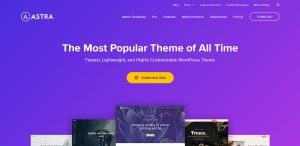
Astra is the most popular and fastest-growing WordPress theme available today. It is a performance-oriented minimal theme that provides only the most basic functions out of the box but under an outstanding shell. You may select the required modules and activate or deactivate them as needed.

Another benefit of Astra is that it works with the most well-liked page builders on the market and the Gutenberg editor.

5. Sydney

sydney

Website: https://wordpress.org/themes/sydney/

Sydney has long been a fixture in the popular section of the WordPress.org theme directory. And it’s easy to understand why. This WordPress theme has a modern design that is routinely updated, and it is also one of the themes officially recommended by the Elementor page builder team.

This fantastic theme has responsive design choices, rich WordPress Customizer integration, Google Fonts, and even custom Elementor blocks.

6. ColorMag

colormag

Website: https://wordpress.org/themes/colormag/

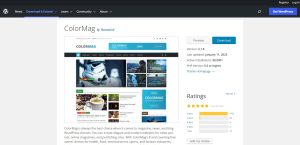
ColorMag is the only free WordPress theme on this list designed specifically for magazine and news-style websites, so if you still need one, there are other options than ColorMag.

Not only is that, but there are a variety of page layouts and customizations accessible, ensuring that everyone can find something that suits their needs.

The design is built to accommodate a lot of material – several pieces are released daily. Consider switching themes if your WordPress site generates less material.

7. Kadence

kadence wp

Website: https://www.kadencewp.com/kadence-theme/

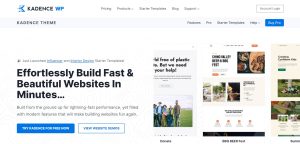
Kadence is a versatile theme with remarkable customization possibilities and lightning-fast speed.

From bloggers to e-commerce store owners, the modern, elegant theme may be handy for many individuals and enterprises. It works with some of the most incredible plugins on the market to make constructing and customizing your site a snap.

Kadence has a clean, professional style and a sample library to help you to start quickly. Apart from its ready-made templates, the theme is fast and adaptable, guaranteeing that performance is not a concern.

8. GeneratePress

generatepress

Website: https://generatepress.com/

Here’s another fantastic versatile WordPress theme you should be aware of. GeneratePress is also SEO-friendly, with verified HTML and schema.org structured data integrated. This makes it much easier for search engines to locate your website. Another big positive is that this theme is easy to use. It adheres to WCAG 2.0 requirements and is usable by screen readers.

You may use the WordPress Customizer or a page builder to modify the layout, colours, and font, among other things.

9. Everse

everse

Website: https://deothemes.com/wordpress-themes/everse-multi-purpose-elementor-wordpress-theme/

This professional theme is easy to use and comes with a quick demo import that allows you to begin developing your site with only a few clicks. It is rapid and search engine optimized. It also has some great design and customization features.

Everse allows you to create gorgeous pages without touching any code by leveraging the Elementor plugin’s intuitive drag-and-drop builder. It also comes with over 20 pre-built demonstrations, premium Elementor widgets, and a library of starting sites for various niches.

10. Zakra

zakra

Website: https://zakratheme.com/

Zakra is another versatile WordPress theme worth considering. This one comes fully loaded with a slew of features you can use to create any site you want in a fraction of the time it would take you to construct one yourself. In addition, this theme checks all of the necessary boxes regarding features and functionality.

For example, it prioritizes site performance, security, and SEO. It also has a plethora of pre-made demos that you can install with a single click and use to develop a site in a particular speciality if the more general corporate style isn’t for you.

Well, I’ve covered ten fantastic examples of the greatest free and versatile WordPress themes available on the market, and each offers some unique features, styles, and customization choices. You can now choose which suits you, without any second mind.

Free Blogging WordPress Themes – Top 10 Blogging Themes

Do you need free blogging WordPress themes for your site?

There are dozens of free blog themes for WordPress, making it difficult for newcomers to pick among them. The best WordPress themes might be challenging to come by. Your free theme should be dependable and readily adjustable.

In this post, I’ve hand-picked some of the greatest free WordPress blog themes for you to utilize on your site.

Top 10 Free Blogging WordPress Themes

1. Astra

astra theme

Website: https://wpastra.com/

Astra is a free WordPress blog theme that is customizable. It has starting sites for personal blogs, business blogs, portfolios, and even eCommerce websites. It’s responsive and works flawlessly with the most significant page builders available.

It has WooCommerce integration, allowing you to add an online store to your blog if necessary. It’s also ready for translation and may be used to create various blogs in a different language.

Astra is a simple theme with a plethora of colour possibilities. It includes all Google typefaces. The theme settings, such as logo upload, may be found via the WordPress live customizer.

2. OceanWP

oceanwp

Website: https://oceanwp.org/

Among the most popular free WordPress themes is OceanWP. This is because it has many features usually only found in premium themes. sunni-hizbullah kate hudson nude

OceanWP is suitable for any website, such as blogs, magazines, company websites, or ecommerce businesses.

It has several style options, full-width pages, two top navigation menus, custom logo support, sidebar spaces, gorgeous picture galleries, and more. It is exceptionally adaptable while being relatively simple to set up. It also supports live customizers.

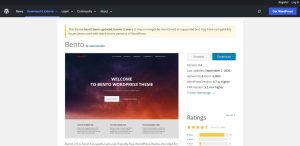
3. Bento

bento

Website: https://wordpress.org/themes/bento/

Bento is a powerful multipurpose WordPress blog theme packed with a lot of features. It is suited for usage as a commercial theme and works well with most page builder plugins.

It has a premium-grade design that is jam-packed with unique features, some of which are not found in free themes. Bento is a mobile-friendly, retina-ready, speed-optimized, and follows the best SEO (search engine optimization) techniques.

Bento has a lot of customization features for a free WordPress theme. All of them are accessible through the WordPress theme customizer. You won’t need to know any CSS code to make your site seem precise as you want it to.

4. Blocksy

blocksy

Website: https://creativethemes.com/blocksy/premium/

Blocksy is a fast, lightweight, and feature-rich free WordPress theme that works seamlessly with the WordPress block editor. It features a variety of page kinds and may be used to build various websites, including eCommerce sites, restaurant websites, blogs, portfolios, and others.

It is fully compatible with major page builder plugins like Elementor and has complete WooCommerce integration. In addition, a lazy loading method is incorporated to keep your site as quickly as possible. Even better, Blocksy is retina ready and will look beautiful on all devices.

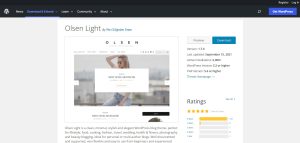
5. Olsen Light

olsen light

Website: https://wordpress.org/themes/olsen-light/

Olsen Light is a terrific option if you want to start a blog (for topics like fashion or travel). In addition to its numerous customization choices, it also interfaces with various packaged custom widgets to provide nearly everything you need to design your site.

Olsen Lite is an excellent tool to create a well-designed and complex website. We’ve already discussed lifestyle blogs, but it’s also a good option for professional blogs that provide product or restaurant reviews.

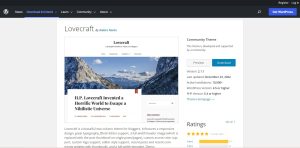
6. Lovecraft

lovecraft

Website: https://wordpress.org/themes/lovecraft/

Another theme with a two-column layout is Lovecraft. With the literary name, you’ll realize it was designed primarily for bloggers. It does, however, have a full-width header picture.

This theme will get your blog up and running easily and quickly. It is simple to look at and lends itself well to combining extended content and great photographs. Of course, given its simplicity, there’d be a premium version. But, on the other hand, Lovecraft also provides its exclusive feature set right out of the box.

7. Neve

neve theme

Website: https://themeisle.com/themes/neve/

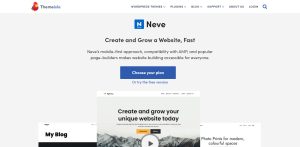
Neve is a free WordPress blog theme for corporate websites and online retailers. It’s also an excellent choice for personal blogs. A navigation menu with a search bar runs along the top. There are also social sharing buttons and featured content sliders built in.

It features a simple layout with lovely colours and fonts. Neve is readily customizable. It is compatible with well-known page builders plugins like Elementor, Divi, and Beaver Builder.

8. Natural Lite

natural lite

Website: https://wordpress.org/themes/natural-lite/

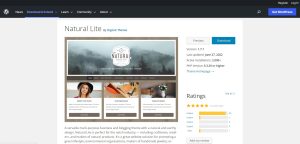
Natural Lite is a straightforward blogging theme with earthy undertones. It uses vast featured photos and allows for configurable headers and backgrounds.

It has multi-column layouts and simple modification possibilities. It’s an excellent choice for green or environmental blogs and web pages. If this is essential, I also propose that you consider our GreenGeeks discount for eco-friendly WordPress hosting.

9. Avant

avant

Website: https://wordpress.org/themes/avant/

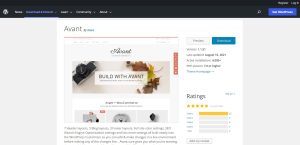
Avant is a free WordPress theme that is highly adaptable and ideal for all websites. It is ready for eCommerce with complete WooCommerce support and can also be used to develop content-rich websites effortlessly.

It comes with 7 header templates, 5 blog layouts, 3 footer layouts, endless colour options, and many other settings incorporated into the WordPress customizer. It has been tested to function with all familiar page builders and other necessary WordPress plugins.

10. Responsive Mobile

responsive mobile

Website: https://wordpress.org/themes/responsive-mobile/

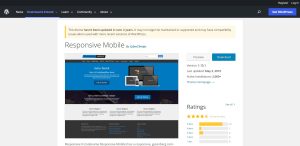
Responsive Mobile is a WordPress theme created with a mobile-first approach, as the name indicates. It looks excellent on any mobile device, computer, or screen size.

This theme has 9-page templates, allowing you to create attractive sites with a responsive layout quickly. In addition, there are 11 widget sections, 6 template styles, 4 menu places, and a call-out section with a call to action button. It is simple to use and fast to assemble. It’s an excellent choice for company websites.

There are several free WordPress CMS themes to pick from while constructing your website. Some of the greatest are simple, mobile-friendly, and adaptable. With the correct theme, your blog will be up and running quickly. Of course, the one you select will be determined by your personal preferences and the type of blog you’re creating, so peruse this assortment and decide for yourself!

Thank you for taking the valuable time to read this article.