ECommerce WordPress Themes – Top 10 best themes For WordPress

The first thing visitors see before making a purchase decision is the design and usability of your store. As a result, it’s critical to choose an e-commerce theme that gives a positive user experience, which translates into more sales.

A precisely designed and well-suited theme also helps develop brand identification, which is essential in winning customer confidence. As a result, a fully functional and updated theme is required to provide our customers with the finest shopping experience while ensuring minimal bounce rates.

But, themes can only provide the visitors with the optimal user experience if the website works completely. Thus, if you still need to get a working WordPress CMS site, get one immediately using Cloudways’ managed hosting platform. Here is the list for you.

Top 10 Best ECommerce WordPress Themes

The following are the top ten most popular and most excellent eCommerce WordPress themes available in 2023:

1. Astra

ecommerce wordpress theme - astra

Website: https://wordpress.org/themes/astra/

Astra is a popular WordPress eCommerce theme compatible with all major page builders, including Elementor, Visual Composer, and Beaver Builder.

It provides a variety of eCommerce themes that may appeal to diverse market segments. It also features a plethora of add-ons and custom widgets, providing your site flexibility.

Key features include A lightweight theme, Speed and performance have been prioritized, Rapid loading, Google fonts stored on your server, Code optimization, and Options for powerful design.

2. OceanWP

Ocean WP

Website: https://wordpress.org/themes/oceanwp/

OceanWp offers several incredible built-in features that make it suited for any niche. For example, this theme works with WooCommerce as well as eight different page builders. In addition, OceanWP is well-known for its Speed and performance.

Important Characteristics include

  • Quick and responsive
  • RTL and translation support
  • SEO optimization
  • WooCommerce compatible
  • Mobile and tablet compatibility
  • Elementor, Brizy, Visual Composer, Beaver Builder, Divi, SiteOrigin, and other popular page builders are supported.

3. Shopkeeper

Shopkeeper

Website: https://themeforest.net/item/shopkeeper-ecommerce-wp-theme-for-woocommerce/

The Shopkeeper theme has a plethora of example layouts and page templates that can be imported with a single click, allowing you to have your business up and running as soon as possible. In addition, under the store settings, you may activate or disable the sidebar, change the number of shown goods in a single row, enable catalogue and quick view capabilities, and personalize how individual products are presented.

4. Neighborhood

Neighborhood

Website: https://themeforest.net/item/neighborhood-responsive-multipurpose-shop-theme/

The neighborhood is a simple, multi-purpose WordPress eCommerce theme. It’s one of the most popular WordPress eCommerce templates since it’s highly responsive, retina ready, and uses the Swift Page Builder, allowing you to design your website with limitless customization choices effortlessly. Easily one of the most excellent eCommerce WordPress themes available online.

5. Flatsome
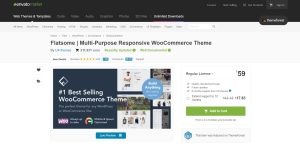
Flatsome

Website: https://themeforest.net/item/flatsome-multipurpose-responsive-woocommerce-theme/

Flatsome is one of the most significant eCommerce WordPress themes available, and it’s jam-packed with features. With its sleek, flat style, this theme was created to increase conversions and surprise your consumers.

The theme has a drag-and-drop page builder, catalogue mode, SEO-optimized code, quick view features, a built-in wish list, and others. Furthermore, your customers can see their transactions and monitor orders due to stunning account pages.

6. Gem

Gem

Website: https://themeforest.net/item/gem-luxury-ecommerce-responsive-wordpress-theme/

Go to the Gem theme if you offer high-end or luxury items. The exquisite and attractive WordPress eCommerce design of this eCommerce WordPress theme is ideal for online businesses selling jewellery, watches, or luxury fashion products.

The theme is responsive, has 6 predefined colour schemes, and over 50 widget locations to add items or display your content. It also allows for megamenus and off-canvas navigation, making it ideal for mobile devices.

7. X Store

X store

Website: https://themeforest.net/item/xstore-responsive-woocommerce-theme/

Choose one of the top eCommerce WordPress themes. The X-Store theme is a contemporary design that may be utilized for various online retailers. For example, you may construct an electronics store, a fashion store, a furniture store, an app, or any other business using various demos.

The theme also contains all of the PSD files, so if you’re a designer, you can quickly alter them and adapt the modifications to the theme. Naturally, essential eCommerce features, such as a giant menu, product filtering, quick view, catalogue mode, and so on, are available, as are several customization possibilities.

8. Woodmart

woodmart

Website: https://themeforest.net/item/woodmart-woocommerce-wordpress-theme/

The WoodMart WordPress eCommerce theme has a brilliant and cheerful style suited for various shops. It’s responsive and retina-ready, and the theme settings panel lets you change fonts, header styles, colours, and more.

Customers will enjoy the option to utilize filters and auto-completed searches to discover the goods they need. In addition, you can use alternative layouts on product and retail pages and create product variations. Our consumers love the style and functionalities of the theme.

9. The Retailer

the retailer

Website: https://themeforest.net/item/the-retailer-responsive-wordpress-theme/

The Retailer is a simple WordPress shop theme that includes detailed documentation and video tutorials to assist you in setting up your WordPress eCommerce site. It’s ideal for people who are just getting started with their internet business.

The theme supports a video backdrop in the header and a clean grid-based layout for your highlighted and most popular goods. With this theme, you can sell physical and digital items, create product variants, and more.

10. Uncode

uncode

Website: https://themeforest.net/item/uncode-creative-multiuse-wordpress-theme/

This is one of those WordPress eCommerce designs that work. Several demonstrations highlight how well this would function as a template for an advertising firm, but dozens show how your online shop may appear.

The Shop Creative theme, for instance, appears to be more of a fully-fledged fashion brand that fits in the most excellent parts of New York, Paris, or London. In addition, a Frontend Editor was added in a recent version to assist the editing process even further.

This article’s themes are enough to keep your eCommerce business running. If you want to buy these WordPress eCommerce themes, go to ThemeForest and choose one of the weekly top-selling eCommerce templates.

However, each business has unique requirements, and the WordPress eCommerce themes described above may not match your company best. To assist you in your hunt for the ideal eCommerce theme, I’ve included three additional Tuts+ articles that will undoubtedly present you with more high-quality possibilities.


Real Estate WordPress Themes – Top 10 WordPress Themes

Whether you’re a new real estate professional or a homeowner trying to sell a few homes, you’ll need a website to get your business off to a good start. According to research, 90% cent of the total real estate agencies have websites, and 44% of house purchasers explore online properties for sale. Creating a website may appear complicated, but real estate WordPress themes simplify setting up a site and personalizing it to your needs.

For example, with the correct WordPress theme, you may construct a gorgeous real estate website highlighting all the properties you want to sell. In this post, I’ve compiled a selection of the finest top 10 WordPress real estate themes.

Top 10 WordPress themes for Real Estate Websites

1. Qi Theme

Qi Theme

Website: https://qodeinteractive.com/qi-theme/

Qi Theme is an excellent solution for a real estate website that values high-quality design but wants functionalities to stay on track. The theme was developed with style choices and functionality that cater to companies and artists alike, and real estate websites may use both.

On the commercial side, Qi Theme contributes to the seamless operation of your website. The theme allows you to exhibit properties in spectacular ways.

2. WP Pro Real Estate 7

WP Pro Real Estate 7

Website: https://themeforest.net/item/wp-pro-real-estate-7-responsive-real-estate-wordpress-theme/12473778

Real Estate 7 aspires to be more than simply another WordPress CMS theme. Instead, it aspires to be your “end-to-end real estate business solution.” To do this, it includes web-building facilities and contact management tools comparable to a CRM. You may monitor sales activity and discounts and determine where your site’s visitors are coming from.

There aren’t many issues with this theme. A few reviews mention one-time concerns, but they are all addressed by the theme’s support staff. Thus you’ll have peace of mind knowing that if something goes wrong, you have a dedicated support option.

3. Real Places

Real places

Website: https://themeforest.net/item/real-places-responsive-wordpress-real-estate-theme/12579089

Real Places is a premium theme created exclusively for real estate brokers and businesses. It has several unique elements suitable for real estate businesses, and each page layout has several possibilities.

What’s great about this real estate theme is that it prioritizes user experience on your website.

Slider Revolution makes creating stunning slides that highlight your most outstanding offerings simple. You may also use the WPML plugin to translate your page into any language. Your international clientele will undoubtedly love the multilingual settings.

4. RealtySpace

realtyspace

Website: https://themeforest.net/item/realtyspace-real-estate-wordpress-theme/15965811

Realtyspace is a flexible and user-friendly WordPress real estate theme. It is a solution for real estate agents and agencies, real estate holdings, enterprises, and businesses that interact with real estate in various ways. The theme combines the WordPress Customizer with the WPBakery page builder to allow you to create the layout of your dreams without touching a line of code.

Realtyspace is the best solution for organizing multimedia galleries, dynamic AJAX categories, lightbox features, search tools, gorgeous scrolling, and much more!

5. Square

Square

Website: https://themeforest.net/item/square-real-estate-wordpress-theme/19933783

Square is a fantastic WordPress real estate theme for everyone. Starting on the right foot ensures Square’s material is in stock. Even with little coding and design skills, you will still succeed effortlessly. You may choose between two home page styles, all of which are very customisable.

While you may use Square out of the box, you can also completely customise it to meet your business requirements.

6. HomeID

HomeID

Website: https://themeforest.net/item/homeid-real-estate-wordpress-theme/30203159

HomeID is a high-quality real estate WordPress theme with beautiful home designs and applicable internal sections. It also provides you with many features you may mix and match. To make things even more fun, the WPBakery page builder allows you to conduct tweaks and upgrades at your leisure.

To mention a few features, HomeID includes a mortgage calculator, Google Maps, sophisticated search, single-building layouts, and 360-degree virtual tours.

7. Reales WP

Reales WP

Website: https://themeforest.net/item/reales-wp-real-estate-wordpress-theme/10330568

Reales is a cutting-edge real estate WordPress theme with a clear, modern, and user-friendly design. If you use this theme, your site will suit all devices, including tablets and smartphones. Reales WP includes numerous intriguing features such as the sophisticated autocomplete search function, and editing, an advanced properties filter, and front-end property submission.

Reales has used Google Places to create a user-friendly interface and a more efficient search experience.

8. Ekko

ekko

Website: https://www.ekko-wp.com/

Ekko is a real estate WordPress theme with trendy, creative, and intelligent demo content to help you get your company website up and running quickly. The back-to-top button, blog footer reveal, store pages, 100s of preset elements, and a premium icon collection are further highlights.

If you’re ready to push properties and expand your potential, start on the web safely with Ekko.

9. HomePress

homepress

Website: https://stylemixthemes.com/homepress/

Are you seeking a fantastic, user-friendly, professional, and complex real estate WordPress theme? Then, here is HomePress, a terrific tool for spreading the message in elegance.

The bundle contains a selection of 17+ demos, all of which are innovative and unique. Because of the Elementor drag-and-drop page builder, you don’t need prior knowledge. Autocomplete search, 360-degree virtual presentation, mortgage calculator, radius search, and 13 custom-made widgets are also available.

10. Real Homes

real homes

Website: https://realhomes.io/

Real Houses incorporates a Google Maps feature with unique property identifiers. As a result, customers may glimpse their future house from above.

This theme is built with Bootstrap and features an entirely responsive UI. As a result, your content will appear fantastic regardless of the device used by the user.

Slider Revolution makes creating stunning slides that highlight your most fantastic offerings simple. You may also use the WPML plugin to translate your page into any language. Your international clientele will undoubtedly love the multilingual settings.

As you can see, several excellent themes exist for creating a real estate website. Each has its distinct characteristics and its own set of advantages and disadvantages. Use the info above to learn more about the different themes and choose one that best meets your company’s needs and goals. Thank you for taking the time to spend on this article.

Quality Content – Effective Tips to Make It

With so much content for consumers to sort through, producing high-quality content that stands out online can be challenging. These guidelines can assist you in crafting your messages with quality content and grabbing the proper kind of attention, whether you are an experienced social media writer or a budding content creator.

What is Quality Content?

Quality content provides readers with information, outperforms the competition, and performs better in search engine results pages (SERPs). Readers should find good information more useful and valuable than what is already available. The readers will share this kind of stuff.

What is Quality Content

Typically, Search Engine Optimisation writing focuses on topics readers are searching for. Despite the fact that the top-ranking websites will all say the same thing, this makes the content useful. Producing content or stuff ten times better than what already would be best. When developing content, you should look at what already ranks well and aim to outdo it.

What Does Quality Content mean?

If you have a content marketing strategy, which you should have if you don’t already, here’s how to develop one, a quality content supports one or more of your goals. For quality content, common objectives include,

  • Bringing in new readers
  • Creating fresh leads
  • Making leads into customers
  • Maintaining current consumers
  • Establishing power
  • Raising consciousness

Low-quality content won’t accomplish the objectives and may instead:

  • Obtain a low CTR result with few to no downloads
  • Provide ineffective organic search results
  • Dissuade readers from ever doing business with you

Why is Quality Content Important?

Let’s list out why quality content is essential for Search Engine Optimisation.

Why is Quality Content Important

Helps To Achieve the Objectives

Quality content aids in the development of the outcomes that marketers are looking for, from brand awareness to conversion rates. A strong priority will be given to creating unique content that complies with best blogging SEO practices and utilises the most recent search engine optimisation techniques in any content strategy that is worth it. The specific type of content you create is less important than your content strategy since continuously producing engaging, well-written material can turn even the most uninteresting subject into a genuine gold mine.

It Values the Page in Web Analytics

The content you produce will all be monitored by web analytics technologies. Web analytics tools are automated marketing experts that evaluate pages, taking into account the time spent on the post, the bounce rate of the page, and the number of pages reads in a single session. Quality material will enhance the user experience, which frequently encourages more site browsing.

Having high-quality photographs, few grammatical errors, and reliable sources assures that your article will rank more highly in search engine crawling, regardless of whether you are telling a tale about your own personal experience with a product or methodically working through a “how to” piece. The secret to outstanding material on a blog or website is original, valuable content.

Web Analytics

How to Determine the Quality Content?

The following two elements are the primary determinants of a piece of content’s overall quality:

  • It’s written well.
  • It adheres to legitimate SEO standards.

The two have to coexist. Google will provide you with SEO advantages if you provide well-written content.

In order to give your user the best experience possible, this still entails adhering to strict technical SEO best practices. This means your users may find a secure website that is simple to use and provides the information they need. These elements will increase user confidence and position your brand as a trustworthy and authoritative source.

Essential Tips to Write A Quality Content

You may now choose the content format and kinds you should concentrate on once you clearly understand why creating high-quality content is crucial. Keep to the following to develop quality content for your website or blog.

Compelling Title

Compelling Title

80% of visitors to your blog post will first read the meta title, and 20% will read the article itself. Make the title eye-catching if you want these numbers to rise. You must add some curiosity to this, even though a sensational headline may look nasty and conjure images from cheap media. Inform your readers that you have a simple fix for their issue. Offer an original solution to a long-standing problem.

Create an intriguing headline for your post and add a subtitle. By doing so, you may define your title and demonstrate how it applies to the reader.

Start with a Good Intro

A reader was persuaded to click on your article by your headline. It would be best if you convinced them to continue reading. Expect your readers to leave if your introduction fails to capture their interest right away.

The most excellent method to keep readers reading is to start with the information that your title promises.

For instance, it’s safe to assume that you want to write better content if you read this article. Therefore, I acknowledged your difficulty in the opening and stated that the purpose of this post is to assist you in solving it.

That introduction must have been practical because you are still reading.

Write what Readers want

Although it’s not a magic bullet, a quick start may help you hold readers’ interest for longer. You must write with your target reader in mind. Or, write for a specific group of readers rather than the general public. It’s similar to the distinction between an article on “excellent content writing” and one on “great writing” to use a straightforward illustration.

Keep a Good Structure

Write your posts in short paragraphs with subheadings, just like you would in a college paper. Try having one of your posts written by a reputable essay writing service if you want to see exactly what a beautiful structure should look like. You’ll notice that professionals neatly divide the material into pieces to make even the most boring stuff look appealing and straightforward to read.

By doing this, you can reassure the reader that reading an excellent post only takes a short while. Follow the golden rule of writing blog posts: one paragraph, one idea. To make your content easy to browse, keep your paragraphs brief. Your friend is the reader. When deciding on the format and tone of your post, keep this in mind.

Well Researched Content

Well Researched Content

If you support your opinion with facts, your readers will respect your time studying and believe what you say.

When conducting your study, be sure to:

Use reliable sources: When obtaining information, use journals, newspapers, and websites. Websites run by respectable companies and governments are examples of trustworthy websites.

Verify the source’s date: Ensure the data you’re utilising is up-to-date.

Check the information’s honesty: Cross-referencing your information with other sources is crucial because not all information is reliable, making it necessary to confirm the integrity of the sources you’re employing.

Conclusion

Knowing your subject area thoroughly and being aware of your readers’ needs can make it much easier to produce high-quality content. Do some research to gain a deeper understanding of your subject and intended audience. Be sincere in what you write.

If you need more assistance, you can also read more articles about improving your content writing abilities and discover new techniques to promote your blog. In the end, producing high-quality content is the first step in starting a successful blog. beckkywylin camwhores


Google PageSpeed Insights – How will it help you?

An essential aspect of the user experience in the modern internet environment is how quickly a website loads. So, of course, there are many things you can do to increase the SEO and overall relevancy of your website. And to find any problems that might be impairing the speed of your website, Google PageSpeed Insights is a fantastic tool. This is due to the fact that both page speed and mobile performance are essential for your online environment’s success. Let’s go over how to use Google PageSpeed Insights in this blog to increase your site’s excellent performance constantly.

What is Google PageSpeed Insights?

A website performance assessment tool called PageSpeed Insights examines a webpage’s load time, responsiveness, and visual stability on both mobile and desktop. It is used for free speed audits that provide an estimated performance overview and recommendations for improvement (based on both lab and field data).

Lab data: It is also known as synthetic data, demonstrating how hypothetical consumers might interact with your website. It is collected in a controlled environment and helps track down performance problems. The open-source programme Lighthouse is to gather and evaluates lab data.

synthetic data

Field data: It is sometimes referred to as real-world or Real User Monitoring (RUM) data and demonstrates how actual people have interacted with your website. Field information is taken from the Chrome User Experience Report (CrUX).

Additionally, a total score is derived from the submitted data. This score summarises the performance of a page. Here is a breakdown of the scoring to help you understand where you stand when you receive a score.

PageSpeed Insight Scoring (PSI)

  • 90 and above means fast
  • 50 to 89 means the average
  • 49 and below means slow

Google Light House

Google Lighthouse has been used to generate Google PageSpeed Insights since 2018. Google developed this open-source, automated programme to raise the calibre of websites. Lighthouse can inspect a wide range of items, including functionality, accessibility, progressive web apps, and more.

Several methods can be used to operate Lighthouse. In essence, you assign Google Lighthouse a URL to examine. Then, it uses the given URL to perform several audits on the page. The performance of the page is then used to generate a report. You can then use the information’s shortcomings to enhance your website.

Google Light House

Additionally, Google Lighthouse provides a Chrome extension that you can instal immediately to use the tool. This makes it simpler than executing command-line code, and it also makes the mobile-friendly test simpler.

How does Google PageSpeed Insights Help you?

According to Google’s research, conversion rates and website load times are directly correlated. Additionally, according to their study, a post-click landing page that could be more active and responsive may cost you up to half of your prospects.

Some believed that the most important conversion factors were the product title, CTA button colour, and design. However, such things are still crucial. Running mobile-friendly tests ensures your website renders correctly on mobile devices.

How does Google PageSpeed Insights Help you?

Google PageSpeed Insights can help with this. First, it is used by you to test your website. Then, using that information, you make the necessary modifications to ensure you receive the best possible grade.

So what can you do to prepare your website before running a Google test? The following suggestion will be helpful to you.

Perform compression activity

Web browsers are typically designed to offer customers a more compact version of your website. Therefore, you must take all reasonable steps to reduce the web page size and enable faster serving.

Compression and optimisation of the photos on your website are two of the finest ways to do this. They can now be rendered more quickly and effectively thanks to this. This shortens the time it takes for pages to load and keeps visitors on your site for longer.

Minifying the Codes

Minifying the Codes

The term “minifying” means deleting unused or extraneous data from a web page without altering how the browser interprets it. Poor code is typically the root cause of this issue. However, a variety of tools can be used to solve it.

If you are competent, you can perform the task manually. For WordPress websites, there are useful plugins to instal that can make this procedure simple. Alternatively, you can use these Google-recommended resources:

  • HTML is compressed using an HTML minifier.
  • To minify CSS, use CSSNano and csso.
  • Use the Closure Compiler and UglifyJS2 to minify JavaScript.

Whatever method you use, minifying HTML, JavaScript, and CSS will significantly speed up your website.

Proper Caching

Frequently, a page will fully load for a user once several requests have been made between a server and browser. That can build up quickly when you consider it in the context of time.

It is possible for a browser to “remember” specific elements of a web page that have already been loaded by using caching. Items like:

  • Navigator
  • Header
  • Logo
  • Specific Content

Therefore, a browser may load a web page more quickly the more elements of a web page it can cache because those elements are already memorised. The loading time is sped up with fewer elements.

You can choose your caching schedule, although Google suggests that the best plan is once per week. No matter what browser you use, you can do this.

Proper SEO

proper seo

An essential component of any website is Search Engine Optimisation. It also contributes to PageSpeed Insights’ scoring system. The idea is to optimise your content so that Google crawlers can read it and properly index it.

You may begin the process more quickly if you comprehend SEO and how it applies to your company. Keep in mind that SEO best practices are also essential.

Prevent more redirects

URL redirection is the process of using one URL to lead to another URL. They are typically used when one moves or deletes a webpage on a website.

When you use too many URL page redirects, your website’s performance will suffer from the increased loading time. Ensuring you employ fewer URL redirects or only employ them when necessary will be the only remedy for this issue.

Conclusion

Google offers this tool because they want your website to load quickly and be compatible with mobile devices. These things are essential for success in their eyes. However, most people won’t wait for a webpage to load for more than a few seconds. With a slower load time, you are more likely to lose visitors than retain them. To test your web pages and determine where you stand, utilise Google Lighthouse and the Google PageSpeed Insights tool. After receiving the findings, Google offers some suggested corrections and ideas that will benefit your website in the long term.